
About
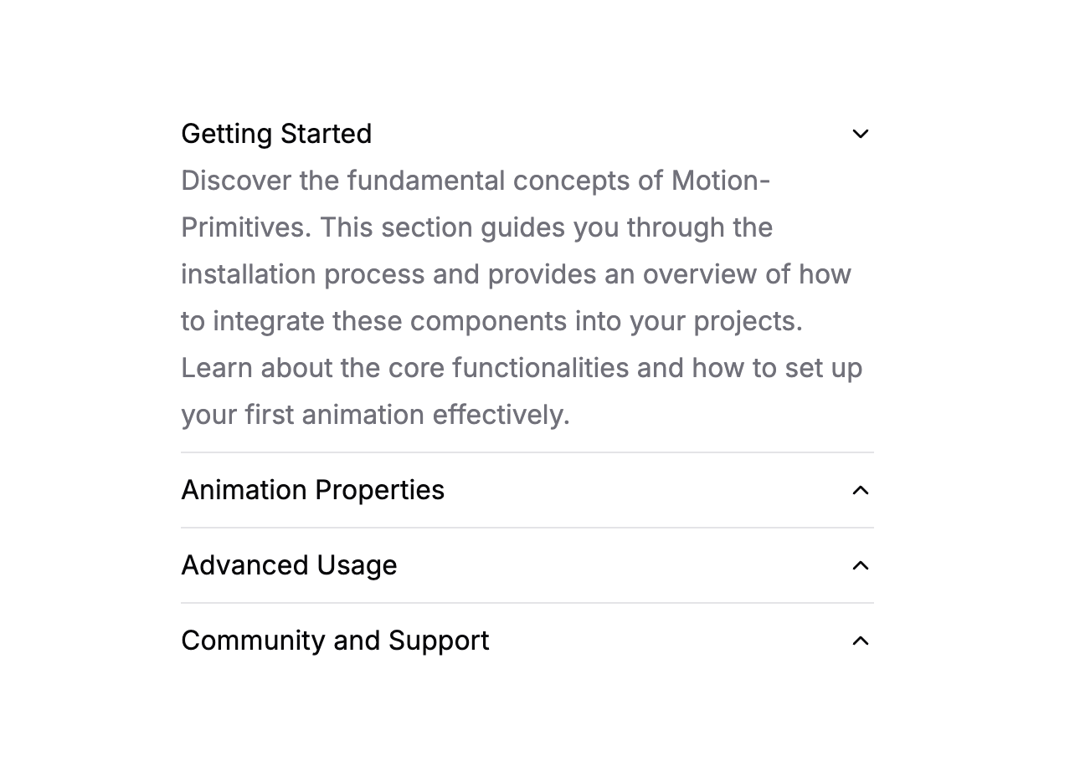
A vertically stacked set of collapsible containers allowing users to toggle content visibility. Customize the animation effects with variants and transitions for expanding/collapsing the sections.
Built with React and Tailwind. Copy the prompt and paste it into Claude Code, Cursor or Lovable: your agent adds Accordion to your project and fits it to your theme.
Code
How Accordion is used: the demo's code. The component's own source comes with a free account.
Usage.tsx
import {
  Accordion,
  AccordionItem,
  AccordionTrigger,
  AccordionContent,
} from "@/components/ui/accordion";
import { ChevronUp, ChevronRight } from "lucide-react";

export function AccordionBasic() {
  return (
    <Accordion className="flex w-full flex-col divide-y divide-zinc-200 dark:divide-zinc-700">
      <AccordionItem value="getting-started">
        <AccordionTrigger className="w-full py-0.5 text-left text-zinc-950 dark:text-zinc-50">
          Getting Started
        </AccordionTrigger>
        <AccordionContent>
          <p className="text-zinc-500 dark:text-zinc-400">
            Discover the fundamental concepts of Motion-Primitives. This section
            guides you through the installation process and provides an overview
            of how to integrate these components into your projects. Learn about
            the core functionalities and how to set up your first animation
            effectively.
          </p>
        </AccordionContent>
      </AccordionItem>
      <AccordionItem value="animation-properties">
        <AccordionTrigger className="w-full py-0.5 text-left text-zinc-950 dark:text-zinc-50">
          Animation Properties
        </AccordionTrigger>
        <AccordionContent>
          <p className="text-zinc-500 dark:text-zinc-400">
            Explore the comprehensive range of animation properties available in
            Motion-Primitives. Understand how to manipulate timing, easing, and
            delays to create smooth, dynamic animations. This segment also
            covers the customization of animations to fit the flow and style of
            your web applications.
          </p>
        </AccordionContent>
      </AccordionItem>
      <AccordionItem value="advanced-usage">
        <AccordionTrigger className="w-full py-0.5 text-left text-zinc-950 dark:text-zinc-50">
          Advanced Usage
        </AccordionTrigger>
        <AccordionContent>
          <p className="text-zinc-500 dark:text-zinc-400">
            Dive deeper into advanced techniques and features of
            Motion-Primitives. Learn about chaining animations, creating complex
            sequences, and utilizing motion sensors for interactive animations.
            Gain insights on how to leverage these advanced features to enhance
            user experience and engagement.
          </p>
        </AccordionContent>
      </AccordionItem>
      <AccordionItem value="community-and-support">
        <AccordionTrigger className="w-full py-0.5 text-left text-zinc-950 dark:text-zinc-50">
          Community and Support
        </AccordionTrigger>
        <AccordionContent>
          <p className="text-zinc-500 dark:text-zinc-400">
            Engage with the Motion-Primitives community to gain additional
            support and insight. Find out how to participate in discussions,
            contribute to the project, and access a wealth of shared knowledge
            and resources. Learn about upcoming features, best practices, and
            how to get help with your specific use cases.
          </p>
        </AccordionContent>
      </AccordionItem>
    </Accordion>
  );
}

export function AccordionIcons() {
  return (
    <Accordion
      className="flex w-full flex-col divide-y divide-zinc-200 dark:divide-zinc-700"
      transition={{ duration: 0.2, ease: "easeInOut" }}
    >
      <AccordionItem value="getting-started" className="py-2">
        <AccordionTrigger className="w-full text-left text-zinc-950 dark:text-zinc-50">
          <div className="flex items-center justify-between">
            <div>Getting Started</div>
            <ChevronUp className="h-4 w-4 text-zinc-950 transition-transform duration-200 group-data-[expanded]:-rotate-180 dark:text-zinc-50" />
          </div>
        </AccordionTrigger>
        <AccordionContent>
          <p className="text-zinc-500 dark:text-zinc-400">
            Discover the fundamental concepts of Motion-Primitives. This section
            guides you through the installation process and provides an overview
            of how to integrate these components into your projects. Learn about
            the core functionalities and how to set up your first animation
            effectively.
          </p>
        </AccordionContent>
      </AccordionItem>
      <AccordionItem value="animation-properties" className="py-2">
        <AccordionTrigger className="w-full text-left text-zinc-950 dark:text-zinc-50">
          <div className="flex items-center justify-between">
            <div>Animation Properties</div>
            <ChevronUp className="h-4 w-4 text-zinc-950 transition-transform duration-200 group-data-[expanded]:-rotate-180 dark:text-zinc-50" />
          </div>
        </AccordionTrigger>
        <AccordionContent>
          <p className="text-zinc-500 dark:text-zinc-400">
            Explore the comprehensive range of animation properties available in
            Motion-Primitives. Understand how to manipulate timing, easing, and
            delays to create smooth, dynamic animations. This segment also
            covers the customization of animations to fit the flow and style of
            your web applications.
          </p>
        </AccordionContent>
      </AccordionItem>
      <AccordionItem value="advanced-usage" className="py-2">
        <AccordionTrigger className="w-full text-left text-zinc-950 dark:text-zinc-50">
          <div className="flex items-center justify-between">
            <div>Advanced Usage</div>
            <ChevronUp className="h-4 w-4 text-zinc-950 transition-transform duration-200 group-data-[expanded]:-rotate-180 dark:text-zinc-50" />
          </div>
        </AccordionTrigger>
        <AccordionContent>
          <p className="text-zinc-500 dark:text-zinc-400">
            Dive deeper into advanced techniques and features of
            Motion-Primitives. Learn about chaining animations, creating complex
            sequences, and utilizing motion sensors for interactive animations.
            Gain insights on how to leverage these advanced features to enhance
            user experience and engagement.
          </p>
        </AccordionContent>
      </AccordionItem>
      <AccordionItem value="community-and-support" className="py-2">
        <AccordionTrigger className="w-full text-left text-zinc-950 dark:text-zinc-50">
          <div className="flex items-center justify-between">
            <div>Community and Support</div>
            <ChevronUp className="h-4 w-4 text-zinc-950 transition-transform duration-200 group-data-[expanded]:-rotate-180 dark:text-zinc-50" />
          </div>
        </AccordionTrigger>
        <AccordionContent>
          <p className="text-zinc-500 dark:text-zinc-400">
            Engage with the Motion-Primitives community to gain additional
            support and insight. Find out how to participate in discussions,
            contribute to the project, and access a wealth of shared knowledge
            and resources. Learn about upcoming features, best practices, and
            how to get help with your specific use cases.
          </p>
        </AccordionContent>
      </AccordionItem>
    </Accordion>
  );
}

export function AccordionVariant() {
  return (
    <Accordion
      className="flex w-full flex-col"
      transition={{ type: "spring", stiffness: 120, damping: 20 }}
      variants={{
        expanded: { opacity: 1, scale: 1 },
        collapsed: { opacity: 0, scale: 0.7 },
      }}
    >
      <AccordionItem value="getting-started" className="py-2">
        <AccordionTrigger className="w-full py-0.5 text-left text-zinc-950 dark:text-zinc-50">
          <div className="flex items-center">
            <ChevronRight className="h-4 w-4 text-zinc-950 transition-transform duration-200 group-data-[expanded]:rotate-90 dark:text-zinc-50" />
            <div className="ml-2 text-zinc-950 dark:text-zinc-50">
              How do I start with Motion-Primitives?
            </div>
          </div>
        </AccordionTrigger>
        <AccordionContent className="origin-left">
          <p className="pl-6 pr-2 text-zinc-500 dark:text-zinc-400">
            Kick off your experience by setting up Motion-Primitives. This
            section covers the basics of installation and how to add animations
            to your projects. You’ll get familiar with the initial setup and the
            core features quickly.
          </p>
        </AccordionContent>
      </AccordionItem>
      <AccordionItem value="animation-properties" className="py-2">
        <AccordionTrigger className="w-full py-0.5 text-left text-zinc-950 dark:text-zinc-50">
          <div className="flex items-center">
            <ChevronRight className="h-4 w-4 text-zinc-950 transition-transform duration-200 group-data-[expanded]:rotate-90 dark:text-zinc-50" />
            <div className="ml-2 text-zinc-950 dark:text-zinc-50">
              What are the key animation properties?
            </div>
          </div>
        </AccordionTrigger>
        <AccordionContent className="origin-left">
          <p className="pl-6 pr-2 text-zinc-500 dark:text-zinc-400">
            Discover a variety of properties to customize your animations. Learn
            to adjust timing, easing, and delays for smoother effects. This
            guide will help you tailor these settings to your app’s needs.
          </p>
        </AccordionContent>
      </AccordionItem>
      <AccordionItem value="advanced-features" className="py-2">
        <AccordionTrigger className="w-full py-0.5 text-left text-zinc-950 dark:text-zinc-50">
          <div className="flex items-center">
            <ChevronRight className="h-4 w-4 text-zinc-950 transition-transform duration-200 group-data-[expanded]:rotate-90 dark:text-zinc-50" />
            <div className="ml-2 text-zinc-950 dark:text-zinc-50">
              How do I use advanced features?
            </div>
          </div>
        </AccordionTrigger>
        <AccordionContent className="origin-left">
          <p className="pl-6 pr-2 text-zinc-500 dark:text-zinc-400">
            Advance your skills by using more complex functions of
            Motion-Primitives. Explore how to link animations together, create
            intricate sequences, and interact with motion sensors for dynamic
            effects.
          </p>
        </AccordionContent>
      </AccordionItem>
      <AccordionItem value="community-support" className="py-2">
        <AccordionTrigger className="w-full py-0.5 text-left text-zinc-950 dark:text-zinc-50">
          <div className="flex items-center">
            <ChevronRight className="h-4 w-4 text-zinc-950 transition-transform duration-200 group-data-[expanded]:rotate-90 dark:text-zinc-50" />
            <div className="ml-2 text-zinc-950 dark:text-zinc-50">
              How do I engage with the community?
            </div>
          </div>
        </AccordionTrigger>
        <AccordionContent className="origin-left">
          <p className="pl-6 pr-2 text-zinc-500 dark:text-zinc-400">
            Connect with the Motion-Primitives community for support and
            collaboration. Learn how to contribute, share knowledge, and access
            helpful resources. Stay updated on new updates and collective
            insights.
          </p>
        </AccordionContent>
      </AccordionItem>
    </Accordion>
  );
}

export default { AccordionBasic, AccordionIcons, AccordionVariant };
Dependencies
More by Julien Thibeaut
View all

Dock
3.1K
Text Effect
1.6K
Infinite Slider
1.5K
Text Shimmer
1.3K
Text Scramble
1.1K
Progressive blur
683
Glow Effect
608
Tailwind CSS Background Snippet
534