
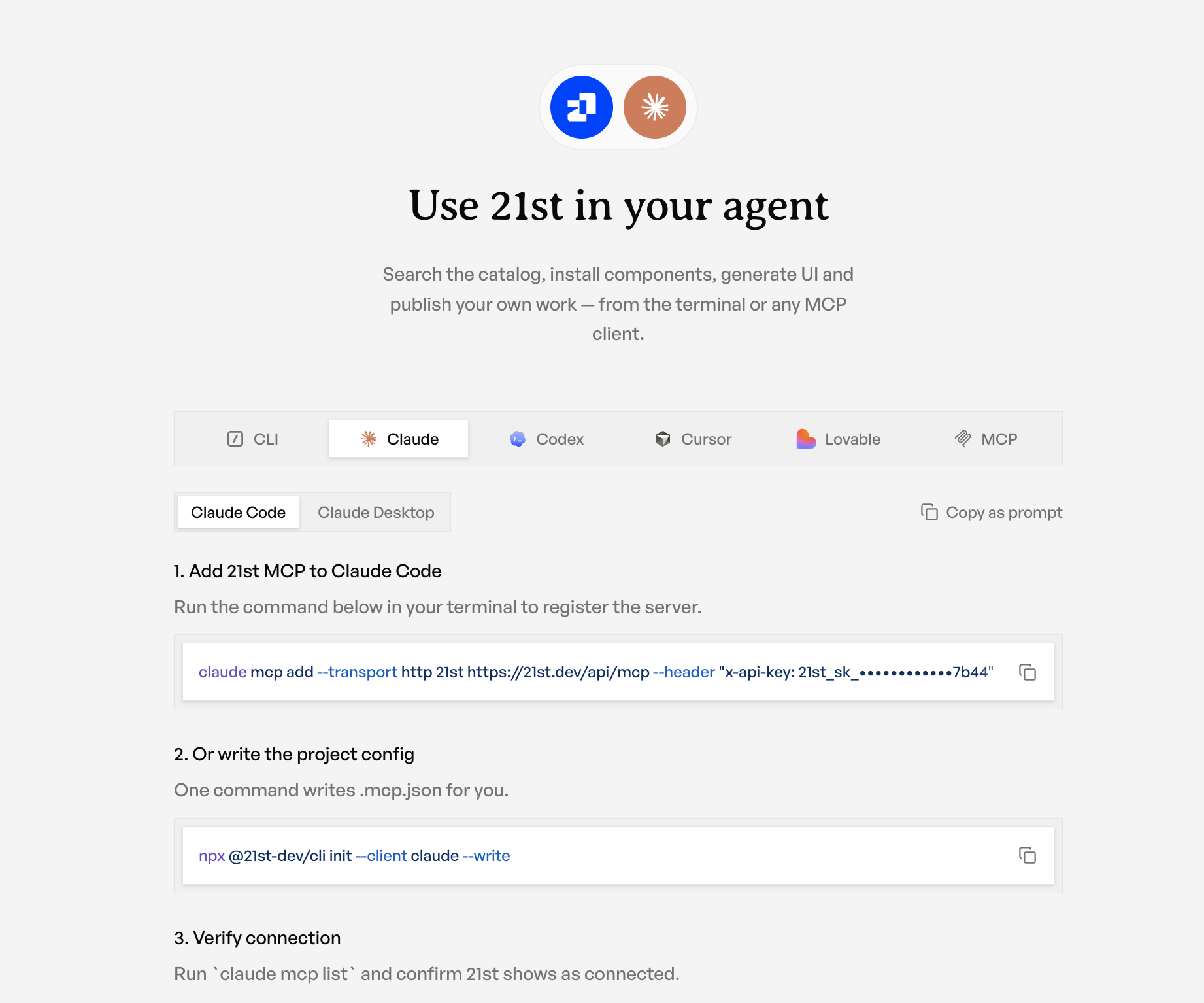
Use 21st in your agent
21st is not just a place you browse. It is a set of tools your coding agent can use directly: search the catalog, install components, generate UI, and publish your own work, all from the terminal or any MCP client. This release makes connecting it a one-click, one-command affair, and rebuilds the CLI underneath so every surface behaves the same.
One endpoint, every client
Everything an agent does with 21st runs through a single endpoint: https://21st.dev/api/mcp. The new Use 21st in your agent page gives you a tab per client, each with the exact snippet or deep link that editor expects:
- Claude Code registers the server with one command, or writes the config for you.
- Claude Desktop connects through the OAuth connector flow, no key to paste.
- Cursor has a one-click install deep link.
- Codex gets a
~/.codex/config.tomlentry with a bearer-token env var. - Lovable connects over OAuth.
- Any other MCP client gets a generic HTTP +
x-api-keyconfig.
There is a "Copy as prompt" button on every tab, so you can hand the whole setup to an agent and let it wire itself up. The snippets mask the middle of your API key on screen so you can share your screen safely, while the copy buttons still carry the real key.
The 21st CLI, rebuilt
Under all of this is a rebuilt command-line tool, @21st-dev/cli, that unifies what used to be scattered across separate tools. One binary now covers the whole workflow:
The full command set spans auth (login, whoami, usage), discovery (search, bookmarks, teams, team-components), retrieval (get, theme), AI (generate, iterate, take), publishing (publish, publish-theme, publish-template, edit, delete), and profile management (profile get/set/upload).
What init --client actually does
init is the piece that removes the config busywork. Point it at your editor and it writes the right file in the right format:
--client claudewrites.mcp.jsonin your project.--client cursorwrites~/.cursor/mcp.json.--client codexprints the TOML block for~/.codex/config.toml.
Crucially, it merges into your existing MCP config with a JSON patch instead of overwriting it, so your other servers stay put. In CI or scripts it drops an ${API_KEY_21ST} env reference instead of baking a secret into a committed file.
Same tools for you and your agent
The reason all of this stays consistent is that the CLI, the MCP endpoint, and the website talk to the same core client and the same server. Your terminal and your agent see identical search results, the same rate limits, and the same catalog. There is no "CLI version" of the tools that drifts from the "agent version"; there is one implementation.
Auth is unified the same way. Every surface authenticates with a 21st_sk_ key, and the server accepts three credential paths behind the scenes: an API key header for scripts and CI, a CLI session token from 21st login, or an OAuth token for connector-style clients like Claude Desktop. Whichever door you come through, you land on the same tools.
That is what makes agent workflows real: your assistant can search 21st, install a component, generate a new one, and even publish it back, using the same key and the same endpoint you use by hand.