retab
1component4views
Installs all 97 components. Without our CLI, run instead.
Auto-indexed
retab contents

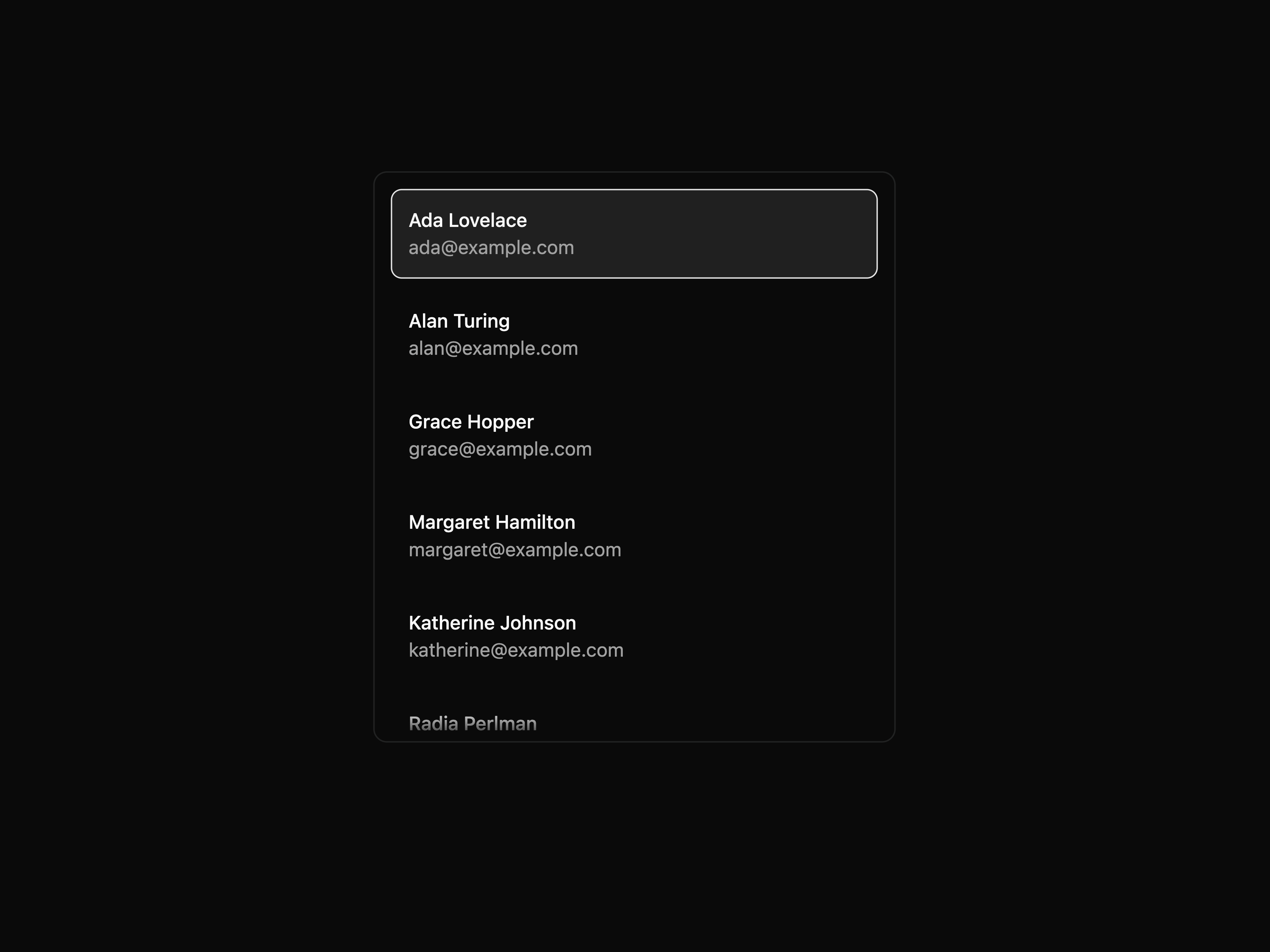
Interactive Item List
That's all 1 components
About retab
retab publishes a shadcn registry at ui.retab.com, with 97 components installable through the shadcn CLI.
- Components
- 97
- GitHub stars
- 12
- Last commit
- Sep 1, 2026
- Repository
- retab-dev/retab-ui
Also in the retab registry
Copy a prompt for your agent, copy the install command, or open the docs that ship it.
Attachment Sidebar
attachment-sidebarFile attachment navigator built from SidebarList primitives and FileThumbnail.
lucide-react1 fileAutocomplete
An autocomplete input built on Base UI primitives.
@base-ui/react@^1.4.1, lucide-react1 fileClassify Consensus
classify-consensus-viewer-blockA classification result with consensus visible in the sidebar: selected category, likelihood, and every vote beside the source document.
lucide-react4 filesCode Viewer
code-viewerA fixed-line code and log viewer with line numbers, custom virtualization, source-line highlights, retry, zoom, and download.
lucide-react, prismjs@^1.30.032 filesCSV source adapter
csv-sourceBridges the document-source model to the CSV viewer: csvAnchorToTarget and sourceToCsvCell for csv_cell anchors.
document-source1 fileCSV Sources
csv-sources-blockExtracted values linked to spreadsheet cells — hover to highlight a cell and scroll to it.
document-source2 filesCSV Viewer
csv-viewerA fixed-window virtualized CSV/TSV table: sortable columns, sticky header, row numbers, horizontal scroll. Renders straight from raw rows (no table row model) so it stays flat in memory on huge files.
lucide-react36 filesData Cell
data-cellA lightweight editable cell for scalar document data: text, numbers, booleans, dates, times, and date-times.
@chenglou/pretext@^0.0.8, lucide-react@^0.460.030 filesDocument anchor
document-anchorPure document location types used by evidence projection and viewer target adapters.
1 fileDocument evidence
document-evidencePure projection types for semantic evidence rows that can resolve to document anchors.
1 fileDOCX source adapter
docx-sourceBridges the document-source model to the DOCX viewer: docxAnchorToTarget and sourceToDocxHighlight for docx_text_span and docx_table_cell anchors.
document-source1 fileDOCX Sources
docx-sources-blockValues extracted from a Word document linked back to where they came from — hover to highlight the text and scroll to it.
document-source2 filesDOCX Viewer
docx-viewerA docx-preview-backed Word viewer: faithful paginated pages, continuous scroll, zoom, fit-to-width, and download. Off-screen pages are skipped via CSS content-visibility.
lucide-react, docx-preview31 filesDropzone
A headless file-intake primitive with drag/drop, file input wiring, validation, controlled state, and accessibility prop getters.
@radix-ui/react-slot@^1.1.12 filesAvatar Image Slot
dropzone-avatar-image-slotA single replaceable image slot with a custom circular preview.
lucide-react2 filesDropzone
dropzone-blockA file-uploader lab proving the headless dropzone primitive across default, non-button, native-button, controlled, validation-only, custom grid, upload progress, uploader-viewer, and disabled surfaces.
lucide-react26 filesComparison Pair
dropzone-comparison-pair-uploadTwo independent dropzones model original versus revision documents.
lucide-react2 filesControlled Queue
dropzone-controlled-queueParent-owned file state with controlled selected files and explicit clear behavior.
lucide-react2 filesCustom Thumbnail Grid
dropzone-custom-thumbnail-gridDirect useDropzone composition with FileThumbnail previews in a custom grid.
lucide-react2 filesDisabled Dropzone
dropzone-disabled-dropzoneDisabled input, trigger focus, intake, and drag behavior.
lucide-react@^0.460.02 filesEvidence Timeline
dropzone-evidence-timelineFiles become ordered evidence events inside a custom surface.
lucide-react2 filesIntake Router
dropzone-intake-routerOne intake target routes selected files into document, image, and table lanes.
lucide-react2 filesMedia Transcript Queue
dropzone-media-transcript-queueAudio and video files queued as transcript jobs with per-file thumbnails.
lucide-react2 filesNative Button Queue
dropzone-native-button-queueA real button trigger with browser button semantics and a small selected-file queue.
lucide-react2 filesNon-Button Trigger
dropzone-non-button-triggerA custom element opens the file dialog while preserving dropzone state.
lucide-react2 filesPinboard Drop Surface
dropzone-pinboard-drop-surfaceA full canvas trigger that pins dropped files as cards.
lucide-react@^0.460.02 filesRequired Packet
dropzone-required-packet-slotsSlot-level dropzones for checklist-driven packet collection.
lucide-react@^0.460.02 filesSpreadsheet Import
dropzone-spreadsheet-import-cardA single spreadsheet upload feeding a mapping workflow.
lucide-react2 filesUpload Progress Queue
dropzone-upload-progress-queueA dropzone-backed upload queue with per-file loading bars keyed by the admitted file ids.
lucide-react2 filesValidation Only
dropzone-validation-onlyValidate accepted files and rejection details without storing selected files.
lucide-react2 filesEdit Viewer
edit-viewer-blockDetected form fields beside a PDF source document, linked by their bbox — hover or select a field to highlight its region on the page; Preview stamps values over the source, and Filled renders a supplied output file.
lucide-react18 filesEmail Viewer
email-viewerRender recursive MIME messages with headers, CID inline resources, nested messages, and File Viewer leaves.
lucide-react7 filesExcel Splitting
excel-splitting-viewer-blockOne Excel workbook fanned out into several clean CSVs — each reconstructed table rendered in the viewer, with a sidebar listing every CSV the splitter emitted, the sheet it was carved from, and how it was reconstructed. Selecting one opens that CSV.
lucide-react2 filesExtract Viewer
extract-viewer-blockExtracted data beside the source PDF, rendered as a JSON form and linked by sources — hover or select a field to highlight where its value came from and scroll the page to it.
react-hook-form, @radix-ui/react-checkbox@^1.1.3, @radix-ui/react-label@^2.1.1, @radix-ui/react-slot@^1.1.136 filesFile Size Format
file-size-formatA small byte-size display formatter for file UI components.
1 fileFile System
file-systemA document workspace over a flat object-store manifest with list, grid, columns, lazy folders, generated thumbnails, and FileViewer previews.
lucide-react, @pierre/trees@1.0.0-beta.429 filesFile System
file-system-blockA document workspace over a flat object-store manifest with list, grid, columns, generated thumbnails, and persistent file previews.
lucide-react, @pierre/trees2 filesFile System Light
file-system-lightA minimal file tree in a ViewerSidebar with FileViewer in the ViewerSurface.
@pierre/trees, lucide-react@^0.460.03 filesFile Thumbnail
file-thumbnailRender complete file thumbnails from browser files, URLs, blobs, text sources, external images, or custom preview content.
@e965/xlsx@0.20.3, dompurify@^3.3.3, marked@^15.0.12, @kenjiuno/msgreader@^1.28.046 filesFile Thumbnail Frame
file-thumbnail-frameDependency-free thumbnail frame with a loading shimmer, fade-in, and muted fallback surface.
utils, effect-key6 filesFile Uploader
file-uploaderA polished Retab document upload area built from the headless Dropzone primitive and File Thumbnail.
lucide-react1 file1 exampleFile Viewer
file-viewerOne viewer for any file: detects the type and lazy-loads the matching renderer (PDF, DOCX, XLSX, PPTX, CSV, images) plus inline, virtualized text/code/JSON, Markdown (sandboxed), and HTML (sandboxed). Only the needed parser is ever downloaded.
lucide-react, marked@18.0.5, dompurify@3.4.9, @radix-ui/react-slot@^1.1.149 files1 exampleFile System Light
fslight-blockA purified composition experiment: file tree in a ViewerSidebar, selected source rendered by FileViewer in a ViewerSurface.
@pierre/trees1 fileGroup
A connected control group primitive for buttons, inputs, separators, and text addons.
@base-ui/react@^1.4.1, class-variance-authority@^0.7.11 fileImage source adapter
image-sourceBridges the document-source model to the image viewer: imageAnchorToTarget, rotateImageArea, and renderImageSourceOverlay for image_bbox anchors.
document-source2 filesImage Sources
image-sources-blockExtracted fields linked to a scanned page image — hover to highlight the image_bbox region.
document-source2 filesImage Viewer
image-viewerA performant image viewer with native off-thread decode (createImageBitmap), continuous scroll, zoom, rotate, fit-to-width, download, and a per-frame overlay slot. Renders multi-page TIFF scans efficiently: frames decode lazily near the viewport and decoded bitmaps are capped. No useEffect.
lucide-react, utif@3.1.033 filesJSON Form Sources
json-form-sources-blockExtraction rendered as a JSON form beside the source PDF — hover a form field to highlight where its value came from through segmented-document state.
react-hook-form, @radix-ui/react-checkbox@^1.1.3, @radix-ui/react-label@^2.1.1, @radix-ui/react-slot@^1.1.136 filesJSON Inspector
json-inspectorA read-only JSON viewer with theme-aware syntax highlighting and a hover copy button, plus a standalone CopyButton.
lucide-react2 filesKbd
A keyboard shortcut display primitive.
utils1 fileLayout Blocks
layout-blocksA provider-agnostic layout inspection component for OCR output: normalize Google Document AI, AWS Textract, or Azure Document Intelligence into shared blocks, lines, and words, then review them over the source page with virtualized rows, confidence filtering, and precise overlays.
utils13 filesLayout blocks segmented document
layout-blocks-segmented-documentProjection helpers that convert OCR/layout blocks into segmented-document segments and anchors.
1 fileMarkdown Viewer
markdown-viewerA continuous Markdown viewer forked from the Chenglou Pretext text viewer, with block virtualization and no visible page model.
@chenglou/pretext, hast-util-to-jsx-runtime, katex, lucide-react50 filesOCR
ocr-blockOCR review for a scanned document: source page, detected text blocks, confidence filtering, and matching polygon overlays. Switch between Google Document AI, AWS Textract, and Azure Document Intelligence output.
4 filesPage Ribbon
page-ribbonA page-axis ribbon: segments drawn as blocks spanning their pages. One vertical lane = a split sidebar; many horizontal rows (consensus + votes) = a partition waterfall. Shared hover/focus/selection + click-to-jump.
segments, segment-interaction, utils2 filesPage Timeline
page-timelineA colored page strip that ties a Segment[] to the document; hover/select syncing and click-to-jump.
segments, segment-interaction, utils1 fileParse Viewer
parse-viewer-blockThe source document beside its extracted markdown, synced by page, with a Rendered/Text toggle.
lucide-react, react-markdown, remark-gfm, rehype-raw23 filesPartition Viewer
partition-viewer-blockKeyed chunks over a PDF: a legend plus a horizontal page-ribbon waterfall, from the shared segment primitives.
lucide-react4 filesPDF source adapter
pdf-sourceBridges the document-source model to the PDF viewer: pdfAnchorToTarget and renderPdfSourceOverlay for PDF bbox anchors.
document-source1 filePDF Thumbnails
pdf-thumbnails-blockA PDF viewer with toggleable page thumbnails in a viewer navigation rail.
lucide-react10 filesPDF Viewer
pdf-viewerA pdfjs-backed PDF viewer: continuous scroll, controlled or uncontrolled zoom, rotate, fit-to-width, download, a per-page overlay slot for bounding-box citations, a PdfHighlight overlay, and imperative scrollToPage / scrollToPageArea handles for driving source highlights.
lucide-react39 filesPDF Viewer Thumbnails
pdf-viewer-thumbnailsPDF-owned page thumbnail navigation for explicit PdfViewer composition: lazy pdfjs thumbnails, active-page highlight, and click-to-jump.
utils9 filesPPTX Viewer
pptx-viewerA canvas-backed PowerPoint viewer rendered entirely client-side (no server conversion): continuous scroll, zoom, rotate, fit-to-width, download, and a per-slide overlay slot. Slides render lazily near the viewport and renders are serialized.
lucide-react@^0.514.0, pptxviewjs@1.1.9, chart.js@^4.5.031 filesPrimitive Run Cards
primitive-cards-blockEach Retab primitive's result framed as a run card — a document thumbnail with a status pill and the primitive's output in the card body. Classification shows the page with its category and reasoning; split a mini page rail of color-keyed subdocuments; partition a keyed-chunk legend with an overlap ribbon; parse the page rendered as markdown; extract the page with each field's source box drawn over it. Composes the primitive-run-cards components over sample results.
6 filesPrimitive Run Card Components
primitive-run-cardsProp-driven run cards for each Retab primitive — classify, split, partition, parse, and extract — each framing the source document with that primitive's result over the shared RunCard shell. Presentational: pass the resolved result (category, segments, markdown, or extract fields), so the same cards render a static demo or a live workflow run's per-block result.
react-markdown@^10.1.0, remark-gfm@^4.0.11 fileRun Card
run-cardA document run card: a file thumbnail with a status pill, a heading, and a result slot. Composes file-thumbnail; the result rendering is left to its children.
lucide-react@^0.514.01 fileSchema Builder
schema-builderControlled JSON Schema editor for building Retab extraction schemas — fields, types, nested objects, arrays, enums, and required flags.
ajv@^8.17.1, ajv-errors@^3.0.0, ajv-formats@^3.0.1, lucide-react@^0.460.0115 filesSegmented Document
segmented-documentShared segmented-document model, provider, viewport controller, and anchor navigation for split, partition, source, OCR, and bbox viewers.
segments, segment-interaction, effect-key4 filesSegment Legend
segment-legendCompact color legend for a Segment[] with shared hover, focus, and selection state.
segments, segment-interaction, utils2 filesSegment Page Rail
segment-page-railVertical page rail for Segment[] documents with current-page following, scroll progress, and page selection.
segments, segment-interaction, utils1 fileSegment Sidebar
segment-sidebarSelectable list of segments with page ranges and confidence bars.
segments, segment-interaction, utils2 filesSidebar List
sidebar-listProviderless sidebar list primitives for embedded viewer and domain sidebars.
@base-ui/react@^1.4.11 fileSidebar Row
sidebar-rowShared sidebar row button styling variants used by app and providerless sidebar primitives.
class-variance-authority@^0.7.11 fileSource anchor
source-anchorPure conversion from document-source anchors to document viewer anchors.
document-source1 fileSource evidence
source-evidenceProjection helpers that convert document sources, source maps, and source fields into evidence rows with resolved document anchors.
document-source1 fileSource field link
source-field-linkA field-path adapter over segmented-document anchors.
1 fileSource field list
source-field-listA field list that drives source-field interaction: hover previews the field location in the viewer, click selects it.
utils1 fileSource indicator
source-indicatorA floating pill that reports active field source state over a viewer: nothing selected, a located field path, or a field with no source.
lucide-react@^0.460.01 fileSource segmented document
source-segmented-documentProjection helpers and overlays that convert PDF/image bbox document sources into segmented-document segments, anchors, and active source highlights.
document-source2 filesSources Viewer
sources-viewer-blockEvery source-backed format in one viewer — PDF/image bbox sources use segmented-document anchors; text, CSV, Excel, and Word use segmented source links with format-specific target adapters.
react-hook-form, json-schema, @radix-ui/react-checkbox@^1.1.3, @radix-ui/react-label@^2.1.141 filesSpinner
A compact loading spinner using Lucide.
lucide-react@^0.514.01 fileSplit Consensus Diagram Horizontal
split-consensus-diagram-horizontal-viewer-blockA split consensus segment diagram with consolidation, five raw votes, and contested-page density in a wide horizontal sidebar beside the PDF.
2 filesSplit Consensus Diagram Vertical
split-consensus-diagram-vertical-viewer-blockA split consensus segment diagram with the page axis running vertically for a narrow sidebar beside the PDF.
2 filesSplit Consensus Lukas
split-consensus-lukas-viewer-blockThe split benchmark diagram from Lukas Bjorkland's article, with GT, Split v1, Split v2, the PDF pane, and the same dark metrics table treatment.
effect-key3 filesSplit Consensus
split-consensus-viewer-blockA split result with multi-run consensus visible in the sidebar: the page rail stays beside output-level likelihoods and each vote used to build the final split.
lucide-react7 filesSplit Viewer
split-viewer-blockNamed subdocuments over a PDF: a legend header and a vertical page-ribbon sidebar, from the shared segment primitives.
lucide-react4 filesText source adapter
text-sourceBridges the document-source model to text viewers: textAnchorToTarget and sourceToTextHighlight for text_span anchors.
document-source2 filesText Sources
text-sources-blockValues extracted from a log file linked to the lines they came from — hover to highlight a line range.
document-source2 filesText Viewer
text-viewerA Pretext-powered prose viewer with natural wrapping, custom variable-height virtualization, source-line highlights, retry, zoom, and download.
@chenglou/pretext, hast-util-to-jsx-runtime, katex, lucide-react54 filesChenglou Text Viewer
text-viewer-chenglouAn imperative Pretext prose viewer that keeps Text Viewer parsing/layout but projects visible rows through a Chenglou-style DOM cache.
2 filesText Splitting
txt-splitting-viewer-blockOne plain-text batch file separated into several documents — each carved-out document rendered in the viewer, with a left sidebar listing the source file first, then every document the splitter emitted, its type, line count, and the boundary cue that detected it. Selecting one opens that document.
lucide-react2 filesuseSegmentInteraction
use-segment-interactionClient hook that coordinates hover, focus, and persistent selection across Segment[] surfaces.
segment-interaction1 fileViewer Controls
viewer-controlsA shared controls row for viewer chrome: title, position, zoom, rotate, download, loading, and extra controls.
lucide-react@^0.514.0, class-variance-authority@^0.7.1, radix-ui@^1.5.05 filesExcel source adapter
xlsx-sourceBridges the document-source model to the XLSX viewer: xlsxAnchorToTarget and sourceToXlsxCell for spreadsheet_cell anchors.
document-source1 fileExcel Sources
xlsx-sources-blockExtracted values linked to spreadsheet cells across sheets — hover to switch sheet, highlight the cell, and scroll to it.
document-source2 filesXLSX Viewer
xlsx-viewerA fixed-window virtualized Excel/spreadsheet viewer rendered entirely client-side: sheet tabs, zoom, download, formatted values, numeric alignment, sparse workbook storage, and row + column virtualization so huge sheets stay smooth. No useEffect for data loading.
lucide-react, @e965/xlsx@0.20.339 files