
About
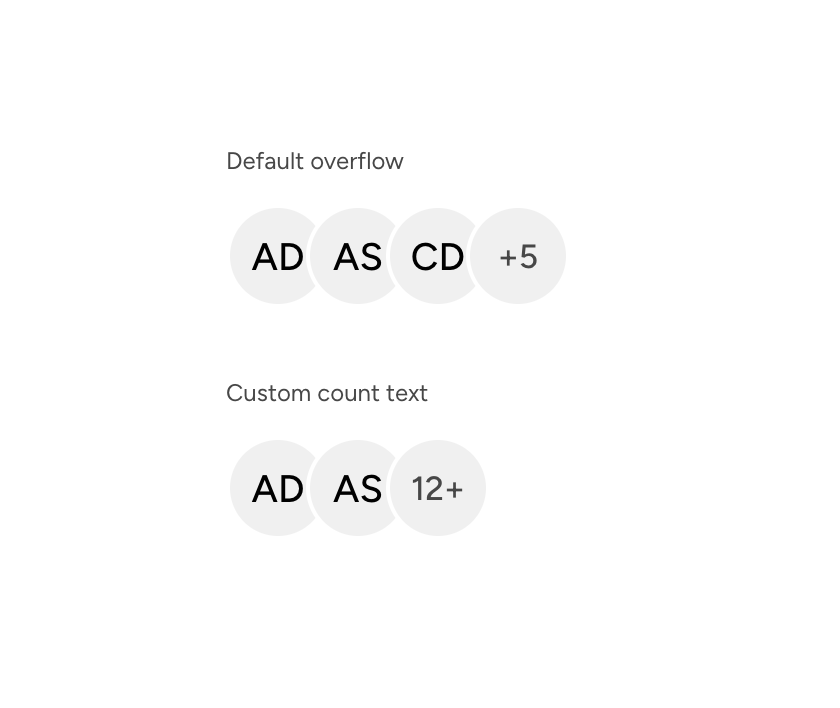
An overflow-count indicator for Astryx avatar groups, supporting both the standard count and custom compact text.
Built with React and Tailwind. Copy the prompt and paste it into Claude Code, Cursor or Lovable: your agent adds Astryx Avatar Group Overflow to your project and fits it to your theme.
Code
How Astryx Avatar Group Overflow is used: the demo's code. The component's own source comes with a free account.
Usage.tsx
"use client"

import AvatarGroupOverflow from "@/components/ui/astryx-avatar-group-overflow"
import { Avatar } from "@astryxdesign/core/Avatar"
import { AvatarGroup } from "@astryxdesign/core/AvatarGroup"
import { Stack } from "@astryxdesign/core/Layout"
import { Text } from "@astryxdesign/core/Text"

const USERS = [
  { name: "Alex Daniels" },
  { name: "Ann Smith" },
  { name: "Carol Davis" },
]

export default function AvatarGroupOverflowDemo() {
  return (
    <div data-astryx-theme="neutral" data-theme="light" style={{ colorScheme: "light", display: "contents" }}>
      <Stack direction="vertical" gap={8}>
        <Stack direction="vertical" gap={3}>
          <Text type="supporting" color="secondary">Default overflow</Text>
          <AvatarGroup size="lg">
            {USERS.map((user) => <Avatar key={user.name} name={user.name} />)}
            <AvatarGroupOverflow count={5} />
          </AvatarGroup>
        </Stack>
        <Stack direction="vertical" gap={3}>
          <Text type="supporting" color="secondary">Custom count text</Text>
          <AvatarGroup size="lg">
            {USERS.slice(0, 2).map((user) => <Avatar key={user.name} name={user.name} />)}
            <AvatarGroupOverflow count={12}>12+</AvatarGroupOverflow>
          </AvatarGroup>
        </Stack>
      </Stack>
    </div>
  )
}
Dependencies
More by Astryx
View all

Astryx Banner
56
Astryx Avatar
28
Astryx Aspect Ratio
27
Astryx Badge
25
Astryx Button Group
23
Astryx Toggle Button
16
Astryx Avatar Group
8
Astryx Button
4