
About
A mobile Astryx surface for filters, actions, forms, and detail views that rises from the bottom of the viewport.
Built with React and Tailwind. Copy the prompt and paste it into Claude Code, Cursor or Lovable: your agent adds Astryx Bottom Sheet to your project and fits it to your theme.
Code
How Astryx Bottom Sheet is used: the demo's code. The component's own source comes with a free account.
Usage.tsx
'use client';

import {useState} from 'react';
import {
  BottomSheet,
  type BottomSheetSnapPoint,
} from '@/components/ui/astryx-bottom-sheet';
import {Button} from '@astryxdesign/core/Button';
import {Divider} from '@astryxdesign/core/Divider';
import {Heading} from '@astryxdesign/core/Heading';
import {Icon} from '@astryxdesign/core/Icon';
import {Item} from '@astryxdesign/core/Item';
import {HStack, VStack} from '@astryxdesign/core/Stack';
import {Text} from '@astryxdesign/core/Text';
import {
  ArrowLeftIcon,
  ArrowRightIcon,
  ArrowUpIcon,
  ArrowUturnLeftIcon,
  FlagIcon,
  MapPinIcon,
} from '@heroicons/react/24/outline';

// Half the viewport is a working surface — the sheet lays its content out at
// that height and keeps a full scrim. The 96px stop is a peek: a sliver, so the
// sheet slides away rather than reflowing into it, and the scrim thins.
const SNAP_POINTS: ReadonlyArray<BottomSheetSnapPoint> = ['96px', '50%'];

const steps = [
  {
    icon: MapPinIcon,
    label: 'Head northeast on Mission St',
    detail: 'Toward 3rd St',
    distance: '350 ft',
  },
  {
    icon: ArrowRightIcon,
    label: 'Turn right onto 3rd St',
    detail: 'Pass Yerba Buena Gardens on your left',
    distance: '0.2 mi',
  },
  {
    icon: ArrowUpIcon,
    label: 'Continue onto Kearny St',
    detail: 'Stay in the right lane',
    distance: '0.4 mi',
  },
  {
    icon: ArrowLeftIcon,
    label: 'Turn left onto Market St',
    detail: 'Cable car crossing ahead',
    distance: '0.6 mi',
  },
  {
    icon: ArrowRightIcon,
    label: 'Bear right onto Sutter St',
    detail: 'Toward the Financial District',
    distance: '0.3 mi',
  },
  {
    icon: ArrowUpIcon,
    label: 'Continue on Sansome St',
    detail: 'Four blocks, past Pine St',
    distance: '0.5 mi',
  },
  {
    icon: ArrowUturnLeftIcon,
    label: 'Make a U-turn at Washington St',
    detail: 'Construction detour until March',
    distance: '150 ft',
  },
  {
    icon: ArrowRightIcon,
    label: 'Turn right onto Battery St',
    detail: 'Follow signs for the Embarcadero',
    distance: '0.4 mi',
  },
  {
    icon: ArrowLeftIcon,
    label: 'Turn left onto Sacramento St',
    detail: 'Toward the waterfront',
    distance: '0.2 mi',
  },
  {
    icon: ArrowRightIcon,
    label: 'Turn right onto The Embarcadero',
    detail: 'Bay Bridge on your right',
    distance: '0.5 mi',
  },
  {
    icon: ArrowUpIcon,
    label: 'Continue past Pier 14',
    detail: 'Ferry terminal signage begins here',
    distance: '0.3 mi',
  },
  {
    icon: FlagIcon,
    label: 'Arrive at the Ferry Building',
    detail: 'Parking garage entrance on Washington St',
    distance: '—',
  },
];

function BottomSheetSnapPoints() {
  const [isOpen, setIsOpen] = useState(false);

  return (
    <>
      <VStack gap={3} align="start">
        <Text type="body">
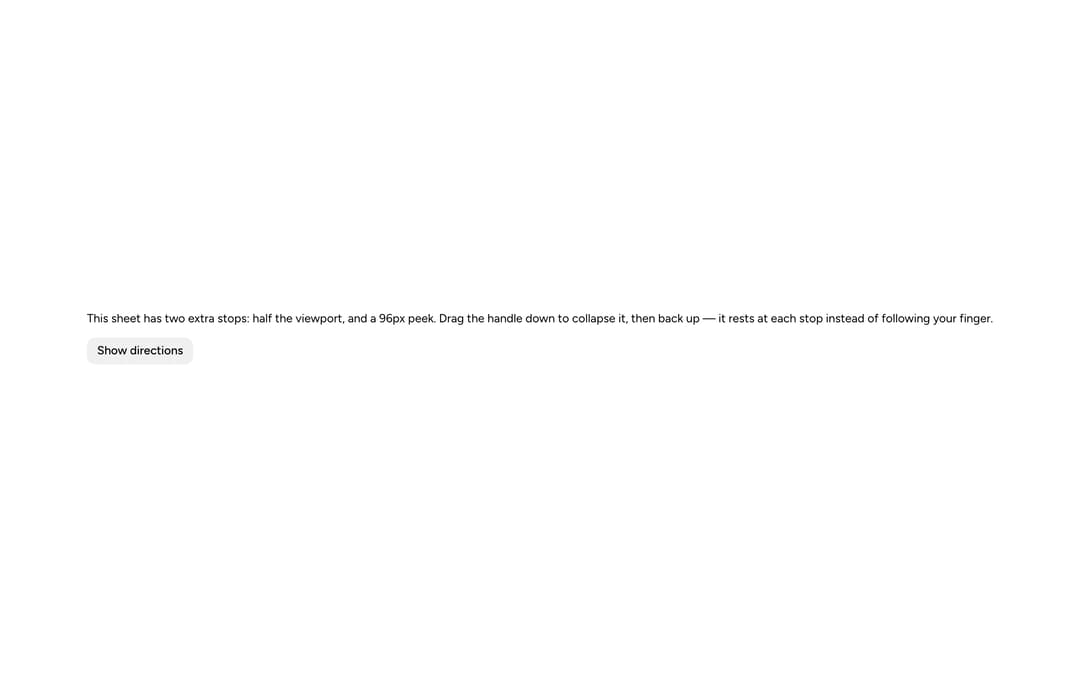
          This sheet has two extra stops: half the viewport, and a 96px peek.
          Drag the handle down to collapse it, then back up — it rests at each
          stop instead of following your finger.
        </Text>
        <Button label="Show directions" onClick={() => setIsOpen(true)} />
      </VStack>
      <BottomSheet
        isOpen={isOpen}
        onOpenChange={setIsOpen}
        label="Directions to the Ferry Building"
        height="tall"
        snapPoints={SNAP_POINTS}>
        <VStack gap={4}>
          <VStack gap={1}>
            <Heading level={3}>Ferry Building</Heading>
            <HStack gap={2}>
              <Text type="label">18 min</Text>
              <Text type="supporting">3.7 mi · arrive 9:41 AM</Text>
            </HStack>
          </VStack>
          <Divider />
          <VStack gap={0}>
            {steps.map(step => (
              <Item
                key={step.label}
                startContent={<Icon icon={step.icon} size="sm" />}
                label={step.label}
                description={step.detail}
                endContent={<Text type="supporting">{step.distance}</Text>}
              />
            ))}
          </VStack>
          <Divider />
          <Button
            label="Start"
            onClick={() => setIsOpen(false)}
            variant="primary"
          />
        </VStack>
      </BottomSheet>
    </>
  );
}

export default function BottomSheetSnapPointsDemo() {
  return (
    <div
      data-astryx-theme="neutral"
      data-theme="light"
      style={{colorScheme: 'light', display: 'contents'}}>
      <BottomSheetSnapPoints />
    </div>
  );
}
Dependencies
More by Astryx
View all

Astryx Banner
56
Astryx Avatar
28
Astryx Aspect Ratio
28
Astryx Badge
25
Astryx Button Group
23
Astryx Toggle Button
16
Astryx Avatar Group
8
Astryx Chat Composer Drawer
6