
About
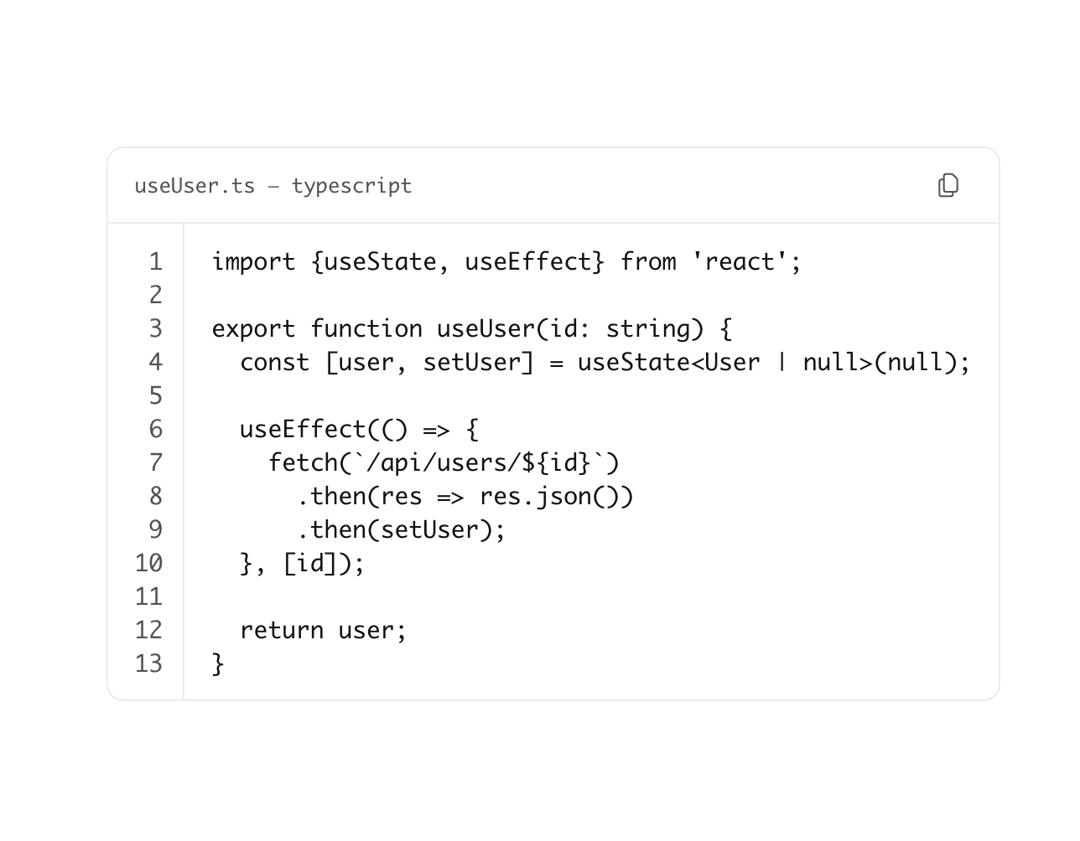
Fenced code block with syntax highlighting. Use for multi-line code snippets.
Built with React and Tailwind. Copy the prompt and paste it into Claude Code, Cursor or Lovable: your agent adds Astryx Code Block to your project and fits it to your theme.
Code
How Astryx Code Block is used: the demo's code. The component's own source comes with a free account.
Usage.tsx
'use client';

import {CodeBlock} from '@/components/ui/astryx-code-block';

const code = `import {useState, useEffect} from 'react';

export function useUser(id: string) {
  const [user, setUser] = useState<User | null>(null);

  useEffect(() => {
    fetch(\`/api/users/\${id}\`)
      .then(res => res.json())
      .then(setUser);
  }, [id]);

  return user;
}`;

function CodeBlockShowcase() {
  return (
    <CodeBlock
      code={code}
      language="typescript"
      title="useUser.ts"
      hasLineNumbers
      hasCopyButton
    />
  );
}

export default function CodeBlockShowcaseDemo() {
  return (
    <div
      data-astryx-theme="neutral"
      data-theme="light"
      style={{colorScheme: 'light', display: 'contents'}}>
      <CodeBlockShowcase />
    </div>
  );
}
Dependencies
More by Astryx
View all

Astryx Banner
56
Astryx Avatar
28
Astryx Aspect Ratio
27
Astryx Badge
25
Astryx Button Group
23
Astryx Toggle Button
16
Astryx Avatar Group
8
Astryx Button
4