
About
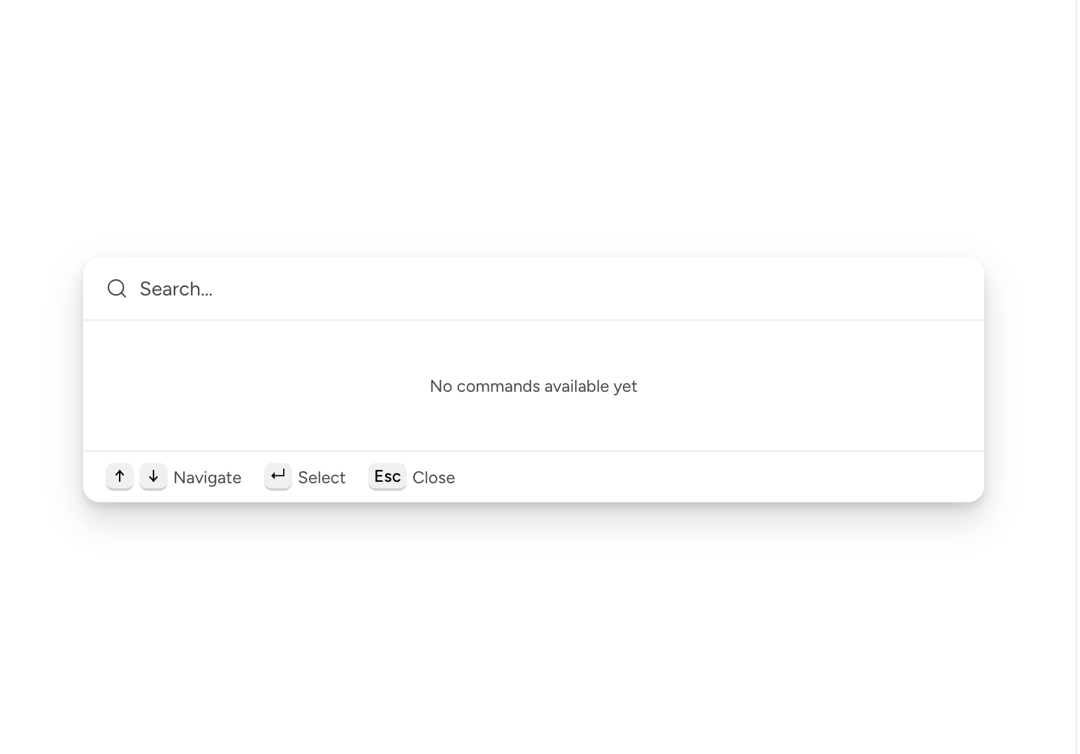
Empty state display for the results area. CommandPalette renders it automatically when a search returns no results, or when there is no query and bootstrap() returns nothing.
Built with React and Tailwind. Copy the prompt and paste it into Claude Code, Cursor or Lovable: your agent adds Astryx Command Palette Empty to your project and fits it to your theme.
Code
How Astryx Command Palette Empty is used: the demo's code. The component's own source comes with a free account.
Usage.tsx
'use client';

import {useMemo} from 'react';
import {CommandPalette} from '@/components/ui/astryx-command-palette-empty';
import {Text} from '@astryxdesign/core/Text';
import {createStaticSource} from '@astryxdesign/core/Typeahead';

function CommandPaletteEmptyShowcase() {
  const emptySource = useMemo(() => createStaticSource([]), []);

  return (
    <CommandPalette
      isOpen
      isInline
      onOpenChange={() => {}}
      searchSource={emptySource}
      emptyBootstrapText={
        <Text type="supporting" color="secondary">
          No commands available yet
        </Text>
      }
    />
  );
}

export default function CommandPaletteEmptyShowcaseDemo() {
  return (
    <div
      data-astryx-theme="neutral"
      data-theme="light"
      style={{colorScheme: 'light', display: 'contents'}}>
      <CommandPaletteEmptyShowcase />
    </div>
  );
}
Dependencies
More by Astryx
View all

Astryx Banner
56
Astryx Avatar
28
Astryx Aspect Ratio
27
Astryx Badge
25
Astryx Button Group
23
Astryx Toggle Button
16
Astryx Avatar Group
8
Astryx Button
4