
About
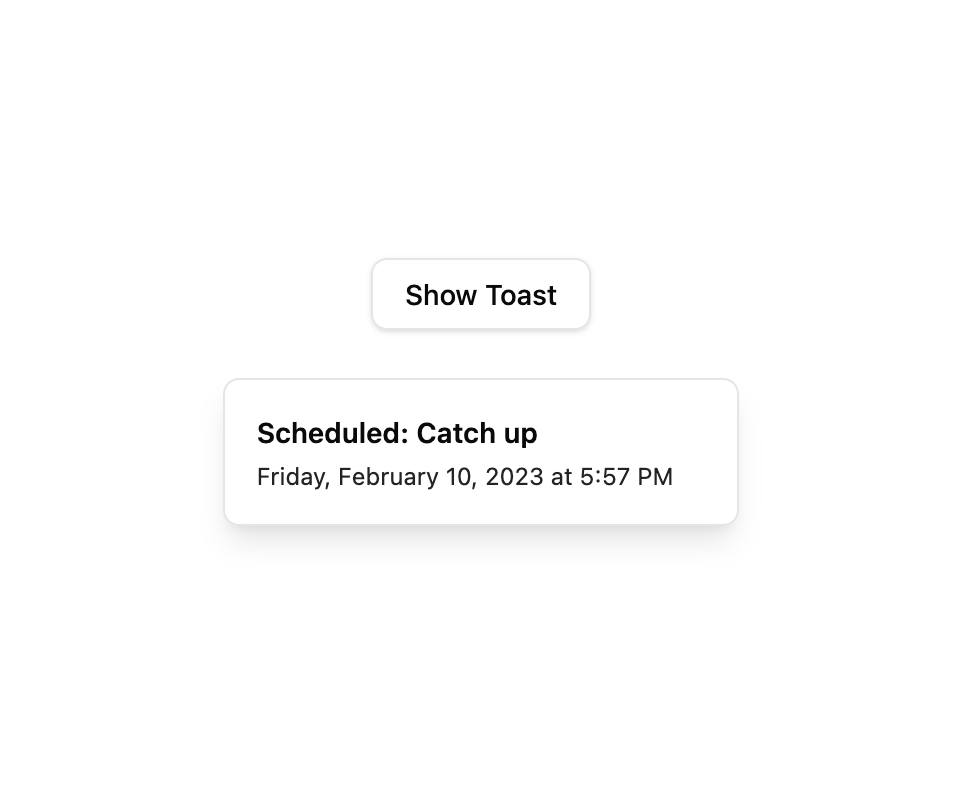
A React hook for creating and managing toast notifications with a global queue, dismiss and update controls.
Built with React and Tailwind. Copy the prompt and paste it into Claude Code, Cursor or Lovable: your agent adds Use Toast to your project and fits it to your theme.
Code
How Use Toast is used: the demo's code. The component's own source comes with a free account.
Usage.tsx
"use client";

import * as React from "react";
import { useToast } from "@/components/ui/use-toast";
import { Button } from "@/components/ui/button";
import {
  Toast,
  ToastClose,
  ToastDescription,
  ToastProvider,
  ToastTitle,
  ToastViewport,
} from "@/components/ui/toast";

function Toaster() {
  const { toasts } = useToast();
  return (
    <ToastProvider>
      {toasts.map(function ({ id, title, description, action, ...props }) {
        return (
          <Toast key={id} {...props}>
            <div className="grid gap-1">
              {title && <ToastTitle>{title}</ToastTitle>}
              {description && (
                <ToastDescription>{description}</ToastDescription>
              )}
            </div>
            {action}
            <ToastClose />
          </Toast>
        );
      })}
      <ToastViewport className="!static !top-auto !right-auto !m-0 !w-full !max-w-[360px] !flex-col !gap-2 !p-0" />
    </ToastProvider>
  );
}

export default function UseToastDemo() {
  const { toast } = useToast();
  const shown = React.useRef(false);

  React.useEffect(() => {
    if (shown.current) return;
    shown.current = true;
    toast({
      title: "Scheduled: Catch up",
      description: "Friday, February 10, 2023 at 5:57 PM",
    });
  }, [toast]);

  return (
    <div className="flex min-h-[220px] flex-col items-center justify-center gap-6">
      <Button
        variant="outline"
        onClick={() =>
          toast({
            title: "Scheduled: Catch up",
            description: "Friday, February 10, 2023 at 5:57 PM",
          })
        }
      >
        Show Toast
      </Button>
      <Toaster />
    </div>
  );
}
More by Arihant jain
View all
Footer section
1.9K
Multistep Form
697
Animated Drawer
684
Status Badge
493
Stacked Circular Footer
412
Input Modal
313
Large Name Footer
193
Profile Dropdown
186