
About
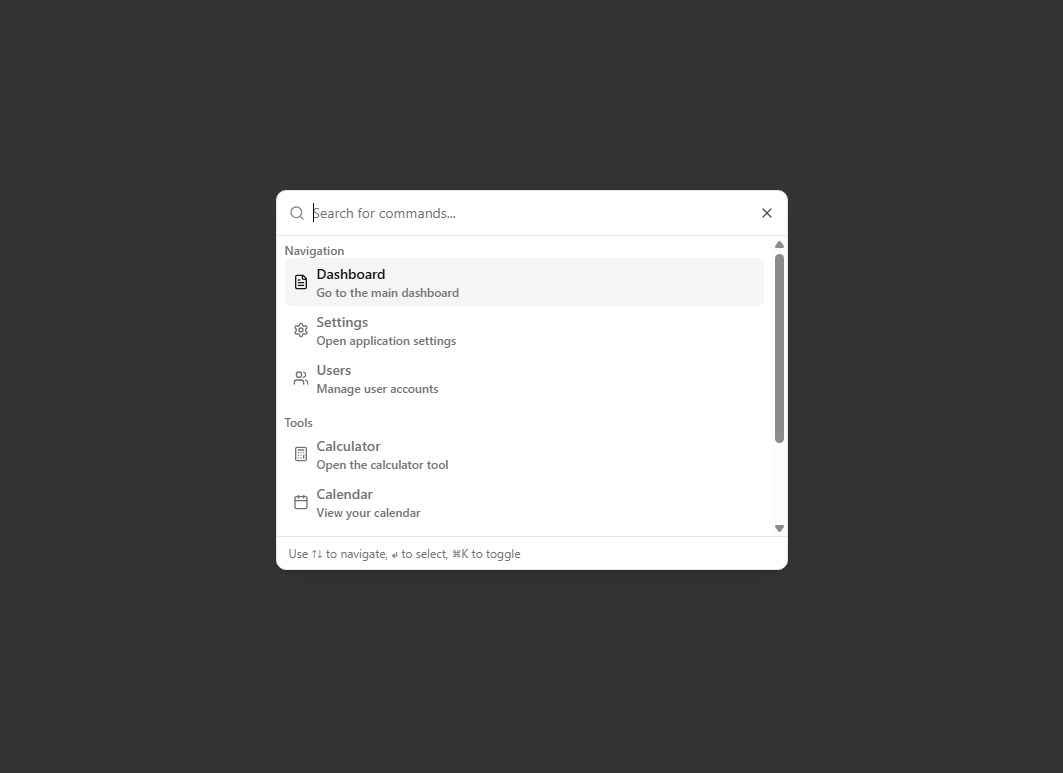
A reusable shadcn/ui-style command dialog component with a search button trigger, offering accessible, customizable command menus with keyboard navigation and Tailwind CSS styling.
Built with React and Tailwind. Copy the prompt and paste it into Claude Code, Cursor or Lovable: your agent adds Search Command Dialog to your project and fits it to your theme.
Code
How Search Command Dialog is used: the demo's code. The component's own source comes with a free account.
Usage.tsx
"use client"

import * as React from "react"
import { SearchCommand, CommandGroup, CommandItem } from "@/components/ui/search-command-dialog"
import { FileText, Settings, Users, Calculator, Calendar, Mail, HelpCircle } from "lucide-react"

export default function SearchCommandExample() {
  const commands: CommandGroup[] = [
    {
      heading: "Navigation",
      items: [
        {
          id: "dashboard",
          title: "Dashboard",
          description: "Go to the main dashboard",
          icon: FileText,
          action: () => console.log("Navigate to dashboard"),
          keywords: ["home", "main"],
        },
        {
          id: "settings",
          title: "Settings",
          description: "Open application settings",
          icon: Settings,
          action: () => console.log("Open settings"),
          keywords: ["preferences", "config"],
        },
        {
          id: "users",
          title: "Users",
          description: "Manage user accounts",
          icon: Users,
          action: () => console.log("Navigate to users"),
          keywords: ["accounts", "people"],
        },
      ],
    },
    {
      heading: "Tools",
      items: [
        {
          id: "calculator",
          title: "Calculator",
          description: "Open the calculator tool",
          icon: Calculator,
          action: () => console.log("Open calculator"),
          keywords: ["math", "compute"],
        },
        {
          id: "calendar",
          title: "Calendar",
          description: "View your calendar",
          icon: Calendar,
          action: () => console.log("Open calendar"),
          keywords: ["schedule", "events"],
        },
        {
          id: "mail",
          title: "Mail",
          description: "Check your messages",
          icon: Mail,
          action: () => console.log("Open mail"),
          keywords: ["email", "messages"],
        },
      ],
    },
    {
      heading: "Help",
      items: [
        {
          id: "help",
          title: "Help Center",
          description: "Get help and support",
          icon: HelpCircle,
          action: () => console.log("Open help"),
          keywords: ["support", "docs", "documentation"],
        },
      ],
    },
  ]

  return (
    <div className="flex min-h-screen items-center justify-center bg-background p-4">
        <SearchCommand
          commands={commands}
          placeholder="Search for commands..."
          emptyMessage="No commands found."
        />
    </div>
  )
}
Dependencies
More by Bankk roll
View all
Animated Testimonials
1.1K
Commerce Hero
650
Acme Hero
437
Myna Hero
383
Single Pricing Card
305
Pricing Card
287
File Viewer
174
Code Editor Sheet
142