
About
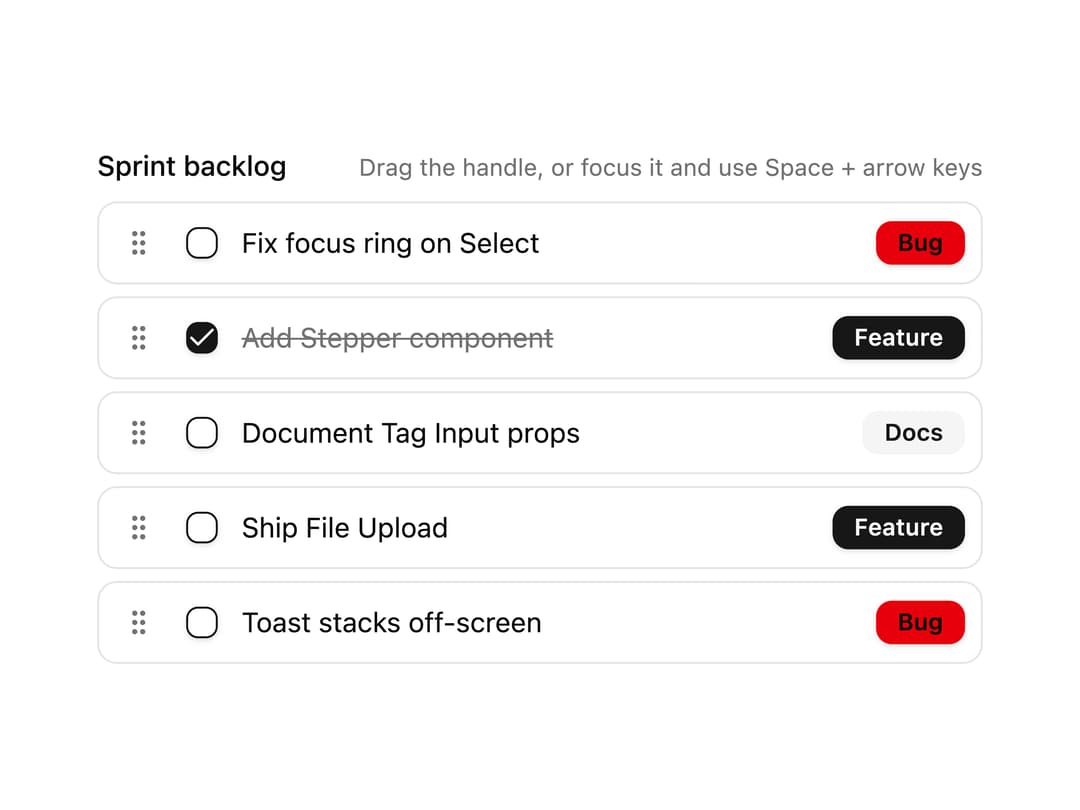
A drag-and-drop list, grid, or row of items that users can reorder with a pointer or the keyboard, built on dnd-kit.
Built with React and Tailwind. Copy the prompt and paste it into Claude Code, Cursor or Lovable: your agent adds Sortable to your project and fits it to your theme.
Code
How Sortable is used: the demo's code. The component's own source comes with a free account.
Usage.tsx
"use client";

import { useState } from "react";
import { Badge } from "@/components/ui/badge";
import { Checkbox } from "@/components/ui/checkbox";
import {
  Sortable,
  SortableItem,
  SortableItemHandle,
} from "@/components/ui/sortable";

type Task = {
  id: string;
  title: string;
  done: boolean;
  label: "Bug" | "Feature" | "Docs";
};

const LABELS = {
  Bug: "destructive",
  Docs: "secondary",
  Feature: "default",
} as const;

const initial: Task[] = [
  { done: false, id: "t1", label: "Bug", title: "Fix focus ring on Select" },
  { done: true, id: "t2", label: "Feature", title: "Add Stepper component" },
  { done: false, id: "t3", label: "Docs", title: "Document Tag Input props" },
  { done: false, id: "t4", label: "Feature", title: "Ship File Upload" },
  { done: false, id: "t5", label: "Bug", title: "Toast stacks off-screen" },
];

export default function SortableDemo() {
  const [tasks, setTasks] = useState(initial);

  return (
    <div className="w-full max-w-md">
      <div className="mb-2 flex items-baseline justify-between">
        <p className="font-medium text-sm">Sprint backlog</p>
        <p className="text-muted-foreground text-xs">
          Drag the handle, or focus it and use Space + arrow keys
        </p>
      </div>
      <Sortable
        getItemValue={(t) => t.id}
        onValueChange={setTasks}
        value={tasks}
      >
        <div className="flex flex-col gap-1.5">
          {tasks.map((task) => (
            <SortableItem
              className="flex items-center gap-3 rounded-lg border bg-background px-2 py-2"
              key={task.id}
              value={task.id}
            >
              <SortableItemHandle className="size-6" />
              <Checkbox
                aria-label={task.title}
                checked={task.done}
                onCheckedChange={(done) =>
                  setTasks((all) =>
                    all.map((t) =>
                      t.id === task.id ? { ...t, done: !!done } : t,
                    ),
                  )
                }
              />
              <span
                className={
                  task.done
                    ? "flex-1 truncate text-muted-foreground text-sm line-through"
                    : "flex-1 truncate text-sm"
                }
              >
                {task.title}
              </span>
              <Badge variant={LABELS[task.label]}>{task.label}</Badge>
            </SortableItem>
          ))}
        </div>
      </Sortable>
    </div>
  );
}
Dependencies
More by Cnippet
View all

Team
1.4K
Davincho Hero-1
716
Aero Hero-3
633
Random Letter Swap Navigation
586
Features
539
Services with Animated Hover Modal
492
Blogs
406
Aero Hero-1
387