
About
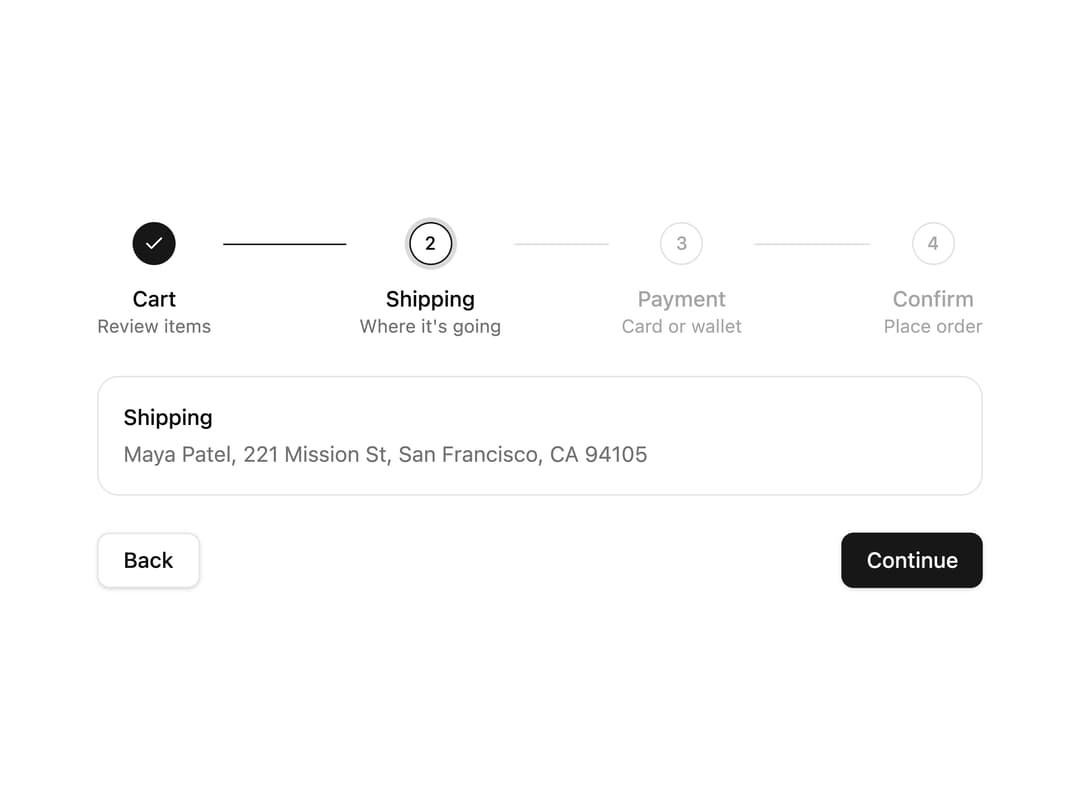
A multi-step progress indicator with clickable steps, titles, descriptions and connecting separators for wizards, checkouts and onboarding flows.
Built with React and Tailwind. Copy the prompt and paste it into Claude Code, Cursor or Lovable: your agent adds Stepper to your project and fits it to your theme.
Code
How Stepper is used: the demo's code. The component's own source comes with a free account.
Usage.tsx
"use client";

import { useState } from "react";
import { Button } from "@/components/ui/button";
import {
  Stepper,
  StepperDescription,
  StepperIndicator,
  StepperItem,
  StepperSeparator,
  StepperTitle,
  StepperTrigger,
} from "@/components/ui/stepper";

const steps = [
  { body: "3 items · $248.00", description: "Review items", title: "Cart" },
  {
    body: "Maya Patel, 221 Mission St, San Francisco, CA 94105",
    description: "Where it's going",
    title: "Shipping",
  },
  {
    body: "Visa ending 4242 · billing address same as shipping",
    description: "Card or wallet",
    title: "Payment",
  },
  {
    body: "Arrives Thu, Oct 22. We'll email the receipt to maya@acme.dev.",
    description: "Place order",
    title: "Confirm",
  },
];

export default function StepperDemo() {
  const [step, setStep] = useState(2);
  const current = steps[step - 1];

  return (
    <div className="flex w-full max-w-xl flex-col gap-6">
      <Stepper onValueChange={setStep} value={step}>
        {steps.map((s, i) => (
          <StepperItem key={s.title} step={i + 1}>
            <StepperTrigger disabled={i + 1 > step}>
              <StepperIndicator />
              <div>
                <StepperTitle>{s.title}</StepperTitle>
                <StepperDescription className="max-sm:hidden">
                  {s.description}
                </StepperDescription>
              </div>
            </StepperTrigger>
            <StepperSeparator />
          </StepperItem>
        ))}
      </Stepper>
      <div className="rounded-xl border p-4">
        <p className="font-medium text-sm">
          {current ? current.title : "Order placed"}
        </p>
        <p className="mt-1 text-muted-foreground text-sm">
          {current ? current.body : "Order #4821 is confirmed. Thanks, Maya!"}
        </p>
      </div>
      <div className="flex justify-between">
        <Button
          disabled={step === 1}
          onClick={() => setStep((s) => s - 1)}
          variant="outline"
        >
          Back
        </Button>
        <Button onClick={() => setStep((s) => (current ? s + 1 : 1))}>
          {!current
            ? "Start over"
            : step === steps.length
              ? "Place order"
              : "Continue"}
        </Button>
      </div>
    </div>
  );
}
Dependencies
More by Cnippet
View all

Team
1.4K
Davincho Hero-1
716
Aero Hero-3
633
Random Letter Swap Navigation
586
Features
539
Services with Animated Hover Modal
492
Blogs
406
Aero Hero-1
387