
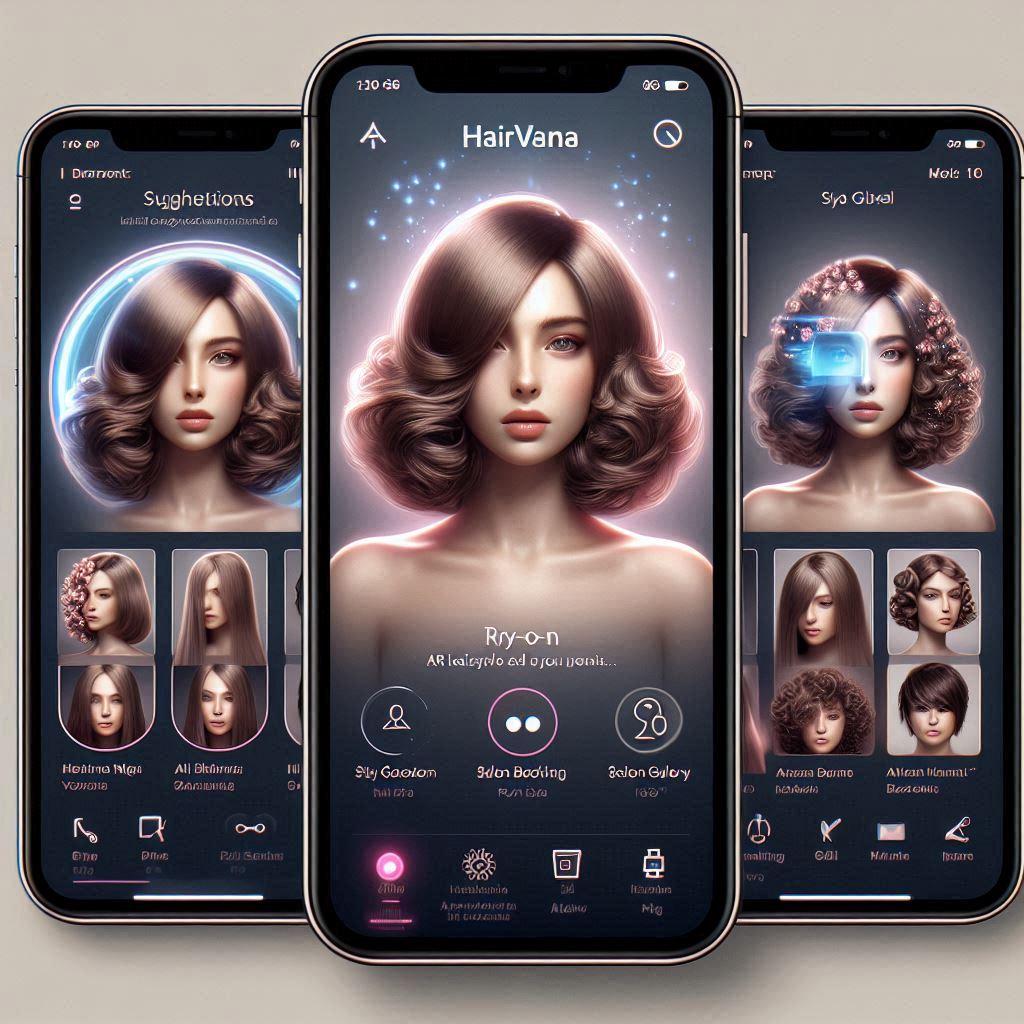
About
hair style app using ai
Built with React and Tailwind. Copy the prompt and paste it into Claude Code, Cursor or Lovable: your agent adds hairvana to your project and fits it to your theme.
Code
How hairvana is used: the demo's code. The component's own source comes with a free account.
Usage.tsx
'use client';
import React, { useState, useRef, useEffect, useCallback, useTransition } from 'react';
import { motion, AnimatePresence, useReducedMotion } from 'framer-motion';
import {
Sparkles,
Camera,
Scissors,
Palette,
Heart,
Star,
MapPin,
Calendar,
User,
MessageCircle,
Send,
ArrowLeft,
Filter,
Search,
Clock,
Wand2,
Play,
Share2,
Download,
RotateCcw,
Zap,
ChevronRight,
X,
Lock,
Mail,
Eye,
EyeOff,
CheckCircle,
ArrowRight,
LogIn,
UserPlus,
Bot,
Lightbulb,
TrendingUp,
ChevronDown,
Mic,
Image as ImageIcon,
Award,
Users,
Check,
BookOpen,
Crown,
Target,
Vote,
Smile,
} from 'lucide-react';
import { cn } from '@/lib/utils';
// Utility function for cn
function cnUtil(...classes: (string | undefined | null | false)[]): string {
return classes.filter(Boolean).join(' ');
}
// Use the utility if cn is not available
const cnFallback = typeof cn !== 'undefined' ? cn : cnUtil;
// Hook for click outside
function useClickOutside<T extends HTMLElement = HTMLElement>(
ref: React.RefObject<T>,
handler: (event: MouseEvent | TouchEvent) => void,
mouseEvent: 'mousedown' | 'mouseup' = 'mousedown'
): void {
useEffect(() => {
const listener = (event: MouseEvent | TouchEvent) => {
const el = ref?.current;
const target = event.target;
if (!el || !target || el.contains(target as Node)) {
return;
}
handler(event);
};
document.addEventListener(mouseEvent, listener);
document.addEventListener('touchstart', listener);
return () => {
document.removeEventListener(mouseEvent, listener);
document.removeEventListener('touchstart', listener);
};
}, [ref, handler, mouseEvent]);
}
// Animated Text Cycle Component
interface AnimatedTextCycleProps {
words: string[];
interval?: number;
className?: string;
}
function AnimatedTextCycle({
words,
interval = 3000,
className = "",
}: AnimatedTextCycleProps) {
const [currentIndex, setCurrentIndex] = useState(0);
const [width, setWidth] = useState("auto");
const measureRef = useRef<HTMLDivElement>(null);
useEffect(() => {
if (measureRef.current) {
const elements = measureRef.current.children;
if (elements.length > currentIndex) {
const newWidth = elements[currentIndex].getBoundingClientRect().width;
setWidth(`${newWidth}px`);
}
}
}, [currentIndex]);
useEffect(() => {
const timer = setInterval(() => {
setCurrentIndex((prevIndex) => (prevIndex + 1) % words.length);
}, interval);
return () => clearInterval(timer);
}, [interval, words.length]);
const containerVariants = {
hidden: {
y: -20,
opacity: 0,
filter: "blur(8px)"
},
visible: {
y: 0,
opacity: 1,
filter: "blur(0px)",
transition: {
duration: 0.4,
ease: "easeOut"
}
},
exit: {
y: 20,
opacity: 0,
filter: "blur(8px)",
transition: {
duration: 0.3,
ease: "easeIn"
}
},
};
return (
<>
<div
ref={measureRef}
aria-hidden="true"
className="absolute opacity-0 pointer-events-none"
style={{ visibility: "hidden" }}
>
{words.map((word, i) => (
<span key={i} className={`font-bold ${className}`}>
{word}
</span>
))}
</div>
<motion.span
className="relative inline-block"
animate={{
width,
transition: {
type: "spring",
stiffness: 150,
damping: 15,
mass: 1.2,
}
}}
>
<AnimatePresence mode="wait" initial={false}>
<motion.span
key={currentIndex}
className={`inline-block font-bold ${className}`}
variants={containerVariants}
initial="hidden"
animate="visible"
exit="exit"
style={{ whiteSpace: "nowrap" }}
>
{words[currentIndex]}
</motion.span>
</AnimatePresence>
</motion.span>
</>
);
}
// Morphing Popover Components
interface MorphingPopoverContextValue {
isOpen: boolean;
open: () => void;
close: () => void;
uniqueId: string;
}
const MorphingPopoverContext = React.createContext<MorphingPopoverContextValue | null>(null);
function usePopoverLogic({
defaultOpen = false,
open: controlledOpen,
onOpenChange,
}: {
defaultOpen?: boolean;
open?: boolean;
onOpenChange?: (open: boolean) => void;
} = {}) {
const uniqueId = React.useId();
const [uncontrolledOpen, setUncontrolledOpen] = useState(defaultOpen);
const isOpen = controlledOpen ?? uncontrolledOpen;
const open = () => {
if (controlledOpen === undefined) {
setUncontrolledOpen(true);
}
onOpenChange?.(true);
};
const close = () => {
if (controlledOpen === undefined) {
setUncontrolledOpen(false);
}
onOpenChange?.(false);
};
return { isOpen, open, close, uniqueId };
}
interface MorphingPopoverProps {
children: React.ReactNode;
transition?: any;
defaultOpen?: boolean;
open?: boolean;
onOpenChange?: (open: boolean) => void;
className?: string;
}
function MorphingPopover({
children,
transition = { type: 'spring', bounce: 0.1, duration: 0.4 },
defaultOpen,
open,
onOpenChange,
className,
}: MorphingPopoverProps) {
const popoverLogic = usePopoverLogic({ defaultOpen, open, onOpenChange });
return (
<MorphingPopoverContext.Provider value={popoverLogic}>
<div
className={cnFallback('relative flex items-center justify-center', className)}
key={popoverLogic.uniqueId}
>
{children}
</div>
</MorphingPopoverContext.Provider>
);
}
interface MorphingPopoverTriggerProps {
children: React.ReactNode;
className?: string;
}
function MorphingPopoverTrigger({
children,
className,
}: MorphingPopoverTriggerProps) {
const context = React.useContext(MorphingPopoverContext);
if (!context) {
throw new Error('MorphingPopoverTrigger must be used within MorphingPopover');
}
return (
<motion.div
key={context.uniqueId}
layoutId={`popover-trigger-${context.uniqueId}`}
onClick={context.open}
>
<motion.button
layoutId={`popover-label-${context.uniqueId}`}
key={context.uniqueId}
className={className}
aria-expanded={context.isOpen}
aria-controls={`popover-content-${context.uniqueId}`}
>
{children}
</motion.button>
</motion.div>
);
}
interface MorphingPopoverContentProps {
children: React.ReactNode;
className?: string;
}
function MorphingPopoverContent({
children,
className,
}: MorphingPopoverContentProps) {
const context = React.useContext(MorphingPopoverContext);
if (!context) throw new Error('MorphingPopoverContent must be used within MorphingPopover');
const ref = useRef<HTMLDivElement>(null);
useClickOutside(ref, context.close);
useEffect(() => {
if (!context.isOpen) return;
const handleKeyDown = (event: KeyboardEvent) => {
if (event.key === 'Escape') context.close();
};
document.addEventListener('keydown', handleKeyDown);
return () => document.removeEventListener('keydown', handleKeyDown);
}, [context.isOpen, context.close]);
return (
<AnimatePresence>
{context.isOpen && (
<motion.div
ref={ref}
layoutId={`popover-trigger-${context.uniqueId}`}
key={context.uniqueId}
id={`popover-content-${context.uniqueId}`}
role='dialog'
aria-modal='true'
className={cnFallback(
'absolute overflow-hidden rounded-xl border border-border bg-background p-4 text-foreground shadow-2xl z-50',
className
)}
initial={{ opacity: 0, scale: 0.95 }}
animate={{ opacity: 1, scale: 1 }}
exit={{ opacity: 0, scale: 0.95 }}
>
{children}
</motion.div>
)}
</AnimatePresence>
);
}
interface UseAutoResizeTextareaProps {
minHeight: number;
maxHeight?: number;
}
function useAutoResizeTextarea({
minHeight,
maxHeight,
}: UseAutoResizeTextareaProps) {
const textareaRef = useRef<HTMLTextAreaElement>(null);
const adjustHeight = useCallback(
(reset?: boolean) => {
const textarea = textareaRef.current;
if (!textarea) return;
if (reset) {
textarea.style.height = `${minHeight}px`;
return;
}
textarea.style.height = `${minHeight}px`;
const newHeight = Math.max(
minHeight,
Math.min(
textarea.scrollHeight,
maxHeight ?? Number.POSITIVE_INFINITY
)
);
textarea.style.height = `${newHeight}px`;
},
[minHeight, maxHeight]
);
useEffect(() => {
const textarea = textareaRef.current;
if (textarea) {
textarea.style.height = `${minHeight}px`;
}
}, [minHeight]);
return { textareaRef, adjustHeight };
}
interface TextareaProps extends React.TextareaHTMLAttributes<HTMLTextAreaElement> {
containerClassName?: string;
showRing?: boolean;
}
const Textarea = React.forwardRef<HTMLTextAreaElement, TextareaProps>(
({ className, containerClassName, showRing = true, ...props }, ref) => {
const [isFocused, setIsFocused] = React.useState(false);
return (
<div className={cnFallback("relative", containerClassName)}>
<textarea
className={cnFallback(
"flex min-h-[80px] w-full rounded-md border border-input bg-background px-3 py-2 text-sm",
"transition-all duration-200 ease-in-out",
"placeholder:text-muted-foreground",
"disabled:cursor-not-allowed disabled:opacity-50",
showRing ? "focus-visible:outline-none focus-visible:ring-0 focus-visible:ring-offset-0" : "",
className
)}
ref={ref}
onFocus={() => setIsFocused(true)}
onBlur={() => setIsFocused(false)}
{...props}
/>
{showRing && isFocused && (
<motion.span
className="absolute inset-0 rounded-md pointer-events-none ring-2 ring-offset-0 ring-purple-500/30"
initial={{ opacity: 0 }}
animate={{ opacity: 1 }}
exit={{ opacity: 0 }}
transition={{ duration: 0.2 }}
/>
)}
</div>
)
}
)
Textarea.displayName = "Textarea"
interface HairstyleCard {
id: string;
name: string;
image: string;
category: string;
aiMatch: number;
trending: boolean;
difficulty: 'Easy' | 'Medium' | 'Hard';
}
interface StylistProfile {
id: string;
name: string;
image: string;
rating: number;
reviewCount: number;
specialties: string[];
location: string;
price: number;
availability: string[];
}
interface Salon {
id: string;
name: string;
image: string;
rating: number;
reviewCount: number;
address: string;
distance: string;
services: string[];
priceRange: string;
openHours: string;
phone: string;
}
interface StyleSuggestion {
icon: React.ReactNode;
label: string;
description: string;
category: string;
}
interface HistoryItem {
id: string;
name: string;
aiMatch: number;
date: string;
status: 'booked' | 'saved' | 'tried';
image: string;
}
// Main Hairvana Component
export function HairvanaInterface() {
const [appState, setAppState] = useState<'splash' | 'auth' | 'onboarding' | 'main'>('splash');
const [onboardingStep, setOnboardingStep] = useState(0);
const [authMode, setAuthMode] = useState<'login' | 'signup'>('login');
const [email, setEmail] = useState('');
const [password, setPassword] = useState('');
const [showPassword, setShowPassword] = useState(false);
const [activeView, setActiveView] = useState<'home' | 'ar' | 'gallery' | 'booking' | 'profile' | 'chat' | 'evaluation' | 'bookAppointment' | 'payment' | 'favorites' | 'salons' | 'paymentDetails' | 'history' | 'salonDetails' | 'styleDetails' | 'settings' | 'bookingHistory'>('home');
const [selectedStyle, setSelectedStyle] = useState<HairstyleCard | null>(null);
const [isARActive, setIsARActive] = useState(false);
const [searchQuery, setSearchQuery] = useState('');
const [selectedFilters, setSelectedFilters] = useState<string[]>([]);
const [isPending, startTransition] = useTransition();
const [aiCoachInput, setAiCoachInput] = useState('');
const [aiCoachMessages, setAiCoachMessages] = useState<{ type: 'user' | 'ai', text: string }[]>([
{ type: 'ai', text: 'Hello! I am your AI Style Coach. How can I help you today?' }
]);
const [stylist, setStylist] = useState<StylistProfile | null>(null);
const [selectedAppointmentStylist, setSelectedAppointmentStylist] = useState<StylistProfile | null>(null);
const [selectedSalon, setSelectedSalon] = useState<Salon | null>(null);
const [selectedSalonForDetails, setSelectedSalonForDetails] = useState<Salon | null>(null);
const [selectedStyleForDetails, setSelectedStyleForDetails] = useState<HairstyleCard | null>(null);
const [bookingHistory, setBookingHistory] = useState([
{
id: "booking1",
salon: "The Hair Lab",
stylist: "Sarah Chen",
style: "Curtain Bangs",
date: "Dec 15, 2024",
time: "2:00 PM",
status: "upcoming",
price: "$135.00"
},
{
id: "booking2",
salon: "Luxe Beauty Studio",
stylist: "Marcus Rodriguez",
style: "Beach Waves",
date: "Nov 28, 2024",
time: "10:00 AM",
status: "completed",
price: "$120.00"
}
]);
const [settings, setSettings] = useState({
notifications: true,
theme: 'light',
language: 'English'
});
const [selectedAppointmentStyle, setSelectedAppointmentStyle] = useState<HairstyleCard | null>(null);
const [showBookingConfirmation, setShowBookingConfirmation] = useState(false);
const [likedStyles, setLikedStyles] = useState<Set<string>>(new Set());
const [favoriteStyles, setFavoriteStyles] = useState<HairstyleCard[]>([]);
const [selectedDate, setSelectedDate] = useState<string>('Today, Oct 26');
const [selectedTime, setSelectedTime] = useState<string>('2:00 PM');
const [paymentMethod, setPaymentMethod] = useState<'online' | 'cash' | null>(null);
const [paymentType, setPaymentType] = useState<'card' | 'crypto' | null>(null);
const [cardNumber, setCardNumber] = useState('');
const [expiryDate, setExpiryDate] = useState('');
const [cvv, setCvv] = useState('');
const [saveCard, setSaveCard] = useState(false);
const [salonViewMode, setSalonViewMode] = useState<'list' | 'map'>('list');
const [historyItems, setHistoryItems] = useState<HistoryItem[]>([
{
id: "hist1",
name: "Medium Wavy Bob",
aiMatch: 91,
date: "June 16, 2025",
status: "booked",
image: "https://cdn.21st.dev/assets/mirror/6c/6ccb937b8d2f5a557b7ccdf7f5895de70eb0c1af9c7033af37b7baa4fff4cfb2.jpg"
},
{
id: "hist2",
name: "Classic Pixie Cut",
aiMatch: 76,
date: "May 30, 2025",
status: "saved",
image: "https://images.unsplash.com/photo-1616683693504-3ea7e9ad6f6c?w=400&h=600&fit=crop"
},
{
id: "hist3",
name: "Curtain Bangs",
aiMatch: 88,
date: "May 20, 2025",
status: "tried",
image: "https://images.unsplash.com/photo-1594736797933-d0401ba2fe65?w=400&h=600&fit=crop"
},
]);
const shouldReduceMotion = useReducedMotion();
const { textareaRef, adjustHeight } = useAutoResizeTextarea({
minHeight: 50,
maxHeight: 120,
});
const userProfile = {
name: 'Sara M.',
faceShape: 'Oval',
preferences: ['Wavy', 'Long'],
};
const onboardingStepsData = [
{
icon: <Sparkles className="w-16 h-16 text-purple-500" />,
title: "Welcome to Hairvana!",
description: "See how new hairstyles look on you, instantly and confidently — with AR and AI magic.",
},
{
icon: <Camera className="w-16 h-16 text-pink-500" />,
title: "Try Before You Cut",
description: "Use your camera to preview hundreds of hairstyles in real-time AR.",
},
{
icon: <Zap className="w-16 h-16 text-blue-500" />,
title: "AI-Powered Suggestions",
description: "Our AI evaluates your chosen style, face shape, and tone to guide you to your best look.",
},
{
icon: <Vote className="w-16 h-16 text-green-500" />,
title: "Save & Share Styles",
description: "Save your looks, rate them, and ask friends to vote on what suits you best — all in one tap!",
},
{
icon: <Calendar className="w-16 h-16 text-orange-500" />,
title: "Book Instantly",
description: "Like what you see? Book a matching salon nearby with available slots. Smooth and fast.",
},
{
icon: <MessageCircle className="w-16 h-16 text-purple-500" />,
title: "Style Coach AI",
description: "Unsure what fits your face? Ask our chatbot for suggestions, trends, and expert advice.",
},
];
useEffect(() => {
const timer = setTimeout(() => {
setAppState('onboarding'); // Changed to onboarding first
}, 2000); // Simulate splash screen duration
return () => clearTimeout(timer);
}, []);
const handleOnboardingNext = () => {
if (onboardingStep < onboardingStepsData.length - 1) {
setOnboardingStep(onboardingStep + 1);
} else {
setAppState('auth'); // Changed to auth after onboarding
}
};
const defaultHairstyles: HairstyleCard[] = [
{
id: '1',
name: 'Curtain Bangs',
image: 'https://images.unsplash.com/photo-1594736797933-d0401ba2fe65?w=400&h=600&fit=crop',
category: 'Bangs',
aiMatch: 94,
trending: true,
difficulty: 'Medium'
},
{
id: '2',
name: 'Layered Bob',
image: 'https://cdn.21st.dev/assets/mirror/6c/6ccb937b8d2f5a557b7ccdf7f5895de70eb0c1af9c7033af37b7baa4fff4cfb2.jpg',
category: 'Bob',
aiMatch: 89,
trending: false,
difficulty: 'Easy'
},
{
id: '3',
name: 'Beach Waves',
image: 'https://images.unsplash.com/photo-1595475038665-8de2a4b72bb8?w=400&h=600&fit:crop',
category: 'Waves',
aiMatch: 92,
trending: true,
difficulty: 'Easy'
},
{
id: '4',
name: 'Pixie Cut',
image: 'https://images.unsplash.com/photo-1616683693504-3ea7e9ad6f6c?w=400&h=600&fit:crop',
category: 'Short',
aiMatch: 87,
trending: false,
difficulty: 'Hard'
}
];
const defaultSalons: Salon[] = [
{
id: '1',
name: 'The Hair Lab',
image: 'https://cdn.21st.dev/assets/mirror/72/72b7ac389b8000cc17ef4aaf7359242f71502314c14ebecd4d6570fe61af2651.jpg',
rating: 4.8,
reviewCount: 120,
address: '123 Madison Ave, New York, NY',
distance: '0.3 miles',
services: ['Cuts', 'Color', 'Styling', 'Treatments'],
priceRange: '$-$',
openHours: '9:00 AM - 8:00 PM',
phone: '(555) 123-4567'
},
{
id: '2',
name: 'Luxe Beauty Studio',
image: 'https://cdn.21st.dev/assets/mirror/7a/7a8ecbbca72ebb5e742d64261c8c46d67d70ebab9ecdfb17f109893515dd99f7.jpg',
rating: 4.9,
reviewCount: 89,
address: '456 5th Ave, New York, NY',
distance: '0.5 miles',
services: ['Premium Cuts', 'Balayage', 'Extensions'],
priceRange: '$$-$$',
openHours: '10:00 AM - 9:00 PM',
phone: '(555) 987-6543'
},
{
id: '3',
name: 'Urban Cuts',
image: 'https://cdn.21st.dev/assets/mirror/3b/3bc8d15219d072fade84738bf95f6efa51b1b3f4dcbf857b8b0bad6e4bcaf685.jpg',
rating: 4.6,
reviewCount: 156,
address: '789 Broadway, New York, NY',
distance: '0.8 miles',
services: ['Cuts', 'Beard Trim', 'Styling'],
priceRange: '$-$',
openHours: '8:00 AM - 7:00 PM',
phone: '(555) 456-7890'
},
{
id: '4',
name: 'Blowout Bar NYC',
image: 'https://cdn.21st.dev/assets/mirror/f5/f5c7cb0ab23f0be4a6690ef39a0c47faec56f3bb006c74686ddab4fe1d8580f5.jpg',
rating: 4.7,
reviewCount: 203,
address: '321 Park Ave, New York, NY',
distance: '1.2 miles',
services: ['Blowouts', 'Styling', 'Updos'],
priceRange: '$',
openHours: '7:00 AM - 8:00 PM',
phone: '(555) 234-5678'
}
];
const defaultStylists: StylistProfile[] = [
{
id: '1',
name: 'Sarah Chen',
image: 'https://cdn.21st.dev/assets/mirror/0d/0d79a9159c74b232dea756ab682be02a051f486c20046f6833006b674b6c0864.jpg',
rating: 4.9,
reviewCount: 127,
specialties: ['Color', 'Cuts', 'Styling'],
location: 'Manhattan',
price: 150,
availability: ['Today 2:00 PM', 'Tomorrow 10:00 AM', 'Thu 3:30 PM']
},
{
id: '2',
name: 'Marcus Rodriguez',
image: 'https://cdn.21st.dev/assets/mirror/54/54b0243f959e57045270b35825ea4420554a9514165e58d7ba3f7ac0017cabb5.jpg',
rating: 4.8,
reviewCount: 89,
specialties: ['Cuts', 'Beard', 'Styling'],
location: 'Brooklyn',
price: 120,
availability: ['Today 4:00 PM', 'Fri 11:00 AM', 'Sat 1:00 PM']
}
];
const styleSuggestions: StyleSuggestion[] = [
{
icon: <Scissors className="w-5 h-5" />,
label: "Try a shorter cut",
description: "Based on your face shape, a bob would be perfect",
category: "cut"
},
{
icon: <Palette className="w-5 h-5" />,
label: "Add some highlights",
description: "Caramel highlights would complement your skin tone",
category: "color"
},
{
icon: <Wand2 className="w-5 h-5" />,
label: "Curtain bangs",
description: "Trending style that would frame your face beautifully",
category: "style"
},
{
icon: <TrendingUp className="w-5 h-5" />,
label: "Beach waves",
description: "Effortless texture that's perfect for your hair type",
category: "texture"
}
];
const handleStyleLike = (styleId: string) => {
setLikedStyles(prev => {
const newSet = new Set(prev);
if (newSet.has(styleId)) {
newSet.delete(styleId);
} else {
newSet.add(styleId);
}
return newSet;
});
};
const handleAddToFavorites = (style: HairstyleCard) => {
setFavoriteStyles(prev => {
const exists = prev.find(s => s.id === style.id);
if (exists) {
return prev.filter(s => s.id !== style.id);
} else {
return [...prev, style];
}
});
};
const isStyleFavorited = (styleId: string) => {
return favoriteStyles.some(style => style.id === styleId);
};
const handleARTryOn = (style: HairstyleCard) => {
setSelectedStyle(style);
setActiveView('ar');
setIsARActive(true);
};
const filteredStyles = defaultHairstyles.filter(style =>
style.name.toLowerCase().includes(searchQuery.toLowerCase()) &&
(selectedFilters.length === 0 || selectedFilters.includes(style.category))
);
const handleAiCoachSend = () => {
if (aiCoachInput.trim() === '') return;
const newUserMessage = { type: 'user' as const, text: aiCoachInput };
setAiCoachMessages(prev => [...prev, newUserMessage]);
setAiCoachInput('');
// Simulate AI response
setTimeout(() => {
const aiResponse = { type: 'ai' as const, text: `Thanks for asking about "${newUserMessage.text}"! Our AI is processing your request and will provide personalized suggestions soon.` };
setAiCoachMessages(prev => [...prev, aiResponse]);
}, 1500);
};
const renderSalonFinderView = () => (
<motion.div
initial={{ opacity: 0, y: 20 }}
animate={{ opacity: 1, y: 0 }}
className="space-y-6"
>
{/* View Toggle */}
<div className="flex items-center justify-between">
<h2 className="text-2xl font-bold">Find Salons</h2>
<div className="flex bg-gray-100 rounded-lg p-1">
<motion.button
whileHover={{ scale: 1.02 }}
whileTap={{ scale: 0.98 }}
onClick={() => setSalonViewMode('list')}
className={cnFallback(
"px-3 py-1 rounded-md text-sm font-medium transition-colors",
salonViewMode === 'list'
? "bg-white text-purple-600 shadow-sm"
: "text-gray-600"
)}
>
List View
</motion.button>
<motion.button
whileHover={{ scale: 1.02 }}
whileTap={{ scale: 0.98 }}
onClick={() => setSalonViewMode('map')}
className={cnFallback(
"px-3 py-1 rounded-md text-sm font-medium transition-colors",
salonViewMode === 'map'
? "bg-white text-purple-600 shadow-sm"
: "text-gray-600"
)}
>
Map View
</motion.button>
</div>
</div>
{/* Map View */}
{salonViewMode === 'map' && (
<motion.div
initial={{ opacity: 0 }}
animate={{ opacity: 1 }}
className="bg-gray-200 rounded-xl h-64 flex items-center justify-center relative overflow-hidden"
>
{/* Simulated Map Background */}
<div className="absolute inset-0 bg-gradient-to-br from-blue-100 to-green-100"></div>
<div className="relative z-10 text-center space-y-2">
<MapPin className="w-8 h-8 text-purple-600 mx-auto" />
<p className="text-gray-600 font-medium">Interactive Map View</p>
<p className="text-sm text-gray-500">Showing {defaultSalons.length} salons nearby</p>
</div>
{/* Simulated Map Pins */}
<div className="absolute top-16 left-12 w-6 h-6 bg-purple-500 rounded-full flex items-center justify-center text-white text-xs font-bold animate-bounce">
1
</div>
<div className="absolute top-24 right-16 w-6 h-6 bg-pink-500 rounded-full flex items-center justify-center text-white text-xs font-bold animate-bounce" style={{ animationDelay: '0.2s' }}>
2
</div>
<div className="absolute bottom-20 left-20 w-6 h-6 bg-blue-500 rounded-full flex items-center justify-center text-white text-xs font-bold animate-bounce" style={{ animationDelay: '0.4s' }}>
3
</div>
<div className="absolute bottom-16 right-12 w-6 h-6 bg-green-500 rounded-full flex items-center justify-center text-white text-xs font-bold animate-bounce" style={{ animationDelay: '0.6s' }}>
4
</div>
</motion.div>
)}
{/* Salon List */}
<div className="space-y-4">
{defaultSalons.map((salon, index) => (
<motion.div
key={salon.id}
initial={{ opacity: 0, y: 20 }}
animate={{ opacity: 1, y: 0 }}
transition={{ delay: index * 0.1 }}
whileHover={{ scale: 1.01 }}
className="bg-white p-4 rounded-xl shadow-md border border-gray-100"
>
<div className="flex gap-4">
<img
src={salon.image}
alt={salon.name}
className="w-20 h-20 rounded-lg object-cover"
/>
<div className="flex-1 space-y-2">
<div className="flex items-start justify-between">
<div>
<h3 className="font-semibold text-lg">{salon.name}</h3>
<div className="flex items-center gap-2 text-sm text-gray-600">
<MapPin className="w-4 h-4" />
<span>{salon.distance}</span>
<span className="text-gray-400">•</span>
<span>{salon.priceRange}</span>
</div>
</div>
<div className="text-right">
<div className="flex items-center gap-1">
<Star className="w-4 h-4 text-yellow-500 fill-current" />
<span className="font-medium">{salon.rating}</span>
</div>
<div className="text-sm text-gray-500">{salon.reviewCount} reviews</div>
</div>
</div>
<div className="flex flex-wrap gap-1">
{salon.services.slice(0, 3).map((service) => (
<span
key={service}
className="text-xs bg-purple-100 text-purple-700 px-2 py-1 rounded-full"
>
{service}
</span>
))}
{salon.services.length > 3 && (
<span className="text-xs text-gray-500 px-2 py-1">
+{salon.services.length - 3} more
</span>
)}
</div>
<div className="flex items-center justify-between">
<div className="text-sm text-gray-600">
<Clock className="w-4 h-4 inline mr-1" />
{salon.openHours}
</div>
<div className="flex gap-2">
<motion.button
whileHover={{ scale: 1.02 }}
whileTap={{ scale: 0.98 }}
className="text-sm bg-gray-100 text-gray-700 px-3 py-1 rounded-lg font-medium"
onClick={() => {
setSelectedSalonForDetails(salon);
setActiveView('salonDetails');
}}
>
View Services
</motion.button>
<motion.button
whileHover={{ scale: 1.02 }}
whileTap={{ scale: 0.98 }}
onClick={() => {
setSelectedSalon(salon);
setSelectedAppointmentStylist(defaultStylists[0]); // Default stylist for this salon
setSelectedAppointmentStyle(selectedStyle || defaultHairstyles[0]); // Current AR style or default
setActiveView('bookAppointment');
}}
className="text-sm bg-gradient-to-r from-purple-500 to-pink-500 text-white px-3 py-1 rounded-lg font-medium"
>
Book
</motion.button>
</div>
</div>
</div>
</div>
</motion.div>
))}
</div>
{/* Quick Filters */}
<div className="space-y-3">
<h3 className="font-semibold">Quick Filters</h3>
<div className="flex flex-wrap gap-2">
{['Nearby', 'Highly Rated', 'Open Now', 'Budget Friendly', 'Luxury'].map((filter) => (
<motion.button
key={filter}
whileHover={{ scale: 1.02 }}
whileTap={{ scale: 0.98 }}
className="text-sm bg-purple-100 text-purple-700 px-3 py-2 rounded-full font-medium"
onClick={() => setActiveView('salons')} // Example: Apply filter and refresh list
>
{filter}
</motion.button>
))}
</div>
</div>
{/* Settings Button */}
<div className="pt-4">
<motion.button
whileHover={{ scale: 1.02 }}
whileTap={{ scale: 0.98 }}
onClick={() => setActiveView('settings')}
className="w-full bg-gray-100 text-gray-700 py-3 rounded-xl font-medium flex items-center justify-center gap-2"
>
<span className="text-lg">⚙️</span>
Settings
</motion.button>
</div>
</motion.div>
);
const handleBookStylist = (stylist: StylistProfile) => {
setStylist(stylist);
setSelectedAppointmentStylist(stylist);
setSelectedSalon(defaultSalons[0]); // Default to first salon for booking
setSelectedAppointmentStyle(selectedStyle || defaultHairstyles[0]); // Use current AR style or default
setActiveView('bookAppointment');
};
const handleConfirmBooking = () => {
setActiveView('payment');
};
const handlePaymentConfirmation = () => {
setShowBookingConfirmation(true);
setTimeout(() => {
setShowBookingConfirmation(false);
setActiveView('home');
}, 3000);
};
const containerVariants = {
hidden: { opacity: 0 },
visible: {
opacity: 1,
transition: {
staggerChildren: 0.1,
delayChildren: 0.2,
}
}
};
const itemVariants = {
hidden: {
opacity: 0,
y: 20,
scale: 0.95
},
visible: {
opacity: 1,
y: 0,
scale: 1,
transition: {
type: "spring",
stiffness: 400,
damping: 25,
},
},
};
// Splash Screen
const renderSplash = () => (
<motion.div
initial={{ opacity: 0 }}
animate={{ opacity: 1 }}
transition={{ duration: 1 }}
className="flex flex-col items-center justify-center h-full bg-gradient-to-br from-purple-500 to-pink-500 text-white"
>
<motion.div
initial={{ scale: 0.5, opacity: 0 }}
animate={{ scale: 1, opacity: 1 }}
transition={{ delay: 0.5, duration: 0.8, type: "spring", stiffness: 200 }}
>
<Sparkles className="w-24 h-24 mb-4" />
</motion.div>
<motion.h1
initial={{ y: 20, opacity: 0 }}
animate={{ y: 0, opacity: 1 }}
transition={{ delay: 1, duration: 0.6 }}
className="text-5xl font-bold"
>
Hairvana
</motion.h1>
<motion.p
initial={{ y: 20, opacity: 0 }}
animate={{ y: 0, opacity: 1 }}
transition={{ delay: 1.2, duration: 0.6 }}
className="text-lg mt-2 opacity-80"
>
Your Personal Style Coach
</motion.p>
</motion.div>
);
// Auth Screen
const renderAuth = () => (
<motion.div
initial={{ opacity: 0 }}
animate={{ opacity: 1 }}
transition={{ duration: 0.5 }}
className="flex flex-col items-center justify-center h-full bg-white p-6 text-foreground"
>
<h2 className="text-4xl font-bold mb-8">
{authMode === 'login' ? 'Welcome Back!' : 'Join Hairvana'}
</h2>
<div className="w-full max-w-sm space-y-6">
<div className="relative">
<Mail className="absolute left-3 top-1/2 -translate-y-1/2 w-5 h-5 text-muted-foreground" />
<input
type="email"
placeholder="Email"
value={email}
onChange={(e) => setEmail(e.target.value)}
className="w-full pl-10 pr-4 py-3 rounded-lg bg-input border border-border placeholder-muted-foreground focus:ring-2 focus:ring-primary focus:border-transparent outline-none text-foreground"
/>
</div>
<div className="relative">
<Lock className="absolute left-3 top-1/2 -translate-y-1/2 w-5 h-5 text-muted-foreground" />
<input
type={showPassword ? 'text' : 'password'}
placeholder="Password"
value={password}
onChange={(e) => setPassword(e.target.value)}
className="w-full pl-10 pr-10 py-3 rounded-lg bg-input border border-border placeholder-muted-foreground focus:ring-2 focus:ring-primary focus:border-transparent outline-none text-foreground"
/>
<button
type="button"
onClick={() => setShowPassword(!showPassword)}
className="absolute right-3 top-1/2 -translate-y-1/2 text-muted-foreground hover:text-foreground"
>
{showPassword ? <EyeOff className="w-5 h-5" /> : <Eye className="w-5 h-5" />}
</button>
</div>
{authMode === 'signup' && (
<div className="relative">
<Lock className="absolute left-3 top-1/2 -translate-y-1/2 w-5 h-5 text-muted-foreground" />
<input
type={showPassword ? 'text' : 'password'}
placeholder="Confirm Password"
className="w-full pl-10 pr-10 py-3 rounded-lg bg-input border border-border placeholder-muted-foreground focus:ring-2 focus:ring-primary focus:border-transparent outline-none text-foreground"
/>
</div>
)}
</div>
<motion.button
whileHover={{ scale: 1.02 }}
whileTap={{ scale: 0.98 }}
onClick={() => setAppState('main')}
className="w-full max-w-sm mt-8 flex items-center justify-center gap-2 bg-gradient-to-r from-purple-500 to-pink-500 text-white px-6 py-3 rounded-full font-medium shadow-lg"
>
{authMode === 'login' ? (
<>
<LogIn className="w-5 h-5" /> Log In
</>
) : (
<>
<UserPlus className="w-5 h-5" /> Sign Up
</>
)}
</motion.button>
<button
onClick={() => setAuthMode(authMode === 'login' ? 'signup' : 'login')}
className="mt-4 text-sm text-muted-foreground hover:underline"
>
{authMode === 'login' ? 'Don\'t have an account? Sign Up' : 'Already have an account? Log In'}
</button>
</motion.div>
);
// Onboarding Screen
const renderOnboarding = () => {
const currentStep = onboardingStepsData[onboardingStep];
const isLastStep = onboardingStep === onboardingStepsData.length - 1;
return (
<motion.div
key={onboardingStep}
initial={{ opacity: 0, x: 50 }}
animate={{ opacity: 1, x: 0 }}
exit={{ opacity: 0, x: -50 }}
transition={{ duration: 0.5 }}
className="flex flex-col items-center justify-between h-full p-6 text-center bg-white"
>
<div className="flex-1 flex flex-col items-center justify-center space-y-6">
{currentStep.icon}
<h2 className="text-3xl font-bold text-gray-900">{currentStep.title}</h2>
<p className="text-lg text-gray-600 max-w-xs">{currentStep.description}</p>
</div>
<div className="w-full space-y-4">
<div className="flex justify-center gap-2 mb-4">
{onboardingStepsData.map((_, index) => (
<motion.button
key={index}
onClick={() => setOnboardingStep(index)} // Allow clicking circles to navigate
className={cnFallback(
"h-2 rounded-full transition-all duration-300",
index === onboardingStep ? "w-8 bg-purple-500" : "w-2 bg-gray-300"
)}
whileHover={{ scale: 1.1 }}
whileTap={{ scale: 0.9 }}
/>
))}
</div>
<motion.button
whileHover={{ scale: 1.02, y: -2 }}
whileTap={{ scale: 0.98 }}
onClick={handleOnboardingNext} // Use existing next handler
className="w-full bg-gradient-to-r from-purple-500 to-pink-500 text-white py-3 rounded-xl text-lg font-semibold shadow-lg"
>
{isLastStep ? "Start Exploring →" : "Next →"}
</motion.button>
{!isLastStep && (
<motion.button
whileHover={{ scale: 1.02 }}
whileTap={{ scale: 0.98 }}
onClick={() => setAppState('auth')}
className="w-full text-purple-600 py-2 rounded-xl text-md font-medium"
>
Skip
</motion.button>
)}
</div>
</motion.div>
);
};
// Home View
const renderHomeView = () => {
return (
<motion.div
variants={containerVariants}
initial="hidden"
animate="visible"
className="space-y-8"
>
{/* Hero Section */}
<motion.div variants={itemVariants} className="text-center space-y-4">
<div className="flex items-center justify-center gap-2 mb-4">
<Sparkles className="w-8 h-8 text-purple-500" />
<h1 className="text-4xl font-bold bg-gradient-to-r from-purple-600 to-pink-500 bg-clip-text text-transparent">
Hairvana
</h1>
</div>
<p className="text-lg text-gray-600 max-w-md mx-auto">
Discover your perfect hairstyle with AI-powered recommendations and AR try-on
</p>
</motion.div>
{/* Quick Actions */}
<motion.div variants={itemVariants} className="grid grid-cols-2 gap-4">
<motion.button
whileHover={{ scale: 1.02, y: -2 }}
whileTap={{ scale: 0.98 }}
onClick={() => setActiveView('ar')}
className="bg-gradient-to-r from-purple-500 to-pink-500 text-white p-6 rounded-2xl shadow-lg"
>
<Camera className="w-8 h-8 mx-auto mb-2" />
<h3 className="font-semibold">AR Try-On</h3>
<p className="text-sm opacity-90">See styles on you</p>
</motion.button>
<motion.button
whileHover={{ scale: 1.02, y: -2 }}
whileTap={{ scale: 0.98 }}
onClick={() => setActiveView('chat')}
className="bg-gradient-to-r from-blue-500 to-purple-500 text-white p-6 rounded-2xl shadow-lg"
>
<MessageCircle className="w-8 h-8 mx-auto mb-2" />
<h3 className="font-semibold">AI Coach</h3>
<p className="text-sm opacity-90">Get personalized advice</p>
</motion.button>
</motion.div>
{/* AI Suggestions */}
<motion.div variants={itemVariants} className="space-y-4">
<div className="flex items-center gap-2">
<Sparkles className="w-5 h-5 text-purple-500" />
<h2 className="text-xl font-semibold">AI Suggestions for You</h2>
</div>
<div className="grid grid-cols-1 gap-3">
{styleSuggestions.slice(0, 2).map((suggestion, index) => (
<motion.div
key={index}
variants={itemVariants}
whileHover={{ scale: 1.01 }}
className="bg-gradient-to-r from-purple-50 to-pink-50 p-4 rounded-xl border border-purple-100 cursor-pointer"
onClick={() => setActiveView('chat')} // Example: Clicking suggestion takes to chat
>
<div className="flex items-center gap-3">
<div className="w-10 h-10 bg-purple-100 rounded-full flex items-center justify-center text-purple-600">
{suggestion.icon}
</div>
<div className="flex-1">
<h3 className="font-medium text-gray-900">{suggestion.label}</h3>
<p className="text-sm text-gray-600">{suggestion.description}</p>
</div>
<ArrowRight className="w-5 h-5 text-purple-500" />
</div>
</motion.div>
))}
</div>
</motion.div>
{/* Trending Styles */}
<motion.div variants={itemVariants} className="space-y-4">
<div className="flex items-center justify-between">
<h2 className="text-xl font-semibold">Trending Styles</h2>
<motion.button
whileHover={{ scale: 1.05 }}
onClick={() => setActiveView('gallery')}
className="text-purple-600 text-sm font-medium"
>
View All
</motion.button>
</div>
<div className="grid grid-cols-2 gap-4">
{defaultHairstyles.slice(0, 2).map((style) => (
<motion.div
key={style.id}
variants={itemVariants}
whileHover={{ scale: 1.02 }}
className="relative bg-white rounded-xl shadow-md overflow-hidden cursor-pointer"
onClick={() => setSelectedStyle(style)}
>
<img
src={style.image}
alt={style.name}
className="w-full h-32 object-cover"
/>
<div className="p-3">
<div className="flex items-center justify-between mb-1">
<h3 className="font-medium text-sm">{style.name}</h3>
<div className="flex items-center gap-1">
<Star className="w-3 h-3 text-yellow-500 fill-current" />
<span className="text-xs text-purple-600 font-medium">{style.aiMatch}%</span>
</div>
</div>
<p className="text-xs text-gray-500">{style.category}</p>
</div>
{style.trending && (
<div className="absolute top-2 left-2 bg-gradient-to-r from-pink-500 to-purple-500 text-white text-xs px-2 py-1 rounded-full">
Trending
</div>
)}
</motion.div>
))}
</div>
</motion.div>
</motion.div>
);
};
// AR Try-On View
const renderARView = () => (
<motion.div
initial={{ opacity: 0 }}
animate={{ opacity: 1 }}
className="relative flex flex-col h-full w-full bg-black"
>
{/* Camera View (Full Screen) */}
<div className="absolute inset-0 bg-gray-900 flex items-center justify-center">
{/* This div simulates the camera feed */}
<img
src={selectedStyle?.image || 'https://images.unsplash.com/photo-1594736797933-d0401ba2fe65?w=400&h=600&fit=crop'}
alt="AR Preview"
className="w-full h-full object-cover opacity-70"
/>
{isARActive && (
<motion.div
initial={{ opacity: 0 }}
animate={{ opacity: 1 }}
className="absolute inset-0 flex items-center justify-center"
>
{/* Simulated AR overlay for the selected style */}
<div className="absolute top-4 left-4 bg-purple-500 text-white px-3 py-1 rounded-full text-sm z-10">
🌟 {selectedStyle?.aiMatch || 92}% Match!
</div>
<div className="absolute bottom-4 right-4 bg-white/20 backdrop-blur-sm text-white px-3 py-1 rounded-full text-sm z-10">
{selectedStyle?.name || 'Curtain Bangs'}
</div>
</motion.div>
)}
</div>
{/* Top Controls */}
<div className="relative z-10 p-4 flex justify-between items-center">
<motion.button
whileHover={{ scale: 1.05 }}
whileTap={{ scale: 0.95 }}
onClick={() => setActiveView('home')}
className="p-2 bg-black/50 rounded-full text-white"
>
<X className="w-6 h-6" />
</motion.button>
<motion.button
whileHover={{ scale: 1.05 }}
whileTap={{ scale: 0.95 }}
onClick={() => setIsARActive(!isARActive)} // Toggle AR effect
className="p-2 bg-black/50 rounded-full text-white"
>
<Zap className="w-6 h-6" />
</motion.button>
</div>
{/* Middle Controls (if any, e.g., filters) */}
<div className="flex-1 flex items-center justify-center">
{/* Placeholder for future AR controls like filters, etc. */}
</div>
{/* AI Score Badge */}
<div className="absolute top-20 left-4 z-20">
<motion.button
whileHover={{ scale: 1.05 }}
whileTap={{ scale: 0.95 }}
onClick={() => setActiveView('evaluation')}
className="bg-gradient-to-r from-purple-500 to-pink-500 text-white px-4 py-2 rounded-full shadow-lg"
>
<div className="flex items-center gap-2">
<Star className="w-4 h-4 fill-current" />
<span className="font-semibold">{selectedStyle?.aiMatch || 87}%</span>
</div>
<div className="text-xs opacity-90">AI Match</div>
</motion.button>
</div>
{/* Bottom Controls */}
<div className="relative z-10 p-4 pb-6 bg-gradient-to-t from-black/80 to-transparent">
{/* Evaluate Button */}
<div className="flex justify-center mb-4">
<motion.button
whileHover={{ scale: 1.05 }}
whileTap={{ scale: 0.95 }}
onClick={() => setActiveView('evaluation')}
className="bg-white/20 backdrop-blur-sm text-white px-6 py-3 rounded-full border border-white/30 font-medium"
>
<div className="flex items-center gap-2">
<Zap className="w-5 h-5" />
Evaluate Look
</div>
</motion.button>
</div>
{/* Style Selector */}
<div className="flex gap-3 overflow-x-auto pb-2 mb-4 justify-center">
{defaultHairstyles.map((style) => (
<motion.button
key={style.id}
whileHover={{ scale: 1.05 }}
whileTap={{ scale: 0.95 }}
className={cnFallback(
"flex-shrink-0 w-16 h-20 rounded-xl overflow-hidden border-2 cursor-pointer relative",
selectedStyle?.id === style.id ? "border-purple-500 ring-2 ring-purple-500" : "border-gray-400"
)}
onClick={() => {
setSelectedStyleForDetails(style);
setActiveView('styleDetails');
}}
>
<img
src={style.image}
alt={style.name}
className="w-full h-full object-cover"
/>
<div className="absolute inset-0 bg-black/30 flex items-center justify-center text-white text-xs font-medium opacity-0 hover:opacity-100 transition-opacity">
{style.name.split(' ')[0]}
</div>
</motion.button>
))}
</div>
{/* Main AR Actions */}
<div className="flex items-center justify-around gap-4">
<motion.button
whileHover={{ scale: 1.05 }}
whileTap={{ scale: 0.95 }}
onClick={() => handleAddToFavorites(selectedStyle || defaultHairstyles[0])}
className="flex flex-col items-center text-white text-sm opacity-80 hover:opacity-100"
>
<Heart className={cnFallback("w-6 h-6 mb-1", isStyleFavorited(selectedStyle?.id || '') ? "fill-current text-red-500" : "")} />
Save
</motion.button>
<motion.button
whileHover={{ scale: 1.05 }}
whileTap={{ scale: 0.95 }}
onClick={() => setIsARActive(!isARActive)}
className="w-20 h-20 rounded-full border-4 border-white flex items-center justify-center"
>
<div className={cnFallback(
"w-16 h-16 rounded-full transition-colors duration-300",
isARActive ? "bg-red-500" : "bg-white"
)} />
</motion.button>
<motion.button
whileHover={{ scale: 1.05 }}
whileTap={{ scale: 0.95 }}
onClick={() => alert('Share functionality coming soon!')}
className="flex flex-col items-center text-white text-sm opacity-80 hover:opacity-100"
>
<Share2 className="w-6 h-6 mb-1" />
Share
</motion.button>
</div>
</div>
</motion.div>
);
const renderGalleryView = () => (
<motion.div
initial={{ opacity: 0, y: 20 }}
animate={{ opacity: 1, y: 0 }}
className="space-y-6"
>
{/* Gallery Header */}
<div className="flex items-center justify-between">
<h2 className="text-2xl font-bold">Style Gallery</h2>
<div className="flex gap-2">
<motion.button
whileHover={{ scale: 1.05 }}
whileTap={{ scale: 0.95 }}
onClick={() => alert('Search functionality coming soon!')}
className="p-2 bg-gray-100 rounded-lg"
>
<Search className="w-5 h-5" />
</motion.button>
<motion.button
whileHover={{ scale: 1.05 }}
whileTap={{ scale: 0.95 }}
onClick={() => alert('Filter functionality coming soon!')}
className="p-2 bg-gray-100 rounded-lg"
>
<Filter className="w-5 h-5" />
</motion.button>
</div>
</div>
{/* Style Grid */}
<div className="grid grid-cols-2 gap-4">
{defaultHairstyles.map((style) => (
<motion.div
key={style.id}
initial={{ opacity: 0, scale: 0.9 }}
animate={{ opacity: 1, scale: 1 }}
whileHover={{ scale: 1.02 }}
className="relative bg-white rounded-xl shadow-md overflow-hidden cursor-pointer"
>
<img
src={style.image}
alt={style.name}
className="w-full h-40 object-cover"
/>
<div className="p-4">
<div className="flex items-center justify-between mb-2">
<div className="flex items-center gap-2">
<h3 className="font-semibold">{style.name}</h3>
<motion.button
whileHover={{ scale: 1.1 }}
whileTap={{ scale: 0.9 }}
onClick={() => {
handleAddToFavorites(style);
setActiveView('favorites');
}}
className={cnFallback(
"p-1 rounded-full",
isStyleFavorited(style.id) ? "text-red-500" : "text-gray-400"
)}
>
<Heart className={cnFallback(
"w-4 h-4",
isStyleFavorited(style.id) ? "fill-current" : ""
)} />
</motion.button>
</div>
</div>
<div className="flex items-center justify-between text-sm">
<span className="text-gray-500">{style.category}</span>
<div className="flex items-center gap-1">
<Star className="w-4 h-4 text-yellow-500 fill-current" />
<span className="text-purple-600 font-medium">{style.aiMatch}%</span>
</div>
</div>
<div className="flex gap-2 mt-3">
<motion.button
whileHover={{ scale: 1.02 }}
whileTap={{ scale: 0.98 }}
onClick={() => {
setSelectedStyle(style);
setActiveView('ar');
}}
className="flex-1 bg-purple-100 text-purple-700 py-2 rounded-lg text-sm font-medium"
>
Try AR
</motion.button>
<motion.button
whileHover={{ scale: 1.02 }}
whileTap={{ scale: 0.98 }}
onClick={() => {
setSelectedAppointmentStyle(style);
setSelectedSalon(defaultSalons[0]);
setSelectedAppointmentStylist(defaultStylists[0]);
setActiveView('bookAppointment');
}}
className="flex-1 bg-gradient-to-r from-purple-500 to-pink-500 text-white py-2 rounded-lg text-sm font-medium"
>
Book
</motion.button>
</div>
</div>
{style.trending && (
<div className="absolute top-3 left-3 bg-gradient-to-r from-pink-500 to-purple-500 text-white text-xs px-2 py-1 rounded-full">
🔥 Trending
</div>
)}
<div className={cnFallback(
"absolute top-3 right-3 text-white text-xs px-2 py-1 rounded-full",
style.difficulty === 'Easy' ? 'bg-green-500' :
style.difficulty === 'Medium' ? 'bg-yellow-500' : 'bg-red-500'
)}>
{style.difficulty}
</div>
</motion.div>
))}
</div>
</motion.div>
);
const renderBookingView = () => (
<motion.div
initial={{ opacity: 0, y: 20 }}
animate={{ opacity: 1, y: 0 }}
className="space-y-6"
>
<h2 className="text-2xl font-bold">Book a Stylist</h2>
<div className="space-y-4">
{defaultStylists.map((stylist) => (
<motion.div
key={stylist.id}
initial={{ opacity: 0, x: -20 }}
animate={{ opacity: 1, x: 0 }}
whileHover={{ scale: 1.01 }}
className="bg-white p-4 rounded-xl shadow-md border border-gray-100"
>
<div className="flex items-start gap-4">
<img
src={stylist.image}
alt={stylist.name}
className="w-16 h-16 rounded-full object-cover"
/>
<div className="flex-1">
<div className="flex items-center gap-2 mb-1">
<h3 className="font-semibold">{stylist.name}</h3>
<div className="flex items-center gap-1">
<Star className="w-4 h-4 text-yellow-500 fill-current" />
<span className="text-sm font-medium">{stylist.rating}</span>
<span className="text-sm text-gray-500">({stylist.reviewCount})</span>
</div>
</div>
<div className="flex items-center gap-2 mb-2">
<MapPin className="w-4 h-4 text-gray-400" />
<span className="text-sm text-gray-600">{stylist.location}</span>
<span className="text-sm text-gray-400">•</span>
<span className="text-sm font-medium text-green-600">${stylist.price}</span>
</div>
<div className="flex flex-wrap gap-1 mb-3">
{stylist.specialties.map((specialty) => (
<span
key={specialty}
className="text-xs bg-purple-100 text-purple-700 px-2 py-1 rounded-full"
>
{specialty}
</span>
))}
</div>
<div className="space-y-2">
<p className="text-sm text-gray-600">Available times:</p>
<div className="flex gap-2">
{stylist.availability.slice(0, 2).map((time, index) => (
<motion.button
key={index}
whileHover={{ scale: 1.02 }}
whileTap={{ scale: 0.98 }}
onClick={() => handleBookStylist(stylist)}
className="text-xs bg-gradient-to-r from-purple-500 to-pink-500 text-white px-3 py-1 rounded-full"
>
{time}
</motion.button>
))}
</div>
</div>
</div>
</div>
</motion.div>
))}
</div>
</motion.div>
);
const renderProfileView = () => (
<motion.div
initial={{ opacity: 0, y: 20 }}
animate={{ opacity: 1, y: 0 }}
className="space-y-6"
>
{/* Profile Header */}
<div className="text-center space-y-4">
<div className="w-24 h-24 bg-gradient-to-r from-purple-500 to-pink-500 rounded-full mx-auto flex items-center justify-center text-white text-2xl font-bold">
A
</div>
<div>
<h2 className="text-2xl font-bold">Alex Johnson</h2>
<p className="text-gray-600">Hair enthusiast since 2023</p>
</div>
</div>
{/* Stats */}
<div className="grid grid-cols-3 gap-4">
<div className="text-center p-4 bg-purple-50 rounded-xl">
<div className="text-2xl font-bold text-purple-600">12</div>
<div className="text-sm text-gray-600">Styles Tried</div>
</div>
<div className="text-center p-4 bg-pink-50 rounded-xl">
<div className="text-2xl font-bold text-pink-600">5</div>
<div className="text-sm text-gray-600">Salon Visits</div>
</div>
<div className="text-center p-4 bg-blue-50 rounded-xl">
<div className="text-2xl font-bold text-blue-600">{favoriteStyles.length}</div>
<div className="text-sm text-gray-600">Saved Looks</div>
</div>
</div>
{/* Quick Actions */}
<div className="grid grid-cols-2 gap-4">
<motion.button
whileHover={{ scale: 1.02 }}
whileTap={{ scale: 0.98 }}
onClick={() => setActiveView('favorites')}
className="bg-gradient-to-r from-purple-500 to-pink-500 text-white p-4 rounded-xl shadow-lg"
>
<Heart className="w-6 h-6 mx-auto mb-2" />
<h3 className="font-semibold">Favorites</h3>
<p className="text-sm opacity-90">{favoriteStyles.length} saved styles</p>
</motion.button>
<motion.button
whileHover={{ scale: 1.02 }}
whileTap={{ scale: 0.98 }}
onClick={() => setActiveView('bookingHistory')} // Nav to booking history screen
className="bg-gradient-to-r from-blue-500 to-purple-500 text-white p-4 rounded-xl shadow-lg"
>
<Calendar className="w-6 h-6 mx-auto mb-2" />
<h3 className="font-semibold">Bookings</h3>
<p className="text-sm opacity-90">Your appointments</p>
</motion.button>
</div>
{/* Recent Activity */}
<div className="space-y-4">
<h3 className="font-semibold">Recent Activity</h3>
<div className="space-y-3">
{[
{ action: "Tried AR with Curtain Bangs", time: "2 hours ago", icon: Camera },
{ action: "Saved Beach Waves style", time: "1 day ago", icon: Heart },
{ action: "Booked appointment with Sarah", time: "3 days ago", icon: Calendar },
].map((activity, index) => (
<motion.div
key={index}
initial={{ opacity: 0, x: -20 }}
animate={{ opacity: 1, x: 0 }}
transition={{ delay: index * 0.1 }}
className="flex items-center gap-3 p-3 bg-gray-50 rounded-xl"
>
<div className="w-8 h-8 bg-purple-100 rounded-full flex items-center justify-center">
<activity.icon className="w-4 h-4 text-purple-600" />
</div>
<div className="flex-1">
<p className="text-sm font-medium">{activity.action}</p>
<p className="text-xs text-gray-500">{activity.time}</p>
</div>
</motion.div>
))}
</div>
</div>
</motion.div>
);
const renderChatView = () => (
<motion.div
initial={{ opacity: 0, y: 20 }}
animate={{ opacity: 1, y: 0 }}
className="space-y-4 h-full flex flex-col"
>
{/* Chat Header */}
<div className="flex items-center gap-3 p-4 bg-gradient-to-r from-purple-500 to-pink-500 text-white rounded-xl">
<div className="w-10 h-10 bg-white/20 rounded-full flex items-center justify-center">
<Sparkles className="w-6 h-6" />
</div>
<div>
<h3 className="font-semibold">AI Style Coach</h3>
<p className="text-sm opacity-90">Your personal hair advisor</p>
</div>
</div>
{/* Chat Messages */}
<div className="flex-1 space-y-4 max-h-64 overflow-y-auto">
{aiCoachMessages.map((message, index) => (
<motion.div
key={index}
initial={{ opacity: 0, y: 10 }}
animate={{ opacity: 1, y: 0 }}
className={cnFallback(
"flex",
message.type === 'user' ? "justify-end" : "justify-start"
)}
>
<div className={cnFallback(
"max-w-xs p-3 rounded-2xl",
message.type === 'user'
? "bg-gradient-to-r from-purple-500 to-pink-500 text-white"
: "bg-gray-100 text-gray-900"
)}>
<p className="text-sm">{message.text}</p>
</div>
</motion.div>
))}
</div>
{/* Quick Suggestions */}
<div className="space-y-2">
<p className="text-sm text-gray-600">Quick suggestions:</p>
<div className="flex flex-wrap gap-2">
{["What suits my face shape?", "Show me trending styles", "Find a stylist near me"].map((suggestion) => (
<motion.button
key={suggestion}
whileHover={{ scale: 1.02 }}
whileTap={{ scale: 0.98 }}
onClick={() => setAiCoachInput(suggestion)}
className="text-xs bg-purple-100 text-purple-700 px-3 py-2 rounded-full"
>
{suggestion}
</motion.button>
))}
</div>
</div>
{/* Chat Input */}
<div className="bg-white border border-gray-200 rounded-xl p-3">
<Textarea
ref={textareaRef}
value={aiCoachInput}
onChange={(e) => {
setAiCoachInput(e.target.value);
adjustHeight();
}}
onKeyDown={(e) => {
if (e.key === "Enter" && !e.shiftKey) {
e.preventDefault();
handleAiCoachSend();
}
}}
placeholder="Ask about hairstyles, colors, or styling tips..."
className="w-full border-none resize-none focus:ring-0 focus:outline-none bg-transparent"
showRing={false}
/>
<div className="flex items-center justify-between mt-2">
<div className="flex gap-2">
<motion.button
whileHover={{ scale: 1.05 }}
whileTap={{ scale: 0.95 }}
onClick={() => alert('Image upload coming soon!')}
className="p-2 text-gray-400 hover:text-gray-600"
>
<ImageIcon className="w-4 h-4" />
</motion.button>
<motion.button
whileHover={{ scale: 1.05 }}
whileTap={{ scale: 0.95 }}
onClick={() => alert('Voice input coming soon!')}
className="p-2 text-gray-400 hover:text-gray-600"
>
<Mic className="w-4 h-4" />
</motion.button>
</div>
<motion.button
whileHover={{ scale: 1.05 }}
whileTap={{ scale: 0.95 }}
onClick={handleAiCoachSend}
disabled={!aiCoachInput.trim()}
className={cnFallback(
"p-2 rounded-full transition-colors",
aiCoachInput.trim()
? "bg-gradient-to-r from-purple-500 to-pink-500 text-white"
: "bg-gray-100 text-gray-400"
)}
>
<Send className="w-4 h-4" />
</motion.button>
</div>
</div>
</motion.div>
);
const renderEvaluationView = () => (
<motion.div
initial={{ opacity: 0, y: 20 }}
animate={{ opacity: 1, y: 0 }}
className="space-y-6 p-6" // Added padding here
>
{/* Header with Back Button */}
<div className="flex items-center justify-between mb-4">
<motion.button
whileHover={{ scale: 1.05 }}
whileTap={{ scale: 0.95 }}
onClick={() => setActiveView('ar')}
className="p-2 bg-gray-100 rounded-full"
>
<ArrowLeft className="w-5 h-5" />
</motion.button>
<h2 className="text-xl font-bold">AI Evaluation</h2>
<div className="w-9 h-9" /> {/* Spacer for centering */}
</div>
<div className="text-center space-y-2">
<div className="w-16 h-16 bg-gradient-to-r from-purple-500 to-pink-500 rounded-full mx-auto flex items-center justify-center">
<Zap className="w-8 h-8 text-white" />
</div>
<h3 className="text-2xl font-bold">AI Evaluation Results</h3>
<p className="text-gray-600">Here's what our AI thinks about this look</p>
</div>
{/* Main Score */}
<div className="bg-gradient-to-r from-purple-50 to-pink-50 p-6 rounded-2xl text-center border border-purple-100">
<div className="text-4xl font-bold text-purple-600 mb-2">
{selectedStyle?.aiMatch || 87}%
</div>
<div className="text-lg font-semibold text-gray-900 mb-1">Confidence Score</div>
<div className="text-sm text-gray-600">This style suits you very well!</div>
</div>
{/* Analysis Details */}
<div className="space-y-4">
<h3 className="font-semibold text-lg">Detailed Analysis</h3>
<div className="grid grid-cols-1 gap-4">
<motion.div
initial={{ opacity: 0, x: -20 }}
animate={{ opacity: 1, x: 0 }}
className="bg-white p-4 rounded-xl shadow-sm border border-gray-100"
>
<div className="flex items-center gap-3 mb-2">
<div className="w-8 h-8 bg-green-100 rounded-full flex items-center justify-center">
<Check className="w-4 h-4 text-green-600" />
</div>
<div>
<h4 className="font-medium">Face Shape Match</h4>
<p className="text-sm text-gray-600">Perfect for oval face shapes</p>
</div>
</div>
</motion.div>
<motion.div
initial={{ opacity: 0, x: -20 }}
animate={{ opacity: 1, x: 0 }}
transition={{ delay: 0.1 }}
className="bg-white p-4 rounded-xl shadow-sm border border-gray-100"
>
<div className="flex items-center gap-3 mb-2">
<div className="w-8 h-8 bg-blue-100 rounded-full flex items-center justify-center">
<Palette className="w-4 h-4 text-blue-600" />
</div>
<div>
<h4 className="font-medium">Color Harmony</h4>
<p className="text-sm text-gray-600">Complements your skin tone beautifully</p>
</div>
</div>
</motion.div>
<motion.div
initial={{ opacity: 0, x: -20 }}
animate={{ opacity: 1, x: 0 }}
transition={{ delay: 0.2 }}
className="bg-white p-4 rounded-xl shadow-sm border border-gray-100"
>
<div className="flex items-center gap-3 mb-2">
<div className="w-8 h-8 bg-purple-100 rounded-full flex items-center justify-center">
<TrendingUp className="w-4 h-4 text-purple-600" />
</div>
<div>
<h4 className="font-medium">Style Trend</h4>
<p className="text-sm text-gray-600">Currently trending and timeless</p>
</div>
</div>
</motion.div>
</div>
</div>
{/* AI Suggestions */}
<div className="space-y-4">
<h3 className="font-semibold text-lg">AI Suggestions</h3>
<div className="bg-yellow-50 p-4 rounded-xl border border-yellow-200">
<div className="flex items-start gap-3">
<div className="w-8 h-8 bg-yellow-100 rounded-full flex items-center justify-center flex-shrink-0">
<Sparkles className="w-4 h-4 text-yellow-600" />
</div>
<div>
<h4 className="font-medium text-yellow-800 mb-1">Enhancement Tip</h4>
<p className="text-sm text-yellow-700">
Consider adding subtle curtain bangs to frame your face even better. This would boost your match score to 94%!
</p>
</div>
</div>
</div>
</div>
{/* Maintenance & Styling */}
<div className="bg-gray-50 p-4 rounded-xl">
<h4 className="font-medium mb-3">Maintenance & Styling</h4>
<div className="space-y-2">
<div className="flex items-center gap-2 text-sm">
<div className="w-2 h-2 bg-green-500 rounded-full"></div>
<span>Low maintenance - perfect for busy lifestyles</span>
</div>
<div className="flex items-center gap-2 text-sm">
<div className="w-2 h-2 bg-blue-500 rounded-full"></div>
<span>Works well with your natural hair texture</span>
</div>
<div className="flex items-center gap-2 text-sm">
<div className="w-2 h-2 bg-purple-500 rounded-full"></div>
<span>Versatile for both casual and formal looks</span>
</div>
</div>
</div>
{/* Action Buttons */}
<div className="grid grid-cols-2 gap-4 pt-4">
<motion.button
whileHover={{ scale: 1.02 }}
whileTap={{ scale: 0.98 }}
onClick={() => setActiveView('ar')}
className="bg-gray-100 text-gray-700 py-3 rounded-xl font-medium"
>
Try Another
</motion.button>
<motion.button
whileHover={{ scale: 1.02 }}
whileTap={{ scale: 0.98 }}
onClick={() => {
setSelectedAppointmentStyle(selectedStyle || defaultHairstyles[0]);
setSelectedSalon(defaultSalons[0]);
setSelectedAppointmentStylist(defaultStylists[0]);
setActiveView('bookAppointment');
}}
className="bg-gradient-to-r from-purple-500 to-pink-500 text-white py-3 rounded-xl font-medium"
>
Book Now
</motion.button>
</div>
</motion.div>
);
const renderBookAppointmentView = () => (
<motion.div
initial={{ opacity: 0, y: 20 }}
animate={{ opacity: 1, y: 0 }}
className="space-y-6 p-6"
>
<div className="flex items-center justify-between mb-4">
<motion.button
whileHover={{ scale: 1.05 }}
whileTap={{ scale: 0.95 }}
onClick={() => setActiveView('home')}
className="p-2 bg-gray-100 rounded-full"
>
<ArrowLeft className="w-5 h-5" />
</motion.button>
<h2 className="text-2xl font-bold text-center flex-1">Book Your Appointment</h2>
<div className="w-9 h-9" /> {/* Spacer for centering */}
</div>
<div className="bg-white p-6 rounded-xl shadow-md space-y-4 border border-gray-100">
<div className="flex items-center gap-3">
<MapPin className="w-5 h-5 text-purple-500" />
<div>
<p className="text-sm text-gray-600">Salon:</p>
<h3 className="font-semibold text-lg">{selectedSalon?.name || 'N/A'}</h3>
</div>
</div>
<div className="flex items-center gap-3">
<User className="w-5 h-5 text-pink-500" />
<div>
<p className="text-sm text-gray-600">Stylist:</p>
<h3 className="font-semibold text-lg">{selectedAppointmentStylist?.name || 'N/A'}</h3>
</div>
</div>
<div className="flex items-center gap-3">
<Scissors className="w-5 h-5 text-blue-500" />
<div>
<p className="text-sm text-gray-600">Style:</p>
<h3 className="font-semibold text-lg">{selectedAppointmentStyle?.name || 'N/A'}</h3>
</div>
</div>
</div>
<div className="space-y-4">
<motion.button
whileHover={{ scale: 1.02 }}
whileTap={{ scale: 0.98 }}
onClick={() => alert('Date picker coming soon!')}
className="w-full flex items-center justify-between p-4 rounded-xl border border-gray-300 bg-white shadow-sm"
>
<div className="flex items-center gap-3">
<Calendar className="w-5 h-5 text-gray-500" />
<span className="font-medium">{selectedDate}</span>
</div>
<ChevronDown className="w-5 h-5 text-gray-500" />
</motion.button>
<motion.button
whileHover={{ scale: 1.02 }}
whileTap={{ scale: 0.98 }}
onClick={() => alert('Time picker coming soon!')}
className="w-full flex items-center justify-between p-4 rounded-xl border border-gray-300 bg-white shadow-sm"
>
<div className="flex items-center gap-3">
<Clock className="w-5 h-5 text-gray-500" />
<span className="font-medium">{selectedTime}</span>
</div>
<ChevronDown className="w-5 h-5 text-gray-500" />
</motion.button>
</div>
<motion.button
whileHover={{ scale: 1.02, y: -2 }}
whileTap={{ scale: 0.98 }}
onClick={handleConfirmBooking}
className="w-full bg-gradient-to-r from-purple-500 to-pink-500 text-white py-4 rounded-xl text-lg font-semibold shadow-lg mt-6"
>
Continue to Payment
</motion.button>
</motion.div>
);
const renderPaymentView = () => (
<motion.div
initial={{ opacity: 0, y: 20 }}
animate={{ opacity: 1, y: 0 }}
className="space-y-6 p-6"
>
<div className="flex items-center justify-between mb-4">
<motion.button
whileHover={{ scale: 1.05 }}
whileTap={{ scale: 0.95 }}
onClick={() => setActiveView('bookAppointment')}
className="p-2 bg-gray-100 rounded-full"
>
<ArrowLeft className="w-5 h-5" />
</motion.button>
<h2 className="text-2xl font-bold text-center flex-1">Choose Payment Method</h2>
<div className="w-9 h-9" /> {/* Spacer for centering */}
</div>
{/* Price Breakdown */}
<div className="bg-white p-6 rounded-xl shadow-md border border-gray-100 space-y-3">
<h3 className="font-semibold text-lg mb-4">Order Summary</h3>
<div className="flex justify-between">
<span className="text-gray-600">{selectedAppointmentStyle?.name}</span>
<span className="font-medium">$120.00</span>
</div>
<div className="flex justify-between">
<span className="text-gray-600">Service Fee</span>
<span className="font-medium">$5.00</span>
</div>
<div className="flex justify-between">
<span className="text-gray-600">Tax</span>
<span className="font-medium">$10.00</span>
</div>
<div className="border-t pt-3 flex justify-between">
<span className="font-semibold text-lg">Total</span>
<span className="font-bold text-lg text-purple-600">$135.00</span>
</div>
</div>
{/* Payment Method Selection */}
<div className="space-y-4">
<h3 className="font-semibold text-lg">Payment Options</h3>
<motion.button
whileHover={{ scale: 1.01 }}
whileTap={{ scale: 0.99 }}
onClick={() => setPaymentMethod('online')}
className={cnFallback(
"w-full p-4 rounded-xl border-2 transition-all",
paymentMethod === 'online'
? "border-purple-500 bg-purple-50"
: "border-gray-200 bg-white"
)}
>
<div className="flex items-center gap-4">
<div className={cnFallback(
"w-5 h-5 rounded-full border-2 flex items-center justify-center",
paymentMethod === 'online' ? "border-purple-500" : "border-gray-300"
)}>
{paymentMethod === 'online' && (
<div className="w-3 h-3 bg-purple-500 rounded-full"></div>
)}
</div>
<div className="flex-1 text-left">
<div className="flex items-center gap-2 mb-1">
<span className="text-2xl">💳</span>
<h4 className="font-semibold">Pay Now (Online)</h4>
</div>
<p className="text-sm text-gray-600">Credit/Debit Card or Crypto Wallet</p>
</div>
</div>
</motion.button>
<motion.button
whileHover={{ scale: 1.01 }}
whileTap={{ scale: 0.99 }}
onClick={() => setPaymentMethod('cash')}
className={cnFallback(
"w-full p-4 rounded-xl border-2 transition-all",
paymentMethod === 'cash'
? "border-purple-500 bg-purple-50"
: "border-gray-200 bg-white"
)}
>
<div className="flex items-center gap-4">
<div className={cnFallback(
"w-5 h-5 rounded-full border-2 flex items-center justify-center",
paymentMethod === 'cash' ? "border-purple-500" : "border-gray-300"
)}>
{paymentMethod === 'cash' && (
<div className="w-3 h-3 bg-purple-500 rounded-full"></div>
)}
</div>
<div className="flex-1 text-left">
<div className="flex items-center gap-2 mb-1">
<span className="text-2xl">💵</span>
<h4 className="font-semibold">Pay at Salon (Cash)</h4>
</div>
<p className="text-sm text-gray-600">Confirm now, pay in person</p>
</div>
</div>
</motion.button>
</div>
<motion.button
whileHover={{ scale: 1.02, y: -2 }}
whileTap={{ scale: 0.98 }}
onClick={() => {
if (paymentMethod === 'online') {
setActiveView('paymentDetails');
} else if (paymentMethod === 'cash') {
handlePaymentConfirmation();
}
}}
disabled={!paymentMethod}
className={cnFallback(
"w-full py-4 rounded-xl text-lg font-semibold shadow-lg mt-6 transition-all",
paymentMethod
? "bg-gradient-to-r from-purple-500 to-pink-500 text-white"
: "bg-gray-300 text-gray-500 cursor-not-allowed"
)}
>
{paymentMethod === 'cash' ? 'Confirm Booking' : 'Continue to Payment'}
</motion.button>
</motion.div>
);
const renderPaymentDetailsView = () => (
<motion.div
initial={{ opacity: 0, y: 20 }}
animate={{ opacity: 1, y: 0 }}
className="space-y-6 p-6"
>
<div className="flex items-center justify-between mb-4">
<motion.button
whileHover={{ scale: 1.05 }}
whileTap={{ scale: 0.95 }}
onClick={() => setActiveView('payment')}
className="p-2 bg-gray-100 rounded-full"
>
<ArrowLeft className="w-5 h-5" />
</motion.button>
<h2 className="text-2xl font-bold text-center flex-1">Payment Details</h2>
<div className="w-9 h-9" /> {/* Spacer for centering */}
</div>
{/* Payment Type Selection */}
<div className="space-y-4">
<h3 className="font-semibold text-lg">Choose Payment Type</h3>
<div className="grid grid-cols-2 gap-4">
<motion.button
whileHover={{ scale: 1.02 }}
whileTap={{ scale: 0.98 }}
onClick={() => setPaymentType('card')}
className={cnFallback(
"p-4 rounded-xl border-2 transition-all",
paymentType === 'card'
? "border-purple-500 bg-purple-50"
: "border-gray-200 bg-white"
)}
>
<div className="text-center space-y-2">
<span className="text-2xl">💳</span>
<p className="font-medium">Card</p>
</div>
</motion.button>
<motion.button
whileHover={{ scale: 1.02 }}
whileTap={{ scale: 0.98 }}
onClick={() => setPaymentType('crypto')}
className={cnFallback(
"p-4 rounded-xl border-2 transition-all",
paymentType === 'crypto'
? "border-purple-500 bg-purple-50"
: "border-gray-200 bg-white"
)}
>
<div className="text-center space-y-2">
<span className="text-2xl">🌐</span>
<p className="font-medium">Crypto</p>
</div>
</motion.button>
</div>
</div>
{/* Card Payment Form */}
{paymentType === 'card' && (
<motion.div
initial={{ opacity: 0, y: 20 }}
animate={{ opacity: 1, y: 0 }}
className="space-y-4"
>
<div className="bg-white p-6 rounded-xl shadow-md border border-gray-100 space-y-4">
<h4 className="font-semibold">Enter Card Details</h4>
<div>
<label className="block text-sm font-medium text-gray-700 mb-2">
Card Number
</label>
<input
type="text"
placeholder="•••• •••• •••• 1234"
value={cardNumber}
onChange={(e) => setCardNumber(e.target.value)}
className="w-full p-3 border border-gray-300 rounded-lg focus:border-purple-500 focus:ring-1 focus:ring-purple-500"
/>
</div>
<div className="grid grid-cols-2 gap-4">
<div>
<label className="block text-sm font-medium text-gray-700 mb-2">
Expiry Date
</label>
<input
type="text"
placeholder="MM / YY"
value={expiryDate}
onChange={(e) => setExpiryDate(e.target.value)}
className="w-full p-3 border border-gray-300 rounded-lg focus:border-purple-500 focus:ring-1 focus:ring-purple-500"
/>
</div>
<div>
<label className="block text-sm font-medium text-gray-700 mb-2">
CVV
</label>
<input
type="text"
placeholder="•••"
value={cvv}
onChange={(e) => setCvv(e.target.value)}
className="w-full p-3 border border-gray-300 rounded-lg focus:border-purple-500 focus:ring-1 focus:ring-purple-500"
/>
</div>
</div>
<div className="flex items-center gap-2">
<input
type="checkbox"
id="saveCard"
checked={saveCard}
onChange={(e) => setSaveCard(e.target.checked)}
className="w-4 h-4 text-purple-600 border-gray-300 rounded focus:ring-purple-500"
/>
<label htmlFor="saveCard" className="text-sm text-gray-700">
Save card for future payments
</label>
</div>
</div>
</motion.div>
)}
{/* Crypto Payment */}
{paymentType === 'crypto' && (
<motion.div
initial={{ opacity: 0, y: 20 }}
animate={{ opacity: 1, y: 0 }}
className="space-y-4"
>
<div className="bg-white p-6 rounded-xl shadow-md border border-gray-100 space-y-4">
<h4 className="font-semibold">Connect Crypto Wallet</h4>
<div className="space-y-3">
{['MetaMask', 'Coinbase Wallet', 'WalletConnect'].map((wallet) => (
<motion.button
key={wallet}
whileHover={{ scale: 1.01 }}
whileTap={{ scale: 0.99 }}
onClick={() => alert(`Connecting to ${wallet}...`)}
className="w-full p-3 border border-gray-300 rounded-lg hover:border-purple-500 transition-colors text-left"
>
<div className="flex items-center gap-3">
<div className="w-8 h-8 bg-purple-100 rounded-full flex items-center justify-center">
<span className="text-sm">🔗</span>
</div>
<span className="font-medium">{wallet}</span>
</div>
</motion.button>
))}
</div>
<div className="bg-blue-50 p-4 rounded-lg">
<p className="text-sm text-blue-700">
<strong>Supported:</strong> Bitcoin, Ethereum, USDC, USDT
</p>
</div>
</div>
</motion.div>
)}
<motion.button
whileHover={{ scale: 1.02, y: -2 }}
whileTap={{ scale: 0.98 }}
onClick={handlePaymentConfirmation}
disabled={!paymentType || (paymentType === 'card' && (!cardNumber || !expiryDate || !cvv))}
className={cnFallback(
"w-full py-4 rounded-xl text-lg font-semibold shadow-lg mt-6 transition-all",
(paymentType && (paymentType === 'crypto' || (paymentType === 'card' && cardNumber && expiryDate && cvv)))
? "bg-gradient-to-r from-purple-500 to-pink-500 text-white"
: "bg-gray-300 text-gray-500 cursor-not-allowed"
)}
>
Confirm Payment ($135.00)
</motion.button>
</motion.div>
);
const renderFavoritesView = () => (
<motion.div
initial={{ opacity: 0, y: 20 }}
animate={{ opacity: 1, y: 0 }}
className="space-y-6"
>
{/* Header */}
<div className="flex items-center justify-between">
<h2 className="text-2xl font-bold">My Favorites</h2>
<div className="text-sm text-gray-600">
{favoriteStyles.length} saved styles
</div>
</div>
{favoriteStyles.length === 0 ? (
<div className="text-center py-12 space-y-4">
<div className="w-16 h-16 bg-gray-100 rounded-full mx-auto flex items-center justify-center">
<Heart className="w-8 h-8 text-gray-400" />
</div>
<div>
<h3 className="text-lg font-semibold text-gray-900">No favorites yet</h3>
<p className="text-gray-600 mt-1">Start exploring styles and save your favorites!</p>
</div>
<motion.button
whileHover={{ scale: 1.02 }}
whileTap={{ scale: 0.98 }}
onClick={() => setActiveView('gallery')}
className="bg-gradient-to-r from-purple-500 to-pink-500 text-white px-6 py-3 rounded-xl font-medium"
>
Browse Styles
</motion.button>
</div>
) : (
<div className="grid grid-cols-2 gap-4">
{favoriteStyles.map((style, index) => (
<motion.div
key={style.id}
initial={{ opacity: 0, scale: 0.9 }}
animate={{ opacity: 1, scale: 1 }}
transition={{ delay: index * 0.1 }}
whileHover={{ scale: 1.02 }}
className="relative bg-white rounded-xl shadow-md overflow-hidden cursor-pointer"
>
<img
src={style.image}
alt={style.name}
className="w-full h-32 object-cover"
/>
<div className="p-3">
<div className="flex items-center justify-between mb-2">
<h3 className="font-medium text-sm">{style.name}</h3>
<motion.button
whileHover={{ scale: 1.1 }}
whileTap={{ scale: 0.9 }}
onClick={() => handleAddToFavorites(style)}
className="text-red-500"
>
<Heart className="w-4 h-4 fill-current" />
</motion.button>
</div>
<div className="flex items-center justify-between text-sm mb-3">
<span className="text-gray-500">{style.category}</span>
<div className="flex items-center gap-1">
<Star className="w-3 h-3 text-yellow-500 fill-current" />
<span className="text-purple-600 font-medium">{style.aiMatch}%</span>
</div>
</div>
<div className="flex gap-2">
<motion.button
whileHover={{ scale: 1.02 }}
whileTap={{ scale: 0.98 }}
onClick={() => {
setSelectedStyle(style);
setActiveView('ar');
}}
className="flex-1 bg-purple-100 text-purple-700 py-2 rounded-lg text-xs font-medium"
>
Try AR
</motion.button>
<motion.button
whileHover={{ scale: 1.02 }}
whileTap={{ scale: 0.98 }}
onClick={() => {
setSelectedAppointmentStyle(style);
setSelectedSalon(defaultSalons[0]);
setSelectedAppointmentStylist(defaultStylists[0]);
setActiveView('bookAppointment');
}}
className="flex-1 bg-gradient-to-r from-purple-500 to-pink-500 text-white py-2 rounded-lg text-xs font-medium"
>
Book
</motion.button>
</div>
</div>
{style.trending && (
<div className="absolute top-2 left-2 bg-gradient-to-r from-pink-500 to-purple-500 text-white text-xs px-2 py-1 rounded-full">
🔥 Trending
</div>
)}
</motion.div>
))}
</div>
)}
{/* Quick Actions */}
{favoriteStyles.length > 0 && (
<div className="space-y-3">
<h3 className="font-semibold">Quick Actions</h3>
<div className="grid grid-cols-2 gap-3">
<motion.button
whileHover={{ scale: 1.02 }}
whileTap={{ scale: 0.98 }}
onClick={() => setActiveView('gallery')}
className="bg-purple-100 text-purple-700 p-3 rounded-xl font-medium"
>
<BookOpen className="w-5 h-5 mx-auto mb-1" />
<span className="text-sm">Browse More</span>
</motion.button>
<motion.button
whileHover={{ scale: 1.02 }}
whileTap={{ scale: 0.98 }}
onClick={() => setActiveView('ar')}
className="bg-pink-100 text-pink-700 p-3 rounded-xl font-medium"
>
<Camera className="w-5 h-5 mx-auto mb-1" />
<span className="text-sm">Try AR</span>
</motion.button>
</div>
</div>
)}
</motion.div>
);
const renderHistoryView = () => (
<motion.div
initial={{ opacity: 0, y: 20 }}
animate={{ opacity: 1, y: 0 }}
className="space-y-6"
>
{/* Header */}
<div className="flex items-center justify-between">
<h2 className="text-2xl font-bold">My History</h2>
<div className="text-sm text-gray-600">
{historyItems.length} activities
</div>
</div>
{historyItems.length === 0 ? (
<div className="text-center py-12 space-y-4">
<div className="w-16 h-16 bg-gray-100 rounded-full mx-auto flex items-center justify-center">
<Clock className="w-8 h-8 text-gray-400" />
</div>
<div>
<h3 className="text-lg font-semibold text-gray-900">No history yet</h3>
<p className="text-gray-600 mt-1">Start trying styles and booking appointments to see your history!</p>
</div>
<motion.button
whileHover={{ scale: 1.02 }}
whileTap={{ scale: 0.98 }}
onClick={() => setActiveView('gallery')}
className="bg-gradient-to-r from-purple-500 to-pink-500 text-white px-6 py-3 rounded-xl font-medium"
>
Browse Styles
</motion.button>
</div>
) : (
<div className="grid grid-cols-2 gap-4">
{historyItems.map((item, index) => (
<motion.div
key={item.id}
initial={{ opacity: 0, scale: 0.9 }}
animate={{ opacity: 1, scale: 1 }}
transition={{ delay: index * 0.1 }}
whileHover={{ scale: 1.02 }}
className="relative bg-white rounded-xl shadow-md overflow-hidden cursor-pointer"
>
<img
src={item.image}
alt={item.name}
className="w-full h-32 object-cover"
/>
<div className="p-3">
<div className="flex items-center justify-between mb-2">
<h3 className="font-medium text-sm">{item.name}</h3>
<div className="flex items-center gap-1">
<Star className="w-3 h-3 text-yellow-500 fill-current" />
<span className="text-xs text-purple-600 font-medium">{item.aiMatch}%</span>
</div>
</div>
<div className="flex items-center justify-between text-sm mb-3">
<span className="text-gray-500">{item.date}</span>
<span className={cnFallback(
"text-xs px-2 py-1 rounded-full",
item.status === 'booked' ? 'bg-green-100 text-green-700' :
item.status === 'saved' ? 'bg-blue-100 text-blue-700' :
'bg-gray-100 text-gray-700'
)}>
{item.status.charAt(0).toUpperCase() + item.status.slice(1)}
</span>
</div>
<div className="flex gap-2">
<motion.button
whileHover={{ scale: 1.02 }}
whileTap={{ scale: 0.98 }}
onClick={() => {
const style = defaultHairstyles.find(s => s.name === item.name);
if (style) {
setSelectedStyle(style);
setActiveView('ar');
}
}}
className="flex-1 bg-purple-100 text-purple-700 py-2 rounded-lg text-xs font-medium"
>
Try AR
</motion.button>
<motion.button
whileHover={{ scale: 1.02 }}
whileTap={{ scale: 0.98 }}
onClick={() => {
const style = defaultHairstyles.find(s => s.name === item.name);
if (style) {
setSelectedAppointmentStyle(style);
setSelectedSalon(defaultSalons[0]);
setSelectedAppointmentStylist(defaultStylists[0]);
setActiveView('bookAppointment');
}
}}
className="flex-1 bg-gradient-to-r from-purple-500 to-pink-500 text-white py-2 rounded-lg text-xs font-medium"
>
Book Again
</motion.button>
</div>
</div>
</motion.div>
))}
</div>
)}
</motion.div>
);
const renderStyleDetailsView = () => (
<motion.div
initial={{ opacity: 0, y: 20 }}
animate={{ opacity: 1, y: 0 }}
className="space-y-6"
>
{/* Header */}
<div className="flex items-center justify-between">
<h2 className="text-2xl font-bold">{selectedStyleForDetails?.name}</h2>
<div className="flex items-center gap-1">
<Star className="w-5 h-5 text-yellow-500 fill-current" />
<span className="font-medium">{selectedStyleForDetails?.aiMatch}%</span>
</div>
</div>
{/* Style Image */}
<div className="relative">
<img
src={selectedStyleForDetails?.image}
alt={selectedStyleForDetails?.name}
className="w-full h-64 object-cover rounded-xl"
/>
<div className="absolute top-4 right-4 bg-white/90 backdrop-blur-sm px-3 py-1 rounded-full">
<span className="text-sm font-medium text-gray-700">{selectedStyleForDetails?.difficulty}</span>
</div>
{selectedStyleForDetails?.trending && (
<div className="absolute top-4 left-4 bg-gradient-to-r from-pink-500 to-purple-500 text-white text-sm px-3 py-1 rounded-full">
🔥 Trending
</div>
)}
</div>
{/* Style Info */}
<div className="bg-white p-4 rounded-xl shadow-sm border border-gray-100 space-y-3">
<div className="flex items-center justify-between">
<span className="text-gray-600">Category</span>
<span className="font-medium">{selectedStyleForDetails?.category}</span>
</div>
<div className="flex items-center justify-between">
<span className="text-gray-600">Difficulty</span>
<span className={cnFallback(
"px-2 py-1 rounded-full text-sm font-medium",
selectedStyleForDetails?.difficulty === 'Easy' ? 'bg-green-100 text-green-700' :
selectedStyleForDetails?.difficulty === 'Medium' ? 'bg-yellow-100 text-yellow-700' :
'bg-red-100 text-red-700'
)}>
{selectedStyleForDetails?.difficulty}
</span>
</div>
<div className="flex items-center justify-between">
<span className="text-gray-600">AI Match</span>
<span className="font-medium text-purple-600">{selectedStyleForDetails?.aiMatch}%</span>
</div>
</div>
{/* Description */}
<div className="space-y-4">
<h3 className="text-xl font-semibold">About This Style</h3>
<p className="text-gray-700">
This {selectedStyleForDetails?.name.toLowerCase()} is perfect for those looking for a modern, versatile look.
It works well with various face shapes and can be styled for both casual and formal occasions.
</p>
</div>
{/* Styling Tips */}
<div className="space-y-4">
<h3 className="text-xl font-semibold">Styling Tips</h3>
<div className="space-y-3">
{[
"Use a round brush while blow-drying for volume",
"Apply heat protectant before styling",
"Finish with a light-hold hairspray",
"Touch up with a curling iron if needed"
].map((tip, index) => (
<div key={index} className="flex items-start gap-3">
<div className="w-6 h-6 bg-purple-100 rounded-full flex items-center justify-center flex-shrink-0 mt-0.5">
<span className="text-xs font-medium text-purple-600">{index + 1}</span>
</div>
<span className="text-gray-700">{tip}</span>
</div>
))}
</div>
</div>
{/* Action Buttons */}
<div className="grid grid-cols-2 gap-4 pt-4">
<motion.button
whileHover={{ scale: 1.02 }}
whileTap={{ scale: 0.98 }}
onClick={() => {
setSelectedStyle(selectedStyleForDetails);
setActiveView('ar');
}}
className="bg-purple-100 text-purple-700 py-3 rounded-xl font-medium"
>
Try in AR
</motion.button>
<motion.button
whileHover={{ scale: 1.02 }}
whileTap={{ scale: 0.98 }}
onClick={() => {
setSelectedAppointmentStyle(selectedStyleForDetails);
setSelectedSalon(defaultSalons[0]);
setSelectedAppointmentStylist(defaultStylists[0]);
setActiveView('bookAppointment');
}}
className="bg-gradient-to-r from-purple-500 to-pink-500 text-white py-3 rounded-xl font-medium"
>
Book Appointment
</motion.button>
</div>
</motion.div>
);
const renderSettingsView = () => (
<motion.div
initial={{ opacity: 0, y: 20 }}
animate={{ opacity: 1, y: 0 }}
className="space-y-6"
>
{/* Header */}
<div className="flex items-center justify-between">
<h2 className="text-2xl font-bold">Settings</h2>
</div>
{/* Profile Settings */}
<div className="space-y-4">
<h3 className="text-xl font-semibold">Profile</h3>
<div className="bg-white p-4 rounded-xl shadow-sm border border-gray-100 space-y-4">
<div className="flex items-center justify-between">
<span className="text-gray-700">Edit Profile</span>
<motion.button
whileHover={{ scale: 1.05 }}
whileTap={{ scale: 0.95 }}
onClick={() => alert('Edit profile coming soon!')}
className="text-purple-600"
>
<ChevronRight className="w-5 h-5" />
</motion.button>
</div>
<div className="flex items-center justify-between">
<span className="text-gray-700">Face Shape: Oval</span>
<motion.button
whileHover={{ scale: 1.05 }}
whileTap={{ scale: 0.95 }}
onClick={() => alert('Edit face shape coming soon!')}
className="text-purple-600"
>
<ChevronRight className="w-5 h-5" />
</motion.button>
</div>
<div className="flex items-center justify-between">
<span className="text-gray-700">Preferences: Wavy, Long</span>
<motion.button
whileHover={{ scale: 1.05 }}
whileTap={{ scale: 0.95 }}
onClick={() => alert('Edit preferences coming soon!')}
className="text-purple-600"
>
<ChevronRight className="w-5 h-5" />
</motion.button>
</div>
</div>
</div>
{/* App Settings */}
<div className="space-y-4">
<h3 className="text-xl font-semibold">App Settings</h3>
<div className="bg-white p-4 rounded-xl shadow-sm border border-gray-100 space-y-4">
<div className="flex items-center justify-between">
<span className="text-gray-700">Notifications</span>
<motion.button
whileHover={{ scale: 1.05 }}
whileTap={{ scale: 0.95 }}
onClick={() => setSettings(prev => ({ ...prev, notifications: !prev.notifications }))}
className={cnFallback(
"w-12 h-6 rounded-full transition-colors",
settings.notifications ? "bg-purple-500" : "bg-gray-300"
)}
>
<div className={cnFallback(
"w-5 h-5 bg-white rounded-full transition-transform",
settings.notifications ? "translate-x-6" : "translate-x-1"
)} />
</motion.button>
</div>
<div className="flex items-center justify-between">
<span className="text-gray-700">Theme</span>
<span className="text-purple-600">{settings.theme}</span>
</div>
<div className="flex items-center justify-between">
<span className="text-gray-700">Language</span>
<span className="text-purple-600">{settings.language}</span>
</div>
</div>
</div>
{/* Support */}
<div className="space-y-4">
<h3 className="text-xl font-semibold">Support</h3>
<div className="bg-white p-4 rounded-xl shadow-sm border border-gray-100 space-y-4">
<motion.button
whileHover={{ scale: 1.01 }}
whileTap={{ scale: 0.99 }}
onClick={() => alert('Help center coming soon!')}
className="w-full flex items-center justify-between text-left"
>
<span className="text-gray-700">Help Center</span>
<ChevronRight className="w-5 h-5 text-gray-400" />
</motion.button>
<motion.button
whileHover={{ scale: 1.01 }}
whileTap={{ scale: 0.99 }}
onClick={() => alert('Contact support coming soon!')}
className="w-full flex items-center justify-between text-left"
>
<span className="text-gray-700">Contact Support</span>
<ChevronRight className="w-5 h-5 text-gray-400" />
</motion.button>
<motion.button
whileHover={{ scale: 1.01 }}
whileTap={{ scale: 0.99 }}
onClick={() => alert('Privacy policy coming soon!')}
className="w-full flex items-center justify-between text-left"
>
<span className="text-gray-700">Privacy Policy</span>
<ChevronRight className="w-5 h-5 text-gray-400" />
</motion.button>
</div>
</div>
{/* Logout */}
<div className="pt-4">
<motion.button
whileHover={{ scale: 1.02 }}
whileTap={{ scale: 0.98 }}
onClick={() => setAppState('auth')}
className="w-full bg-red-100 text-red-700 py-3 rounded-xl font-medium"
>
Logout
</motion.button>
</div>
</motion.div>
);
const renderBookingHistoryView = () => (
<motion.div
initial={{ opacity: 0, y: 20 }}
animate={{ opacity: 1, y: 0 }}
className="space-y-6"
>
{/* Header */}
<div className="flex items-center justify-between">
<h2 className="text-2xl font-bold">Booking History</h2>
<div className="text-sm text-gray-600">
{bookingHistory.length} appointments
</div>
</div>
{/* Upcoming vs Past Toggle */}
<div className="flex bg-gray-100 rounded-lg p-1">
<motion.button
whileHover={{ scale: 1.02 }}
whileTap={{ scale: 0.98 }}
className="flex-1 px-3 py-2 rounded-md text-sm font-medium bg-white text-purple-600 shadow-sm"
>
Upcoming
</motion.button>
<motion.button
whileHover={{ scale: 1.02 }}
whileTap={{ scale: 0.98 }}
className="flex-1 px-3 py-2 rounded-md text-sm font-medium text-gray-600"
>
Past
</motion.button>
</div>
{/* Booking List */}
<div className="space-y-4">
{bookingHistory.map((booking, index) => (
<motion.div
key={booking.id}
initial={{ opacity: 0, y: 20 }}
animate={{ opacity: 1, y: 0 }}
transition={{ delay: index * 0.1 }}
className="bg-white p-4 rounded-xl shadow-sm border border-gray-100"
>
<div className="flex items-start justify-between mb-3">
<div>
<h3 className="font-semibold text-lg">{booking.salon}</h3>
<p className="text-gray-600">{booking.stylist}</p>
</div>
<span className={cnFallback(
"px-3 py-1 rounded-full text-xs font-medium",
booking.status === 'upcoming' ? 'bg-blue-100 text-blue-700' : 'bg-green-100 text-green-700'
)}>
{booking.status}
</span>
</div>
<div className="space-y-2 mb-4">
<div className="flex items-center gap-2">
<Scissors className="w-4 h-4 text-gray-400" />
<span className="text-sm text-gray-700">{booking.style}</span>
</div>
<div className="flex items-center gap-2">
<Calendar className="w-4 h-4 text-gray-400" />
<span className="text-sm text-gray-700">{booking.date} at {booking.time}</span>
</div>
<div className="flex items-center gap-2">
<span className="text-lg">💰</span>
<span className="text-sm font-medium text-gray-700">{booking.price}</span>
</div>
</div>
<div className="flex gap-2">
{booking.status === 'upcoming' ? (
<>
<motion.button
whileHover={{ scale: 1.02 }}
whileTap={{ scale: 0.98 }}
onClick={() => alert('Reschedule coming soon!')}
className="flex-1 bg-gray-100 text-gray-700 py-2 rounded-lg text-sm font-medium"
>
Reschedule
</motion.button>
<motion.button
whileHover={{ scale: 1.02 }}
whileTap={{ scale: 0.98 }}
onClick={() => alert('Cancel coming soon!')}
className="flex-1 bg-red-100 text-red-700 py-2 rounded-lg text-sm font-medium"
>
Cancel
</motion.button>
</>
) : (
<>
<motion.button
whileHover={{ scale: 1.02 }}
whileTap={{ scale: 0.98 }}
onClick={() => alert('Rate experience coming soon!')}
className="flex-1 bg-yellow-100 text-yellow-700 py-2 rounded-lg text-sm font-medium"
>
Rate Experience
</motion.button>
<motion.button
whileHover={{ scale: 1.02 }}
whileTap={{ scale: 0.98 }}
onClick={() => {
const style = defaultHairstyles.find(s => s.name === booking.style);
if (style) {
setSelectedAppointmentStyle(style);
setSelectedSalon(defaultSalons.find(s => s.name === booking.salon) || defaultSalons[0]);
setSelectedAppointmentStylist(defaultStylists.find(s => s.name === booking.stylist) || defaultStylists[0]);
setActiveView('bookAppointment');
}
}}
className="flex-1 bg-gradient-to-r from-purple-500 to-pink-500 text-white py-2 rounded-lg text-sm font-medium"
>
Book Again
</motion.button>
</>
)}
</div>
</motion.div>
))}
</div>
</motion.div>
);
const renderSalonDetailsView = () => (
<motion.div
initial={{ opacity: 0, y: 20 }}
animate={{ opacity: 1, y: 0 }}
className="space-y-6"
>
{/* Header */}
<div className="flex items-center justify-between">
<h2 className="text-2xl font-bold">{selectedSalonForDetails?.name}</h2>
<div className="flex items-center gap-1">
<Star className="w-5 h-5 text-yellow-500 fill-current" />
<span className="font-medium">{selectedSalonForDetails?.rating}</span>
</div>
</div>
{/* Salon Image */}
<div className="relative">
<img
src={selectedSalonForDetails?.image}
alt={selectedSalonForDetails?.name}
className="w-full h-48 object-cover rounded-xl"
/>
<div className="absolute top-4 right-4 bg-white/90 backdrop-blur-sm px-3 py-1 rounded-full">
<span className="text-sm font-medium text-gray-700">{selectedSalonForDetails?.distance}</span>
</div>
</div>
{/* Basic Info */}
<div className="bg-white p-4 rounded-xl shadow-sm border border-gray-100 space-y-3">
<div className="flex items-center gap-2">
<MapPin className="w-5 h-5 text-gray-400" />
<span className="text-gray-700">{selectedSalonForDetails?.address}</span>
</div>
<div className="flex items-center gap-2">
<Clock className="w-5 h-5 text-gray-400" />
<span className="text-gray-700">{selectedSalonForDetails?.openHours}</span>
</div>
<div className="flex items-center gap-2">
<span className="text-lg">📞</span>
<span className="text-gray-700">{selectedSalonForDetails?.phone}</span>
</div>
</div>
{/* Services */}
<div className="space-y-4">
<h3 className="text-xl font-semibold">Services & Pricing</h3>
<div className="grid grid-cols-1 gap-3">
{selectedSalonForDetails?.services.map((service, index) => (
<motion.div
key={service}
initial={{ opacity: 0, x: -20 }}
animate={{ opacity: 1, x: 0 }}
transition={{ delay: index * 0.1 }}
className="bg-white p-4 rounded-xl shadow-sm border border-gray-100"
>
<div className="flex items-center justify-between">
<div className="flex items-center gap-3">
<div className="w-10 h-10 bg-purple-100 rounded-full flex items-center justify-center">
<Scissors className="w-5 h-5 text-purple-600" />
</div>
<div>
<h4 className="font-medium">{service}</h4>
<p className="text-sm text-gray-600">Professional styling service</p>
</div>
</div>
<div className="text-right">
<div className="font-semibold text-purple-600">$45-85</div>
<div className="text-xs text-gray-500">45-60 min</div>
</div>
</div>
</motion.div>
))}
</div>
</div>
{/* Stylists */}
<div className="space-y-4">
<h3 className="text-xl font-semibold">Our Stylists</h3>
<div className="grid grid-cols-2 gap-3">
{defaultStylists.map((stylist, index) => (
<motion.div
key={stylist.id}
initial={{ opacity: 0, scale: 0.9 }}
animate={{ opacity: 1, scale: 1 }}
transition={{ delay: index * 0.1 }}
className="bg-white p-3 rounded-xl shadow-sm border border-gray-100"
>
<img
src={stylist.image}
alt={stylist.name}
className="w-12 h-12 rounded-full object-cover mx-auto mb-2"
/>
<h4 className="font-medium text-center text-sm">{stylist.name}</h4>
<div className="flex items-center justify-center gap-1 mt-1">
<Star className="w-3 h-3 text-yellow-500 fill-current" />
<span className="text-xs">{stylist.rating}</span>
</div>
<div className="flex flex-wrap gap-1 mt-2 justify-center">
{stylist.specialties.slice(0, 2).map((specialty) => (
<span
key={specialty}
className="text-xs bg-purple-100 text-purple-700 px-2 py-1 rounded-full"
>
{specialty}
</span>
))}
</div>
</motion.div>
))}
</div>
</div>
{/* Reviews */}
<div className="space-y-4">
<h3 className="text-xl font-semibold">Recent Reviews</h3>
<div className="space-y-3">
{[
{ name: "Sarah M.", rating: 5, text: "Amazing service! Love my new haircut.", date: "2 days ago" },
{ name: "Mike R.", rating: 4, text: "Great atmosphere and skilled stylists.", date: "1 week ago" },
{ name: "Emma L.", rating: 5, text: "Best salon experience I've had!", date: "2 weeks ago" },
].map((review, index) => (
<motion.div
key={index}
initial={{ opacity: 0, y: 20 }}
animate={{ opacity: 1, y: 0 }}
transition={{ delay: index * 0.1 }}
className="bg-white p-4 rounded-xl shadow-sm border border-gray-100"
>
<div className="flex items-center justify-between mb-2">
<div className="flex items-center gap-2">
<div className="w-8 h-8 bg-purple-100 rounded-full flex items-center justify-center">
<span className="text-sm font-medium text-purple-600">{review.name[0]}</span>
</div>
<span className="font-medium text-sm">{review.name}</span>
</div>
<div className="flex items-center gap-1">
{[...Array(review.rating)].map((_, i) => (
<Star key={i} className="w-3 h-3 text-yellow-500 fill-current" />
))}
<span className="text-xs text-gray-500 ml-1">{review.date}</span>
</div>
</div>
<p className="text-sm text-gray-700">{review.text}</p>
</motion.div>
))}
</div>
</div>
{/* Action Buttons */}
<div className="grid grid-cols-2 gap-4 pt-4">
<motion.button
whileHover={{ scale: 1.02 }}
whileTap={{ scale: 0.98 }}
onClick={() => alert('Call functionality coming soon!')}
className="bg-gray-100 text-gray-700 py-3 rounded-xl font-medium flex items-center justify-center gap-2"
>
<span className="text-lg">📞</span>
Call Now
</motion.button>
<motion.button
whileHover={{ scale: 1.02 }}
whileTap={{ scale: 0.98 }}
onClick={() => {
setSelectedSalon(selectedSalonForDetails);
setSelectedAppointmentStylist(defaultStylists[0]);
setSelectedAppointmentStyle(selectedStyle || defaultHairstyles[0]);
setActiveView('bookAppointment');
}}
className="bg-gradient-to-r from-purple-500 to-pink-500 text-white py-3 rounded-xl font-medium"
>
Book Appointment
</motion.button>
</div>
</motion.div>
);
const viewTitles: Record<typeof activeView, string> = {
home: 'Hairvana',
ar: 'AR Try-On',
gallery: 'Style Gallery',
booking: 'Book a Stylist',
profile: 'My Profile',
chat: 'AI Style Coach',
evaluation: 'AI Evaluation',
bookAppointment: 'Book Appointment',
payment: 'Payment',
favorites: 'My Favorites',
salons: 'Find Salons',
paymentDetails: 'Payment Details',
history: 'My History',
salonDetails: 'Salon Details',
styleDetails: 'Style Details',
settings: 'Settings',
bookingHistory: 'Booking History',
};
const isFullScreenView = ['ar', 'evaluation', 'bookAppointment'].includes(activeView);
return (
<div className="min-h-screen bg-gradient-to-br from-purple-50 via-pink-50 to-blue-50 p-4">
<div className="max-w-md mx-auto bg-white rounded-3xl shadow-2xl overflow-hidden h-[calc(100vh-32px)] flex flex-col">
{appState === 'splash' && renderSplash()}
{appState === 'onboarding' && (
<AnimatePresence mode="wait">
{renderOnboarding()}
</AnimatePresence>
)}
{appState === 'auth' && renderAuth()}
{appState === 'main' && (
<>
{/* Header */}
{/* Profile icon only on home screen app bar, exclude AR view */}
{activeView !== 'ar' && (
<div className="bg-gradient-to-r from-purple-500 to-pink-500 p-6 text-white">
<div className="flex items-center justify-between">
<div className="flex items-center gap-3">
{activeView !== 'home' && (
<motion.button
whileHover={{ scale: 1.05 }}
whileTap={{ scale: 0.95 }}
onClick={() => setActiveView('home')}
className="p-2 bg-white/20 rounded-full"
>
<ArrowLeft className="w-5 h-5" />
</motion.button>
)}
<div>
<h1 className="text-xl font-bold">{viewTitles[activeView]}</h1>
{activeView === 'home' && (
<p className="text-sm opacity-90">Your personal style companion</p>
)}
</div>
</div>
{activeView === 'home' && (
<motion.button
whileHover={{ scale: 1.05 }}
whileTap={{ scale: 0.95 }}
onClick={() => setActiveView('profile')}
className="w-10 h-10 bg-white/20 rounded-full flex items-center justify-center"
>
<User className="w-5 h-5" />
</motion.button>
)}
</div>
</div>
)}
{/* Main Content */}
<div className={cnFallback("flex-1 overflow-y-auto", !isFullScreenView && 'p-6', isFullScreenView && 'p-0')}>
<AnimatePresence mode="wait">
<motion.div
key={activeView}
initial={{ opacity: 0, x: 20 }}
animate={{ opacity: 1, x: 0 }}
exit={{ opacity: 0, x: -20 }}
transition={{ duration: 0.3 }}
className="h-full" // Ensure content takes full height
>
{{
home: renderHomeView,
ar: renderARView,
gallery: renderGalleryView,
booking: renderBookingView,
chat: renderChatView,
profile: renderProfileView,
evaluation: renderEvaluationView,
salons: renderSalonFinderView,
favorites: renderFavoritesView,
bookAppointment: renderBookAppointmentView,
payment: renderPaymentView,
paymentDetails: renderPaymentDetailsView,
history: renderHistoryView,
salonDetails: renderSalonDetailsView,
styleDetails: renderStyleDetailsView,
settings: renderSettingsView,
bookingHistory: renderBookingHistoryView,
}[activeView]?.()}
</motion.div>
</AnimatePresence>
</div>
{/* Bottom Navigation */}
{(activeView === 'ar' || !isFullScreenView) && (
<div className="bg-white border-t border-gray-100 p-4">
<div className="flex justify-around">
{[
{ view: 'home', icon: Sparkles, label: 'Home' },
{ view: 'ar', icon: Camera, label: 'AR' },
{ view: 'gallery', icon: BookOpen, label: 'Gallery' },
{ view: 'salons', icon: MapPin, label: 'Salons' },
{ view: 'chat', icon: MessageCircle, label: 'Coach' },
].map((nav) => (
<motion.button
key={nav.view}
whileHover={{ scale: 1.05 }}
whileTap={{ scale: 0.95 }}
onClick={() => setActiveView(nav.view as any)}
className={cnFallback(
"flex flex-col items-center gap-1 p-2 rounded-lg transition-colors",
activeView === nav.view ? "text-purple-600 bg-purple-50" : "text-gray-400"
)}
>
<nav.icon className="w-5 h-5" />
<span className="text-xs font-medium">{nav.label}</span>
</motion.button>
))}
</div>
</div>
)}
</>
)}
</div>
{/* Booking Confirmation Modal */}
<AnimatePresence>
{showBookingConfirmation && (
<motion.div
role="dialog"
aria-modal="true"
initial={{ opacity: 0 }}
animate={{ opacity: 1 }}
exit={{ opacity: 0 }}
className="fixed inset-0 bg-black/50 flex items-center justify-center z-50 p-4"
>
<motion.div
initial={{ scale: 0.9, opacity: 0 }}
animate={{ scale: 1, opacity: 1 }}
exit={{ scale: 0.9, opacity: 0 }}
className="bg-white rounded-2xl p-6 max-w-sm w-full text-center space-y-4 relative"
>
<button
className="absolute top-2 right-2 text-gray-400 hover:text-gray-600"
onClick={() => setShowBookingConfirmation(false)}
aria-label="Close confirmation modal"
>
<X className="w-5 h-5" />
</button>
<div className="w-16 h-16 bg-green-100 rounded-full flex items-center justify-center mx-auto">
<Check className="w-8 h-8 text-green-600" />
</div>
<div>
<h3 className="text-xl font-bold text-gray-900">Booking Confirmed!</h3>
<p className="text-gray-600 mt-2">
Your appointment with {selectedAppointmentStylist?.name} at {selectedSalon?.name} for {selectedAppointmentStyle?.name} has been scheduled.
</p>
</div>
<div className="bg-purple-50 p-4 rounded-xl">
<p className="text-sm text-purple-700">
You'll receive a confirmation email shortly with all the details.
</p>
</div>
</motion.div>
</motion.div>
)}
</AnimatePresence>
</div>
);
}
export default function Demo() {
return (
<div className="w-full min-h-screen bg-gray-50">
<HairvanaInterface />
</div>
);
}
More by Deema Talat
View all
hairvana_userapp
More in AI chats
View all

AI Actions
330
Color Picker
138

AI Task List
173
Attachments
26
Background Inbox
31
Agent Chat
18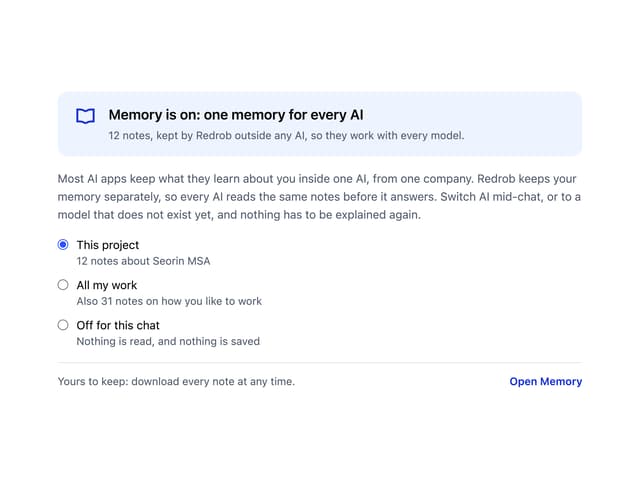
Memory Scope
3
Streaming Text
18


