
About
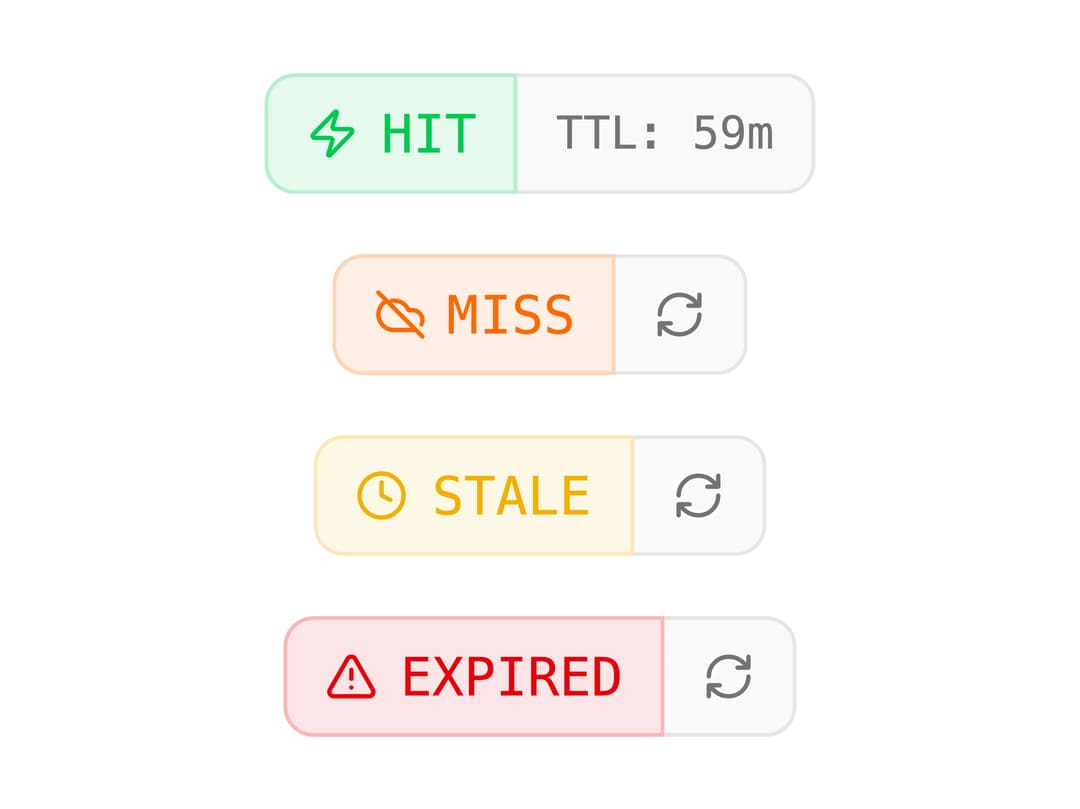
Inline cache status badge that shows HIT, MISS, STALE or EXPIRED states with a live TTL countdown and an optional refresh button.
Built with React and Tailwind. Copy the prompt and paste it into Claude Code, Cursor or Lovable: your agent adds Upstash Cache Badge to your project and fits it to your theme.
Code
How Upstash Cache Badge is used: the demo's code. The component's own source comes with a free account.
Usage.tsx
import { UpstashCacheBadge } from "@/components/ui/upstash-cache-badge";

export default function UpstashCacheBadgeDemo() {
  return (
    <div className="flex min-h-[240px] flex-col items-center justify-center gap-4 p-8">
      <UpstashCacheBadge status="hit" ttl={3600} />
      <UpstashCacheBadge status="miss" onRefresh={() => {}} />
      <UpstashCacheBadge status="stale" onRefresh={() => {}} />
      <UpstashCacheBadge status="expired" onRefresh={() => {}} />
    </div>
  );
}
More by Cameron Kelliher
View all
AI Chain of Thought
110
Helix Loader
94
AI Streaming Text
48
AI Tool Call
44
Signal Bars Loader
41
Glitch Text Loader
41
AI Prompt Diff
38
AI Conversation Tree
32