
About
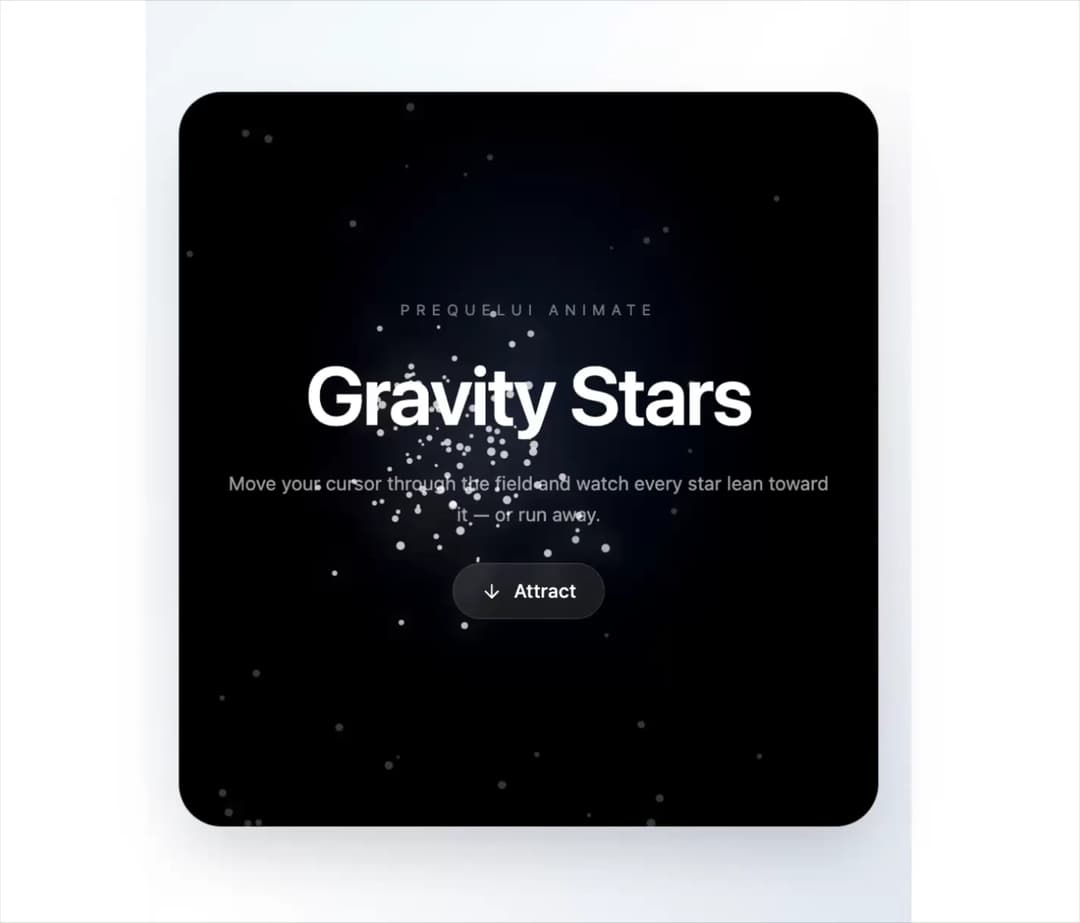
An interactive starfield where the cursor acts as a gravity well that attracts or repels glowing particles.
Built with React and Tailwind. Copy the prompt and paste it into Claude Code, Cursor or Lovable: your agent adds Gravity Stars Background to your project and fits it to your theme.
Code
How Gravity Stars Background is used: the demo's code. The component's own source comes with a free account.
Usage.tsx
"use client";

/**
 * PrequelUI Animate — MIT — https://prequeluianimate.terravidhal.me
 */

import * as React from "react";
import { ArrowDown, ArrowUp } from "lucide-react";
import { GravityStarsBackground } from "@/components/ui/gravity-stars-background";

export default function GravityStarsDemo() {
  const [gravity, setGravity] = React.useState<"attract" | "repel">("attract");

  return (
    <div className="flex min-h-screen items-center justify-center bg-gradient-to-br from-slate-100 via-white to-slate-200 p-6 dark:from-black dark:via-slate-950 dark:to-slate-900">
      <div className="relative h-[540px] w-full max-w-3xl overflow-hidden rounded-[2rem] border border-black/10 shadow-2xl shadow-slate-900/20 dark:border-white/10">
        <GravityStarsBackground
          className="h-full w-full"
          gravity={gravity}
          starsCount={150}
          starsSize={2.2}
          starsOpacity={0.8}
          mouseInfluence={170}
          gravityStrength={130}
          glowIntensity={16}
        >
          <div className="relative flex h-full flex-col items-center justify-center gap-6 px-8 text-center">
            <p className="text-[11px] uppercase tracking-[0.4em] text-white/50">
              PrequelUI Animate
            </p>
            <h1 className="max-w-xl text-balance text-4xl font-semibold tracking-tight text-white sm:text-6xl">
              Gravity Stars
            </h1>
            <p className="max-w-md text-sm leading-relaxed text-white/65">
              Move your cursor through the field and watch every star lean
              toward it — or run away.
            </p>
            <button
              id="gravity-mode-toggle"
              data-slot="gravity-mode-toggle"
              type="button"
              onClick={() =>
                setGravity((mode) =>
                  mode === "attract" ? "repel" : "attract",
                )
              }
              className="inline-flex items-center gap-2 rounded-full border border-white/20 bg-white/10 px-5 py-2.5 text-sm font-medium text-white backdrop-blur-sm transition hover:bg-white/20 focus-visible:outline-none focus-visible:ring-2 focus-visible:ring-white/50"
            >
              {gravity === "attract" ? (
                <ArrowDown className="size-4" />
              ) : (
                <ArrowUp className="size-4" />
              )}
              {gravity === "attract" ? "Attract" : "Repel"}
            </button>
          </div>
        </GravityStarsBackground>
      </div>
    </div>
  );
}
Dependencies
More by terra vidhal
View all

Morphing Text
Image Zoom
File Drop

Sliding Number
Liquid Button