About
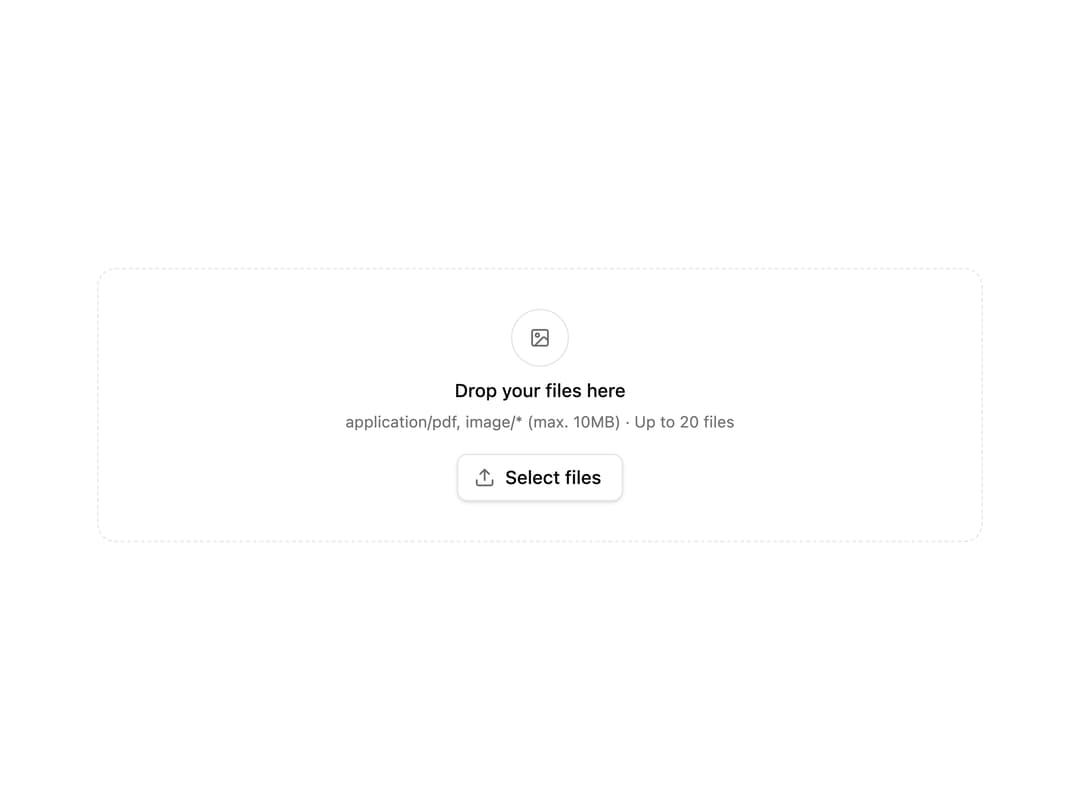
A drag-and-drop file upload area with image preview, file-type and size validation, single or multiple file support, and error handling.
Built with React and Tailwind. Copy the prompt and paste it into Claude Code, Cursor or Lovable: your agent adds File Dropzone to your project and fits it to your theme.
Code
How File Dropzone is used: the demo's code. The component's own source comes with a free account.
Usage.tsx
'use client'

import { FileDropzone } from '@/components/ui/file-dropzone'

function FileForm() {
  const handleUpload = (file: File) => {
    console.log('File uploaded:', file.name, file.type)
  }

  return (
    <div className="flex flex-col gap-4 p-10">
      <FileDropzone
        accept="application/pdf,image/*"
        maxSizeMB={10}
        maxFiles={20}
        multiple={true}
        onUpload={handleUpload}
      />
    </div>
  )
}

export default FileForm
Dependencies
More by joyco
View all
Image Sequence
69
Infinite List
64
HLS Video Player
18
Action Hint
16
Chat
15
Spritesheet Sequencer
11
Snake Game
2
Typewriter
2