
About
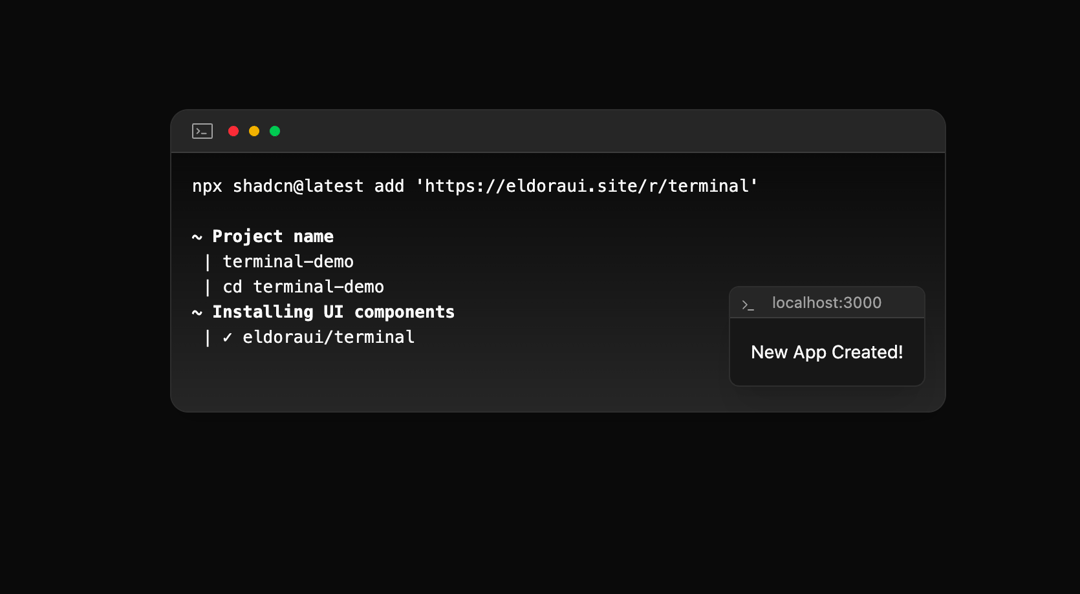
Interactive terminal component with typing animation and localhost notification.
Built with React and Tailwind. Copy the prompt and paste it into Claude Code, Cursor or Lovable: your agent adds Terminal to your project and fits it to your theme.
Code
How Terminal is used: the demo's code. The component's own source comes with a free account.
Usage.tsx
import { Terminal } from "@/components/ui/terminal";

export default function TerminalDemo() {
  return (
    <main className="flex min-h-[60vh] items-center justify-center p-6">
      <div className="w-full max-w-3xl">
        <Terminal
          command="npx shadcn@latest add 'https://eldoraui.site/r/terminal'"
          steps={[
            { text: "~ Project name", bold: true },
            { text: " | terminal-demo" },
            { text: " | cd terminal-demo" },
            { text: "~ Installing UI components", bold: true },
            { text: " | ✓ eldoraui/terminal" },
          ]}
          pulseInterval={100}
          showLocalhost={true}
          hostBarTitle="localhost:3000"
          hostMessage="New App Created!"
        />
      </div>
    </main>
  )
}
Dependencies
More by Mudunuri bhaskara karthikeya varma
View all

Animated Badge
559
Dynamic Square
290
Testimonal Slider
213
Orbit Rotation
140
Testimonals Carousel
101
Animated Card
77
Gradient Pricing
75
Header Navbar
10