
About
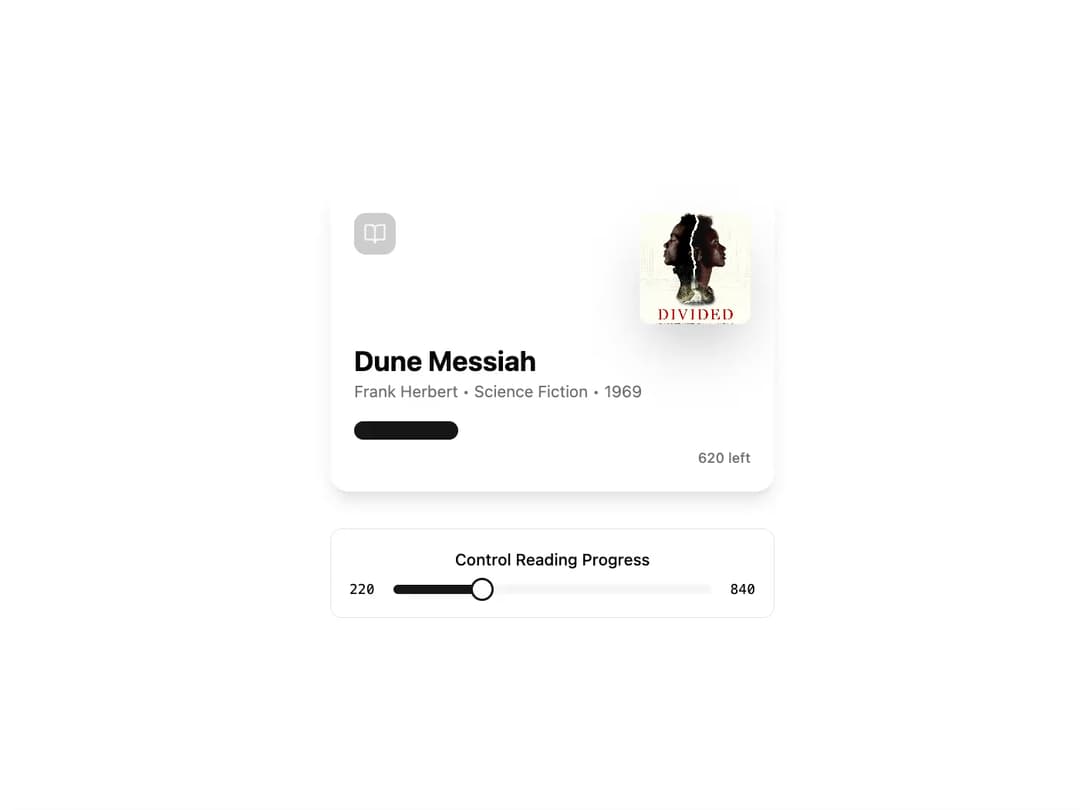
AudiobookCard An AudiobookCard is a visually rich component designed to display the progress and details of an audiobook or any reading material. It features a prominent cover image, title, author details, and an animated, segmented progress bar. The component is built to be highly reusable and customizable through props.
Built with React and Tailwind. Copy the prompt and paste it into Claude Code, Cursor or Lovable: your agent adds Audiobook Card to your project and fits it to your theme.
Code
How Audiobook Card is used: the demo's code. The component's own source comes with a free account.
Usage.tsx
import * as React from "react";
import { BookOpen } from "lucide-react";
import { AudiobookCard } from "@/components/ui/audiobook-card"; // Adjust path as needed
import { Slider } from "@/components/ui/slider"; // Assuming you have a shadcn Slider component
import { Label } from "@/components/ui/label"; // Assuming you have a shadcn Label component

export default function AudiobookCardDemo() {
  const totalPages = 840;
  const [pagesRead, setPagesRead] = React.useState(220);

  return (
    <div className="flex min-h-screen w-full flex-col items-center justify-center gap-8 bg-background p-4">
      {/* The component itself */}
      <AudiobookCard
        imageUrl="https://cdn.21st.dev/assets/mirror/b7/b77e30ce003f7df40567dcef0d7461ce8f6a245374a21ba750b271be5e844198.jpg" // Using the actual Dune Messiah cover
        title="Dune Messiah"
        author="Frank Herbert"
        category="Science Fiction"
        year={1969}
        totalPages={totalPages}
        pagesRead={pagesRead}
        icon={<BookOpen className="h-5 w-5" />}
      />

      {/* Controls to demonstrate interactivity */}
      <div className="w-full max-w-sm rounded-lg border bg-card p-4">
        <Label htmlFor="progress-slider" className="mb-2 block text-center text-sm font-medium">
          Control Reading Progress
        </Label>
        <div className="flex items-center gap-4">
          <span className="text-xs font-mono">{pagesRead}</span>
          <Slider
            id="progress-slider"
            min={0}
            max={totalPages}
            step={10}
            value={[pagesRead]}
            onValueChange={(value) => setPagesRead(value[0])}
            aria-label="Adjust pages read"
          />
           <span className="text-xs font-mono">{totalPages}</span>
        </div>
      </div>
    </div>
  );
}
Dependencies
More by Kavi Katiyar
View all

3D Card
996
Bento Product Features
836
Testimonial Slider
717
Card
613
Order Confirmation Card
507
Project Detail View
413
Animated Card
399
State
394
More in Cards
View all

Statistics Card 7
294

Course Design Cards
1.1K

Interactive Tech Stack Bento Grid with Hover Effects
43
The Item one
3
Stats cards with links
81
Card
56
Statistics Card 2
268

Card Studio
5
