
About
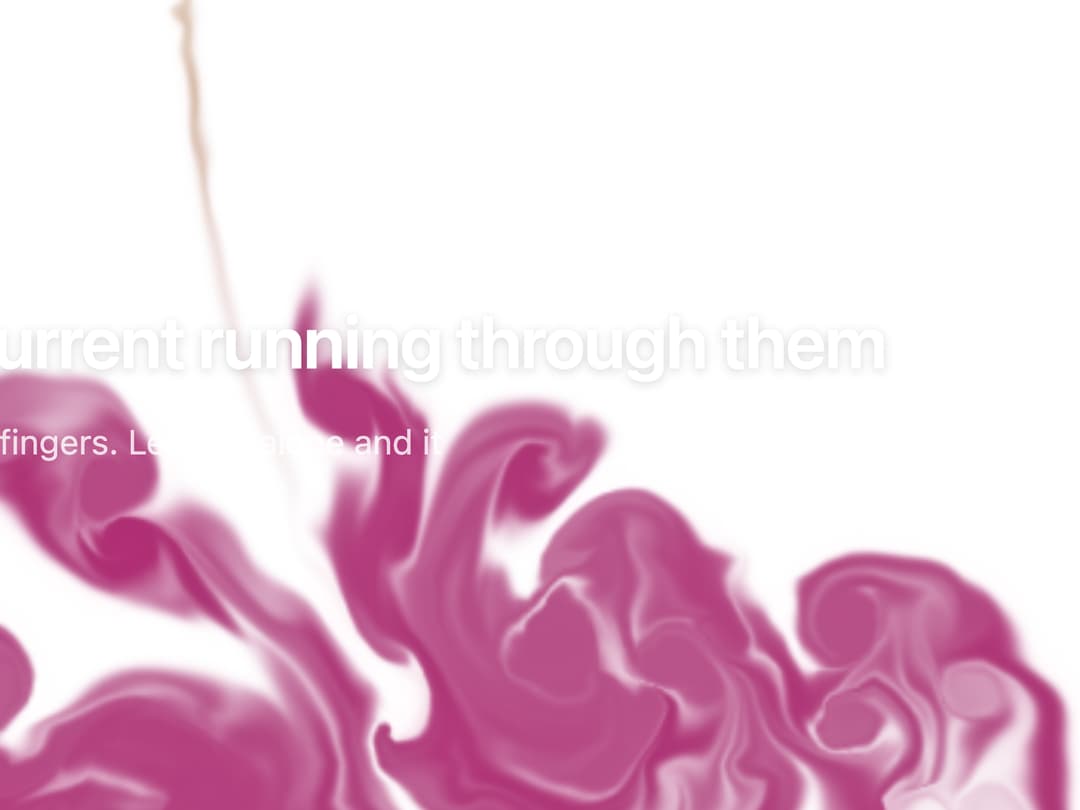
An interactive WebGL fluid simulation that swirls behind page content, reacting to the pointer or touch and recoloring itself from the page's accent, for use as a hero or section background.
Built with React and Tailwind. Copy the prompt and paste it into Claude Code, Cursor or Lovable: your agent adds Fluid Canvas to your project and fits it to your theme.
Code
How Fluid Canvas is used: the demo's code. The component's own source comes with a free account.
Usage.tsx
"use client";

import FluidCanvas from "@/components/ui/fluid-canvas";

export default function FluidCanvasDemo() {
  return (
    <div className="relative h-screen w-full overflow-hidden">
      <FluidCanvas className="absolute inset-0 h-full w-full">
        <div className="flex h-full flex-col items-start justify-center gap-3 p-6 sm:p-10">
          <span className="rounded-full bg-white/15 px-3 py-1 text-xs font-medium text-white backdrop-blur">
            Klyv 4.0
          </span>
          <h1 className="max-w-2xl text-2xl font-semibold leading-tight tracking-tight text-white drop-shadow-sm sm:text-3xl">
            Interfaces with a current running through them
          </h1>
          <p className="max-w-md text-xs text-white/80 sm:text-sm">
            Move the pointer, or drag with a few fingers. Leave it alone and it
            keeps drifting on its own.
          </p>
          <div className="mt-1 flex gap-3">
            <button className="rounded-full bg-white px-4 py-1.5 text-xs font-medium text-black sm:text-sm">
              Start building
            </button>
            <button className="rounded-full border border-white/40 px-4 py-1.5 text-xs font-medium text-white sm:text-sm">
              Stir it
            </button>
          </div>
        </div>
      </FluidCanvas>
    </div>
  );
}
More by klyv-ui
View all
Gantt Chart
48
Klyv Animated Beam
41
Pareto Chart
36
Shader Canvas
32
Sunburst Chart
20
Morphing Text
20
Gravity Tags
16
Klyv Border Beam
10
More in Heroes
View all

SaaS Template
2.4K

Responsive Hero Banner
2K

Hero
1.2K
Centered Hero with Image Fan
918
Editorial Collage Hero
422

Hero 03
311
Glass Fold
187

Hero Section 6
876
