
About
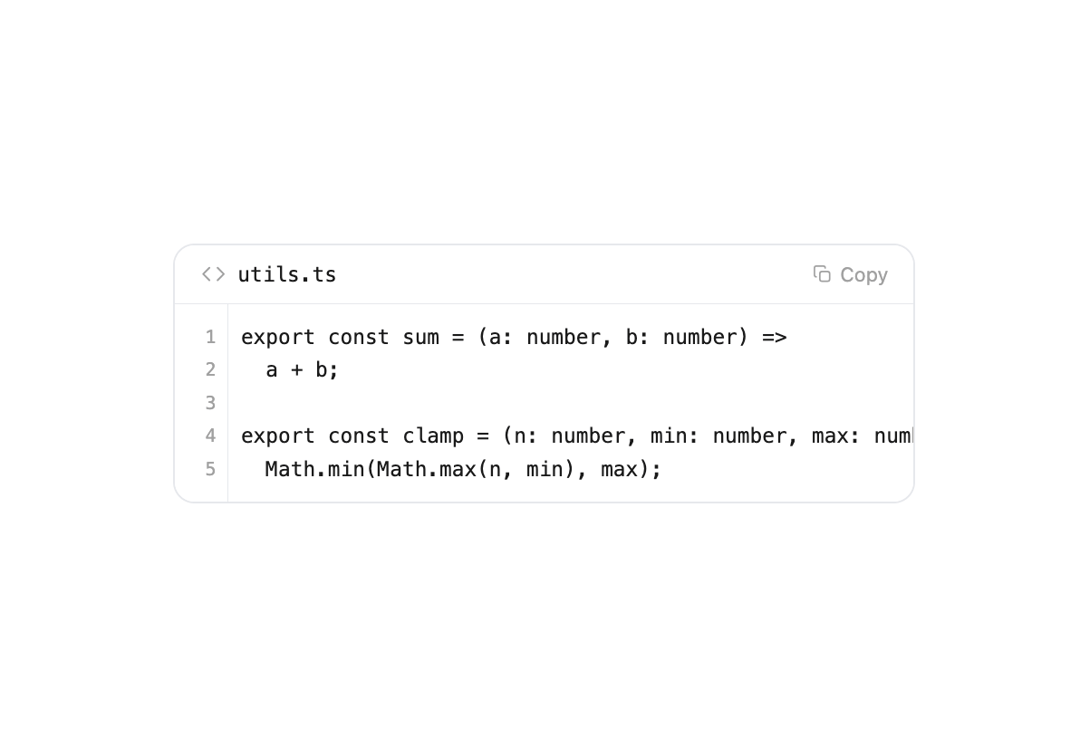
A compact code snippet block with a filename header, line numbers and a copy-to-clipboard button, ideal for showing code output in AI chat interfaces.
Built with React and Tailwind. Copy the prompt and paste it into Claude Code, Cursor or Lovable: your agent adds Code Block to your project and fits it to your theme.
Code
How Code Block is used: the demo's code. The component's own source comes with a free account.
Usage.tsx
import { CodeBlock } from "@/components/ui/code-block";

const code = `export const sum = (a: number, b: number) =>
  a + b;

export const clamp = (n: number, min: number, max: number) =>
  Math.min(Math.max(n, min), max);`;

export default function CodeBlockDemo() {
  return (
    <div className="flex min-h-[320px] w-full items-center justify-center p-6">
      <div className="w-full max-w-md">
        <CodeBlock lang="utils.ts" code={code} />
      </div>
    </div>
  );
}
More by Kevin
View all

Image Generation
249
Thinking Reasoning
84
Agent To-do List
51
Orbs Morph
35
Orbs Helix
34
Web Search
32
AI Agent Input
31
File Diff
22