
About
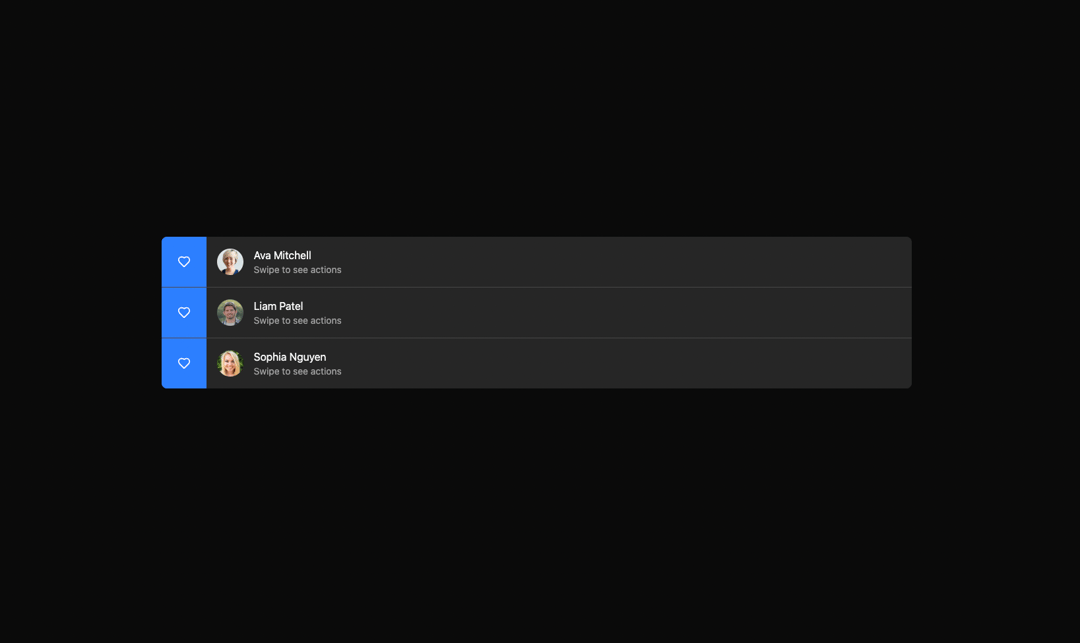
A swipe row for providing actions of swipe of left and right
Built with React and Tailwind. Copy the prompt and paste it into Claude Code, Cursor or Lovable: your agent adds Swipe Row to your project and fits it to your theme.
Code
How Swipe Row is used: the demo's code. The component's own source comes with a free account.
Usage.tsx
import { Heart, Trash } from "lucide-react"

import { Avatar, AvatarFallback, AvatarImage } from "@/components/ui/avatar"
import {
  SwipeLeftActions,
  SwipeRightActions,
  SwipeRow,
  SwipeRowContent,
} from "@/components/ui/swipe-row"

const dummyListData = [
  {
    id: 1,
    name: "Ava Mitchell",
    avatar: "https://cdn.21st.dev/assets/mirror/d8/d8dab29a5736d5c2b0084d720d3db02c785560071609be501541922928fdf831.jpg",
    fallback: "AM",
  },
  {
    id: 2,
    name: "Liam Patel",
    avatar: "https://cdn.21st.dev/assets/mirror/9a/9aac54d62e727561f6958213b8a3649230a3bba61ba5ddf63c69d3c6e4aecb0a.jpg",
    fallback: "LP",
  },
  {
    id: 3,
    name: "Sophia Nguyen",
    avatar: "https://cdn.21st.dev/assets/mirror/f0/f07b84f12ef125cbb837a7bd64da401992f5f62bd55fee10d01cd3dcc8abae80.jpg",
    fallback: "SN",
  },
]

export default function SwipeRowListDemo() {
  return (
    <div className="w-full md:w-2/3 rounded-md overflow-hidden divide-y divide-input bg-muted ">
      {dummyListData.map((item) => (
        <SwipeRow key={item.id}>
          <SwipeLeftActions>
            <LeftActions />
          </SwipeLeftActions>
          <SwipeRowContent>
            <div className="flex items-center gap-4">
              <div>
                <Avatar>
                  <AvatarImage src={item.avatar} alt={item.fallback} />
                  <AvatarFallback>{item.fallback}</AvatarFallback>
                </Avatar>
              </div>
              <div>
                <h3>{item.name}</h3>
                <p className="text-sm text-muted-foreground">
                  Swipe to see actions
                </p>
              </div>
            </div>
          </SwipeRowContent>
          <SwipeRightActions>
            <RightActions />
          </SwipeRightActions>
        </SwipeRow>
      ))}
    </div>
  )
}

function LeftActions() {
  return (
    <>
      <button className="h-full px-6 bg-blue-500 text-white flex items-center justify-center transition-colors">
        <Heart size={20} />
      </button>{" "}
    </>
  )
}

function RightActions() {
  return (
    <>
      <button className="h-full px-6 bg-red-500 text-white flex items-center justify-center transition-colors">
        <Trash size={20} />
      </button>
    </>
  )
}
Dependencies
More by Rushil Dhinoja
View all

Morphing Square
434
Voice Input
310
Warp Dialog
263
Orbital Loader
204
Bouncing Dots
193
Vignette Grid Background
190
Wave Loader
131
Discussion
85