
About
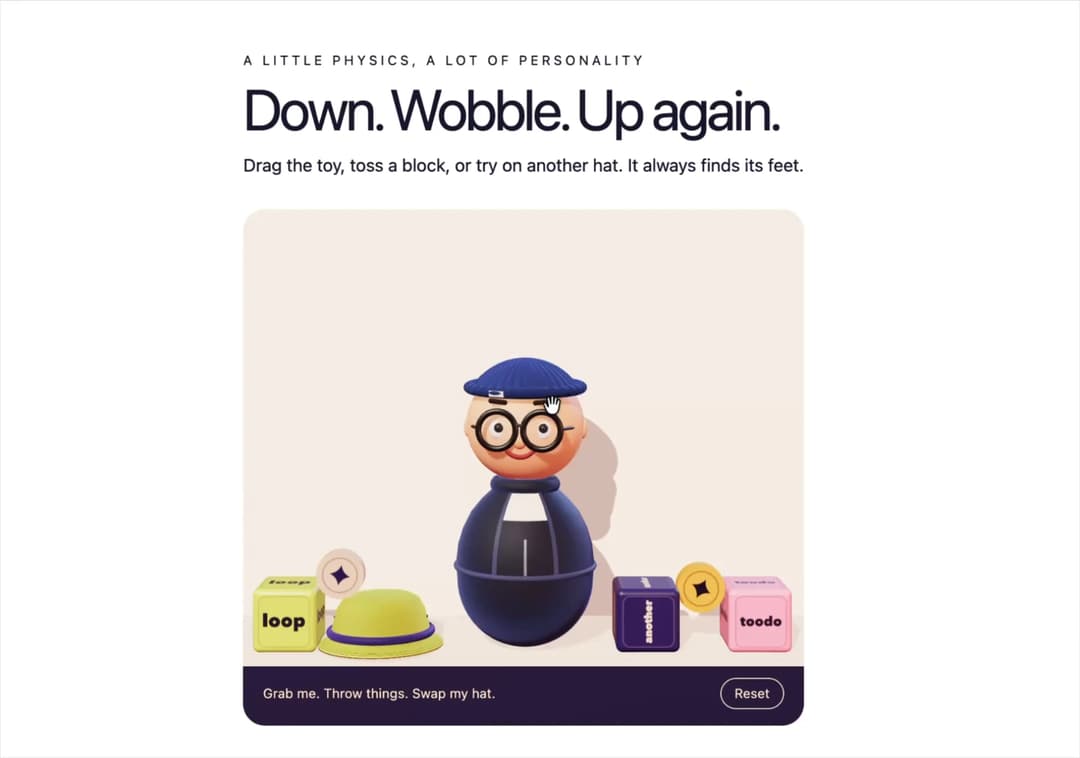
An interactive 3D roly-poly toy with drag-and-throw physics, self-righting motion and swappable hats.
Built with React and Tailwind. Copy the prompt and paste it into Claude Code, Cursor or Lovable: your agent adds Roly Poly Figure to your project and fits it to your theme.
Code
How Roly Poly Figure is used: the demo's code. The component's own source comes with a free account.
Usage.tsx
import RolyPolyFigure from "@/components/ui/roly-poly-figure";

export default function Demo() {
  return (
    <main style={{ boxSizing: "border-box", maxWidth: 1200, margin: "0 auto",
      padding: "48px 16px", color: "#191731", fontFamily: "system-ui, sans-serif" }}>
      <p style={{ margin: "0 0 8px", fontSize: 12, letterSpacing: 3, textTransform: "uppercase" }}>A little physics, a lot of personality</p>
      <h1 style={{ margin: "0 0 12px", fontSize: "clamp(32px, 5vw, 64px)", letterSpacing: "-0.05em", lineHeight: 1.05 }}>Down. Wobble. Up again.</h1>
      <p style={{ margin: "0 0 28px", maxWidth: 520, lineHeight: 1.5 }}>Drag the toy, toss a block, or try on another hat. It always finds its feet.</p>
      <RolyPolyFigure size="clamp(460px, 65vh, 590px)" />
    </main>
  );
}