
About
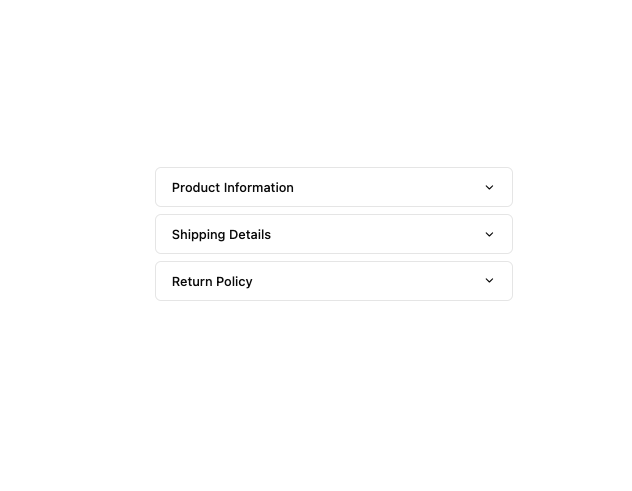
Here is Accordion component
Built with React and Tailwind. Copy the prompt and paste it into Claude Code, Cursor or Lovable: your agent adds Accordion to your project and fits it to your theme.
Code
How Accordion is used: the demo's code. The component's own source comes with a free account.
Usage.tsx
import {
  Accordion,
  AccordionContent,
  AccordionItem,
  AccordionTrigger,
} from "@/components/ui/accordion";

export default function AccordionTabs() {
  return (
    <Accordion
      className="w-full max-w-md mx-auto space-y-2"
      defaultValue={[accordionItems[0].value]}
      openMultiple={false}
    >
      {accordionItems.map((item) => (
        <AccordionItem
          key={item.value}
          value={item.value}
          className="last:border-b border rounded-md"
        >
          <AccordionTrigger className="py-3 px-5 text-base items-center">
            {item.title}
          </AccordionTrigger>
          <AccordionContent className="flex flex-col gap-4 px-5">
            <p>{item.content}</p>
          </AccordionContent>
        </AccordionItem>
      ))}
    </Accordion>
  );
}

const accordionItems = [
  {
    value: "item-1",
    title: "Product Information",
    content:
      "Our flagship product combines cutting-edge technology with sleek design. Built with premium materials, it offers unparalleled performance and reliability.",
  },
  {
    value: "item-2",
    title: "Shipping Details",
    content:
      "We offer worldwide shipping through trusted courier partners. Standard delivery takes 3-5 business days, while express shipping ensures delivery within 1-2 business days.",
  },
  {
    value: "item-3",
    title: "Return Policy",
    content:
      "We stand behind our products with a comprehensive 30-day return policy. If you're not completely satisfied, simply return the item in its original condition.",
  },
];
More by MUI
View all
Toast
41
Preview Card
40
Scroll Area
34
Select
29
Number Field
27
Popover
24
Navigation Menu
15
Context Menu
13
