
About
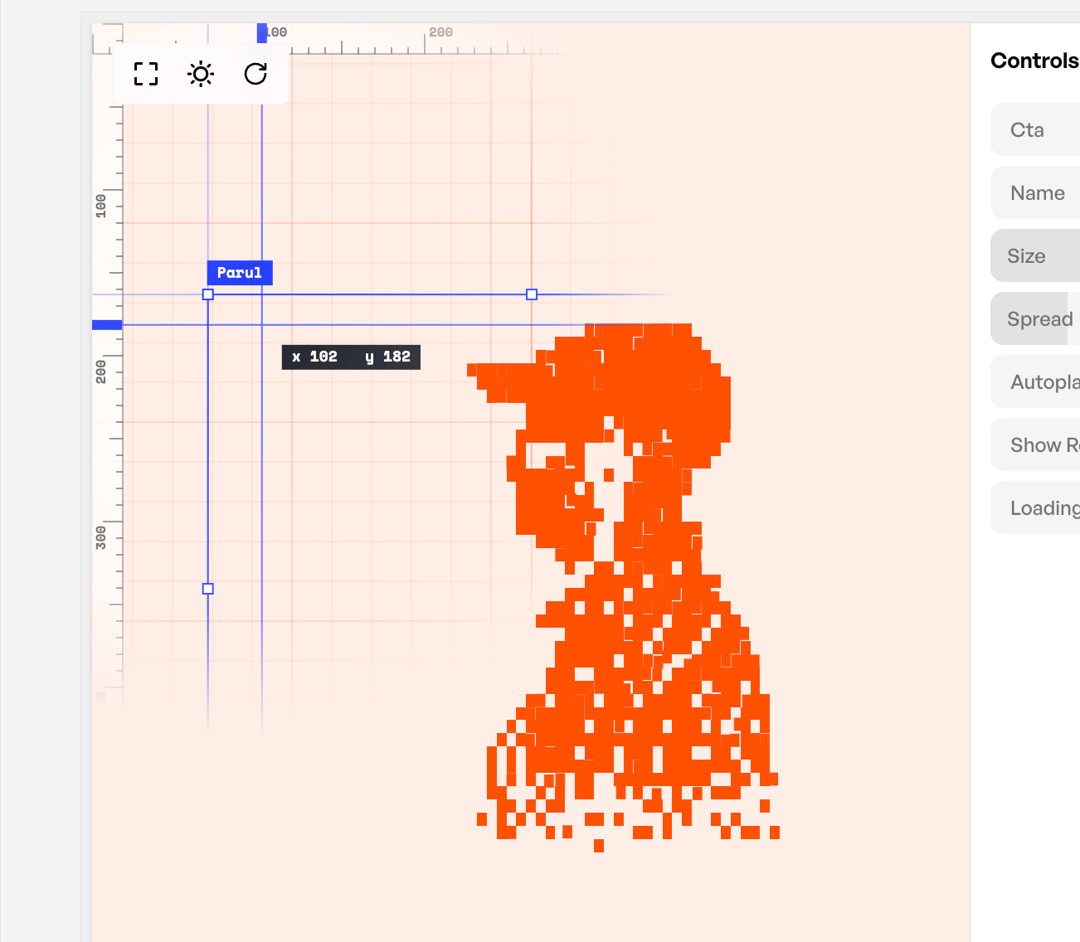
Hero section and loading animation in one: a pixel figure disperses as you scroll into a design-tool headline with a Create Now button, which pulls the pixels back into a one-turn loader.
Built with React and Tailwind. Copy the prompt and paste it into Claude Code, Cursor or Lovable: your agent adds Loading Animation to your project and fits it to your theme.
Code
How Loading Animation is used: the demo's code. The component's own source comes with a free account.
Usage.tsx
import { LoadingAnimation } from "@/components/ui/loading-animation";

// Controls for the demo panel (literal values only).
export const settings = {
  name: "Asha Iyer",
  cta: "Create Now",
  loadingLabel: "Setting up your desk",
  size: 0.5,
  spread: 1,
  showReveal: true,
  autoplay: true,
};

// Every prop falls back to its default, so the demo also renders before any control value arrives.
export default function Demo({
  name = settings.name,
  cta = settings.cta,
  loadingLabel = settings.loadingLabel,
  size = settings.size,
  spread = settings.spread,
  showReveal = settings.showReveal,
  autoplay = settings.autoplay,
}: Partial<typeof settings>) {
  return <LoadingAnimation name={name} cta={cta} loadingLabel={loadingLabel} size={size} spread={spread} showReveal={showReveal} autoplay={autoplay} />;
}
More by Prayani
View all
Mesh Gradient
4
More in Heroes
View all

SaaS Template
2.4K

Responsive Hero Banner
2K

Hero
1.2K
Centered Hero with Image Fan
932
Editorial Collage Hero
431
Glass Fold
212

HeroSectionWithGradient
336

Aero Hero-3
559
