
About
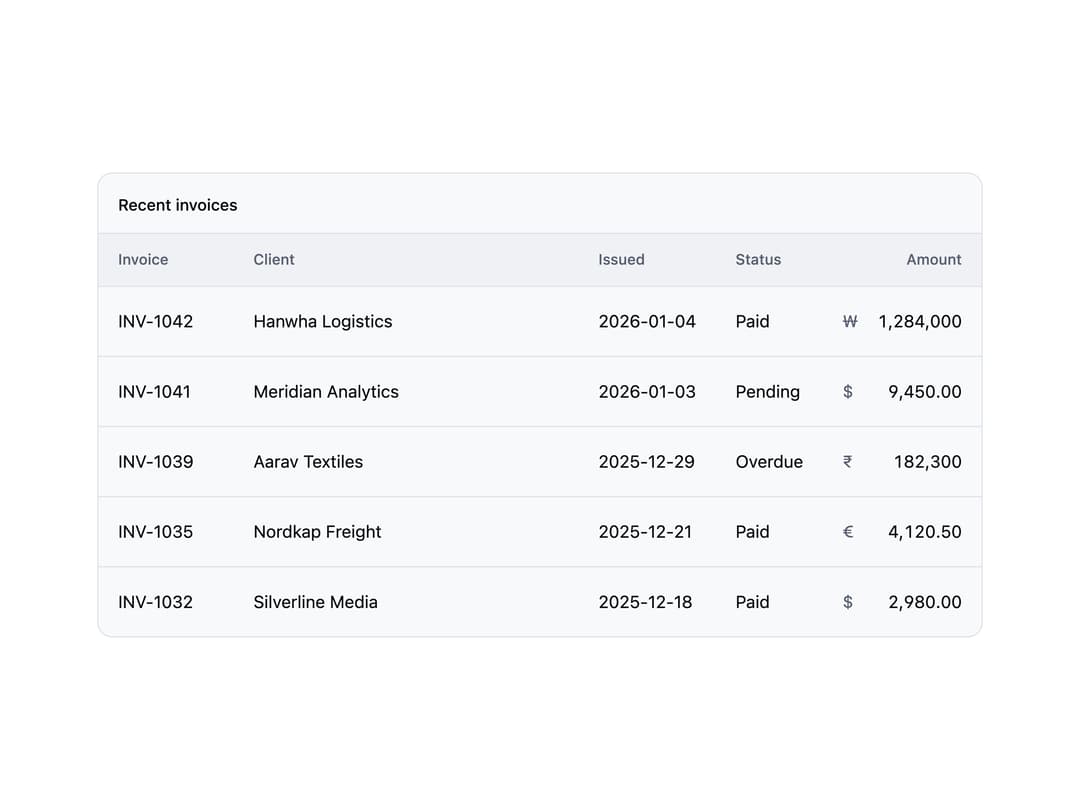
An accessible HTML data table with sortable-ready columns, right-aligned numeric/money cells that split currency symbol from figure, a growing content column, and a real caption element.
Built with React and Tailwind. Copy the prompt and paste it into Claude Code, Cursor or Lovable: your agent adds Data Table to your project and fits it to your theme.
Code
How Data Table is used: the demo's code. The component's own source comes with a free account.
Usage.tsx
import Table from "@/components/ui/table";

interface Invoice {
  id: string;
  client: string;
  issued: string;
  status: string;
  amount: string;
}

const rows: Invoice[] = [
  {
    id: "INV-1042",
    client: "Hanwha Logistics",
    issued: "2026-01-04",
    status: "Paid",
    amount: "₩ 1,284,000",
  },
  {
    id: "INV-1041",
    client: "Meridian Analytics",
    issued: "2026-01-03",
    status: "Pending",
    amount: "$ 9,450.00",
  },
  {
    id: "INV-1039",
    client: "Aarav Textiles",
    issued: "2025-12-29",
    status: "Overdue",
    amount: "₹ 182,300",
  },
  {
    id: "INV-1035",
    client: "Nordkap Freight",
    issued: "2025-12-21",
    status: "Paid",
    amount: "€ 4,120.50",
  },
  {
    id: "INV-1032",
    client: "Silverline Media",
    issued: "2025-12-18",
    status: "Paid",
    amount: "$ 2,980.00",
  },
];

export default function TableDemo() {
  return (
    <div className="w-full max-w-3xl mx-auto p-6">
      <Table<Invoice>
        caption="Recent invoices"
        columns={[
          { key: "id", header: "Invoice", width: 110 },
          { key: "client", header: "Client", grow: true },
          { key: "issued", header: "Issued" },
          { key: "status", header: "Status" },
          { key: "amount", header: "Amount", money: true },
        ]}
        rows={rows}
      />
    </div>
  );
}
More by redrob-labs
View all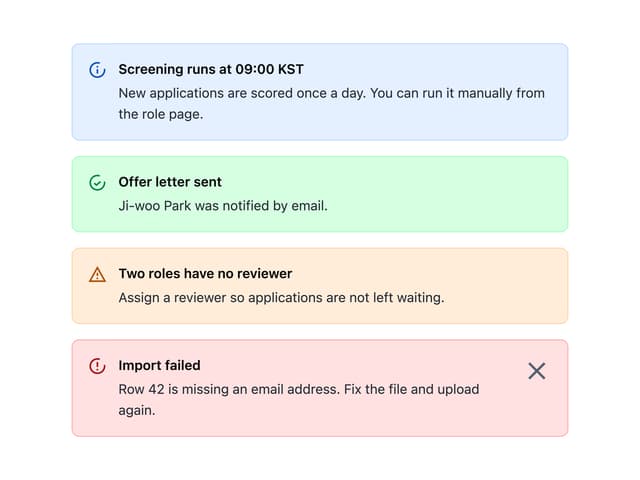
Alert
44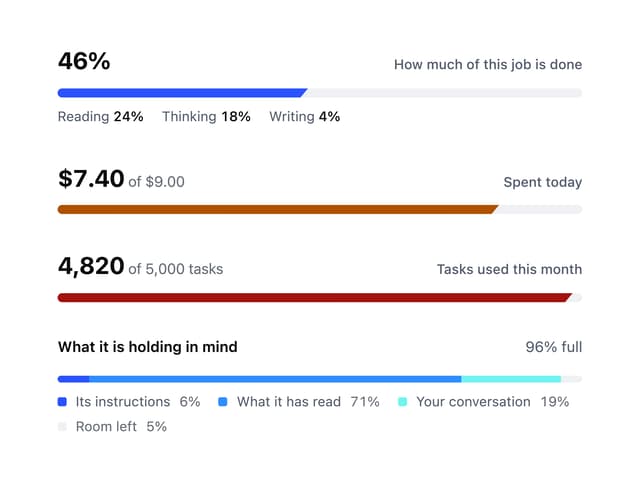
Meter
29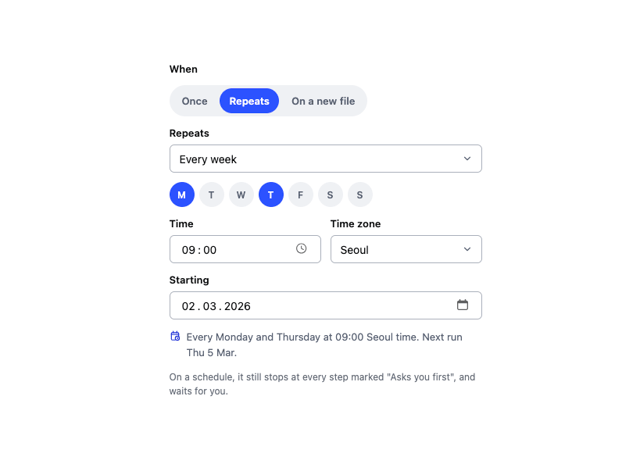
Schedule Picker
28
Switch
11
Status Card
10
Hero Section
10
Memory Scope
9
Accordion
5