
About
A hook that handles clicks outside of a specified element
Built with React and Tailwind. Copy the prompt and paste it into Claude Code, Cursor or Lovable: your agent adds useClickOutside to your project and fits it to your theme.
Code
How useClickOutside is used: the demo's code. The component's own source comes with a free account.
Usage.tsx
'use client'

import { useRef, useState } from 'react'
import { useClickOutside } from '@/components/hooks/use-click-outside'
import { Button } from '@/components/ui/button'
import { X } from 'lucide-react'

function SimpleDropdownDemo() {
  const [isOpen, setIsOpen] = useState(false)
  const ref = useRef<HTMLDivElement>(null)

  useClickOutside(ref, () => setIsOpen(false))

  return (
    <div className="flex flex-col gap-2">
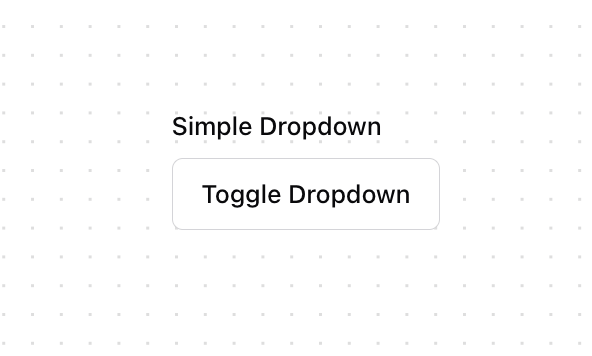
      <label className="text-sm font-medium">Simple Dropdown</label>
      <div className="relative" ref={ref}>
        <Button
          variant="outline"
          onClick={() => setIsOpen(!isOpen)}
        >
          Toggle Dropdown
        </Button>
        {isOpen && (
          <div className="absolute top-full mt-2 w-48 rounded-md border bg-popover shadow-lg">
            <div className="p-2">
              <p className="text-sm">Click outside to close</p>
            </div>
          </div>
        )}
      </div>
    </div>
  )
}

function ModalDemo() {
  const [isOpen, setIsOpen] = useState(false)
  const modalRef = useRef<HTMLDivElement>(null)

  useClickOutside(modalRef, () => setIsOpen(false))

  return (
    <div className="flex flex-col gap-2">
      <label className="text-sm font-medium">Modal Example</label>
      <Button onClick={() => setIsOpen(true)}>Open Modal</Button>

      {isOpen && (
        <div className="fixed inset-0 bg-background/80 backdrop-blur-sm">
          <div className="fixed left-[50%] top-[50%] translate-x-[-50%] translate-y-[-50%]">
            <div
              ref={modalRef}
              className="w-[300px] rounded-lg border bg-card p-4 shadow-lg"
            >
              <div className="flex items-center justify-between mb-4">
                <h3 className="text-lg font-semibold">Modal Title</h3>
                <Button
                  variant="ghost"
                  size="icon"
                  onClick={() => setIsOpen(false)}
                >
                  <X className="h-4 w-4" />
                </Button>
              </div>
              <p className="text-sm text-muted-foreground">
                Click outside or the X button to close this modal.
              </p>
            </div>
          </div>
        </div>
      )}
    </div>
  )
}

function MenuDemo() {
  const [isOpen, setIsOpen] = useState(false)
  const menuRef = useRef<HTMLDivElement>(null)

  useClickOutside(menuRef, () => setIsOpen(false))

  const menuItems = [
    'Profile',
    'Settings',
    'Notifications',
    'Help',
    'Sign out'
  ]

  return (
    <div className="flex flex-col gap-2">
      <label className="text-sm font-medium">Menu Example</label>
      <div className="relative" ref={menuRef}>
        <Button
          variant="outline"
          onClick={() => setIsOpen(!isOpen)}
        >
          Menu
        </Button>
        {isOpen && (
          <div className="absolute right-0 mt-2 w-56 rounded-md border bg-popover shadow-lg">
            <div className="py-1">
              {menuItems.map((item) => (
                <button
                  key={item}
                  className="flex w-full items-center px-4 py-2 text-sm hover:bg-accent"
                  onClick={() => {
                    console.log(`Clicked: ${item}`)
                    setIsOpen(false)
                  }}
                >
                  {item}
                </button>
              ))}
            </div>
          </div>
        )}
      </div>
    </div>
  )
}

export { SimpleDropdownDemo, ModalDemo, MenuDemo };
Dependencies
More by Serafim
View all
Spline Scene
9.4K
Testimonials with Marquee
2.3K
Gradient Button
1.9K
Pixel Canvas
898
Animated Blur Number
830
Empty State
772
Balloons
753
Status Badge
639