
About
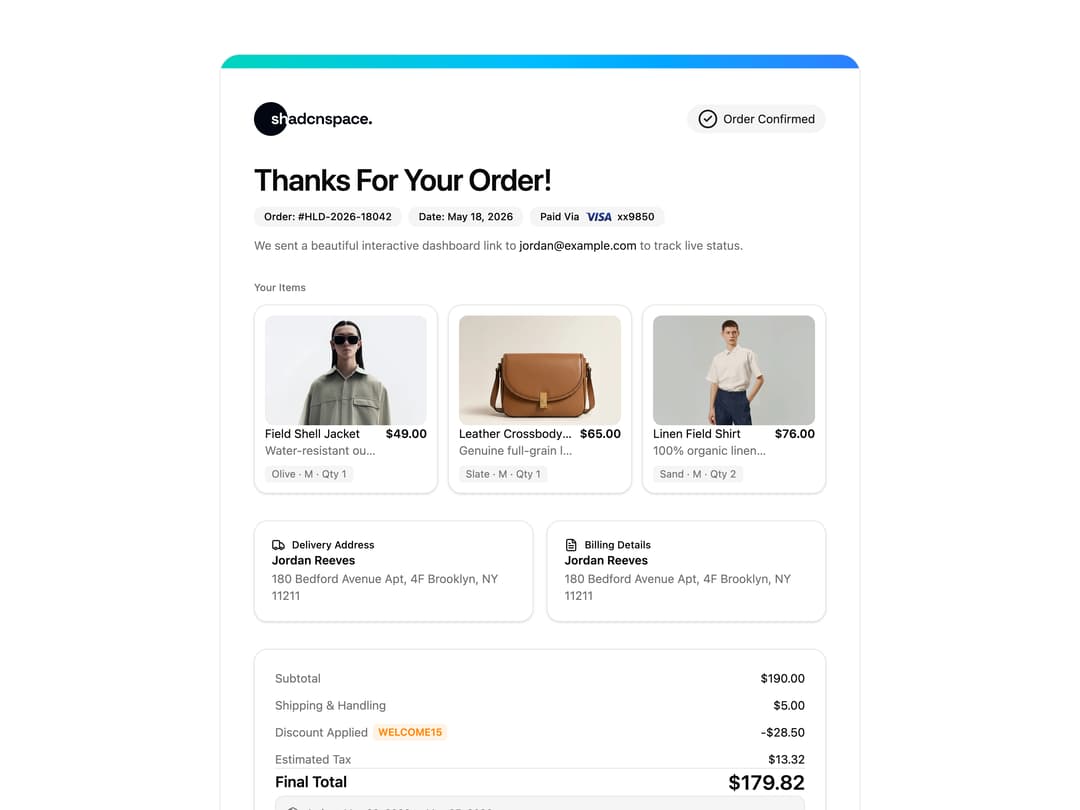
A colorful order confirmation receipt layout showing purchased product cards, payment method, delivery and billing addresses, discounts, tax, and the final total for an ecommerce checkout.
Built with React and Tailwind. Copy the prompt and paste it into Claude Code, Cursor or Lovable: your agent adds Receipt Order Confirmation to your project and fits it to your theme.
Code
How Receipt Order Confirmation is used: the demo's code. The component's own source comes with a free account.
Usage.tsx
import Receipt, { ReceiptItem } from "@/components/ui/receipt-01";

const items: ReceiptItem[] = [
  {
    id: "field-shell-jacket",
    image:
      "https://cdn.21st.dev/assets/localized/4b4b1da03dc62a10822f4249e070cc1118f742f9dd642ce3daf39f902fe6ad8f.webp",
    title: "Field Shell Jacket",
    description: "Water-resistant outer shell",
    variant: "Olive · M · Qty 1",
    price: 49,
  },
  {
    id: "leather-crossbody-bag",
    image:
      "https://cdn.21st.dev/assets/localized/2482834625d3ccde839b92daec2315c862d6ee34e81410dc1e6a197de91c2db5.webp",
    title: "Leather Crossbody Bag",
    description: "Genuine full-grain leather",
    variant: "Slate · M · Qty 1",
    price: 65,
  },
  {
    id: "linen-field-shirt",
    image:
      "https://cdn.21st.dev/assets/localized/d615d0f1705502aab1332a178424cca06282d4d77d537b9881533c1ce036e432.webp",
    title: "Linen Field Shirt",
    description: "100% organic linen fabric",
    variant: "Sand · M · Qty 2",
    price: 76,
  },
];

export default function ReceiptDemo() {
  return (
    <Receipt
      items={items}
      shippingCost={5}
      discountCode="WELCOME15"
      discountPercent={15}
      taxPercent={8.25}
    />
  );
}
Dependencies
More by ShadcnSpace
View all
Integration Card
1.9K
Stacked Card Carousel
1.6K
Button witn Icon
1.5K
Orbiting Circles with Globe
1.4K
Agency Hero Section
1K
Testimonials Marquee
668
Shine Border
492
Range Select Calendar
490