
About
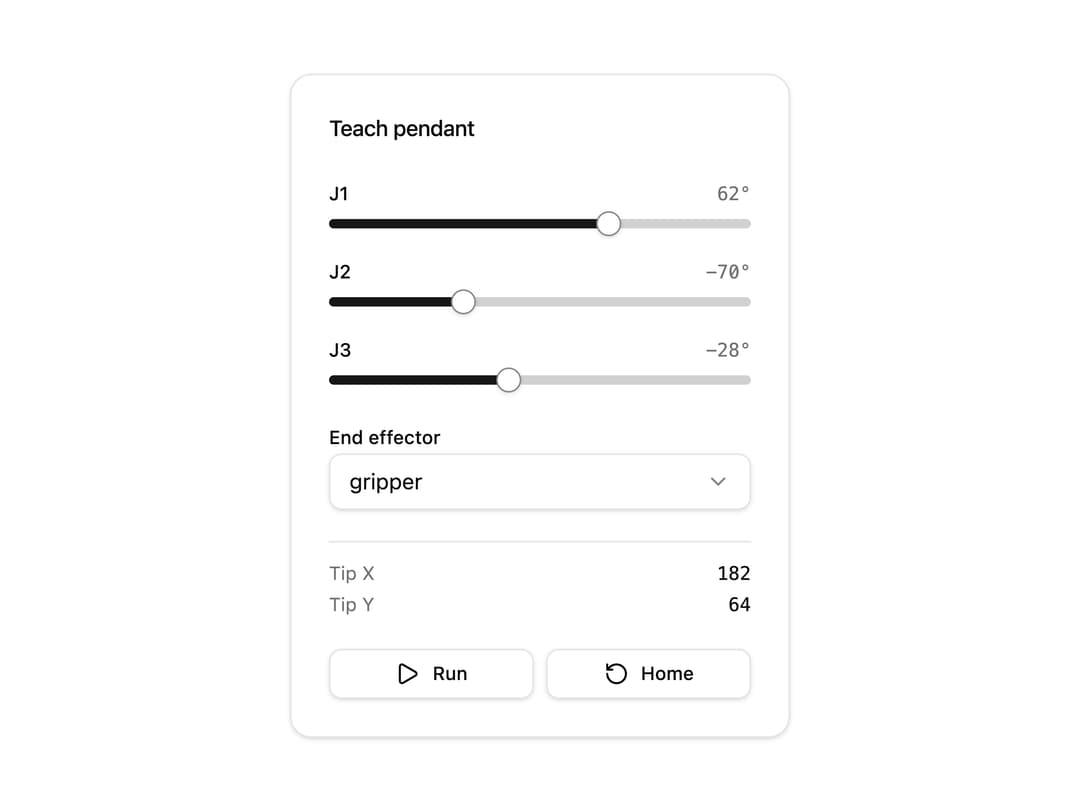
A teach-pendant style control panel with one slider per robot arm joint, plus a tool selector, live readouts, and run/home buttons to drive forward-kinematics angles.
Built with React and Tailwind. Copy the prompt and paste it into Claude Code, Cursor or Lovable: your agent adds Arm Controls to your project and fits it to your theme.
Code
How Arm Controls is used: the demo's code. The component's own source comes with a free account.
Usage.tsx
"use client";

import * as React from "react";

import ArmControls from "@/components/ui/arm-controls";

export default function ArmControlsDemo() {
  const [angles, setAngles] = React.useState([62, -70, -28]);
  const [tool, setTool] = React.useState<
    | "gripper"
    | "welder"
    | "painter"
    | "cutter"
    | "scanner"
    | "vacuum"
    | "magnet"
    | "none"
  >("gripper");

  return (
    <div className="flex w-full items-center justify-center p-10">
      <ArmControls
        angles={angles}
        onAnglesChange={setAngles}
        tool={tool}
        onToolChange={setTool}
        readouts={[
          { label: "Tip X", value: "182" },
          { label: "Tip Y", value: "64" },
        ]}
        onReset={() => setAngles([62, -70, -28])}
        playable
      />
    </div>
  );
}
Dependencies
More by timmikeladze
View all
Puzzle Cube
6
Debris Field
6
Pumpjack
2
Wellhead Tree
1
Robot Arm
1
Robot Stage
Airliner
Rod Pump