
About
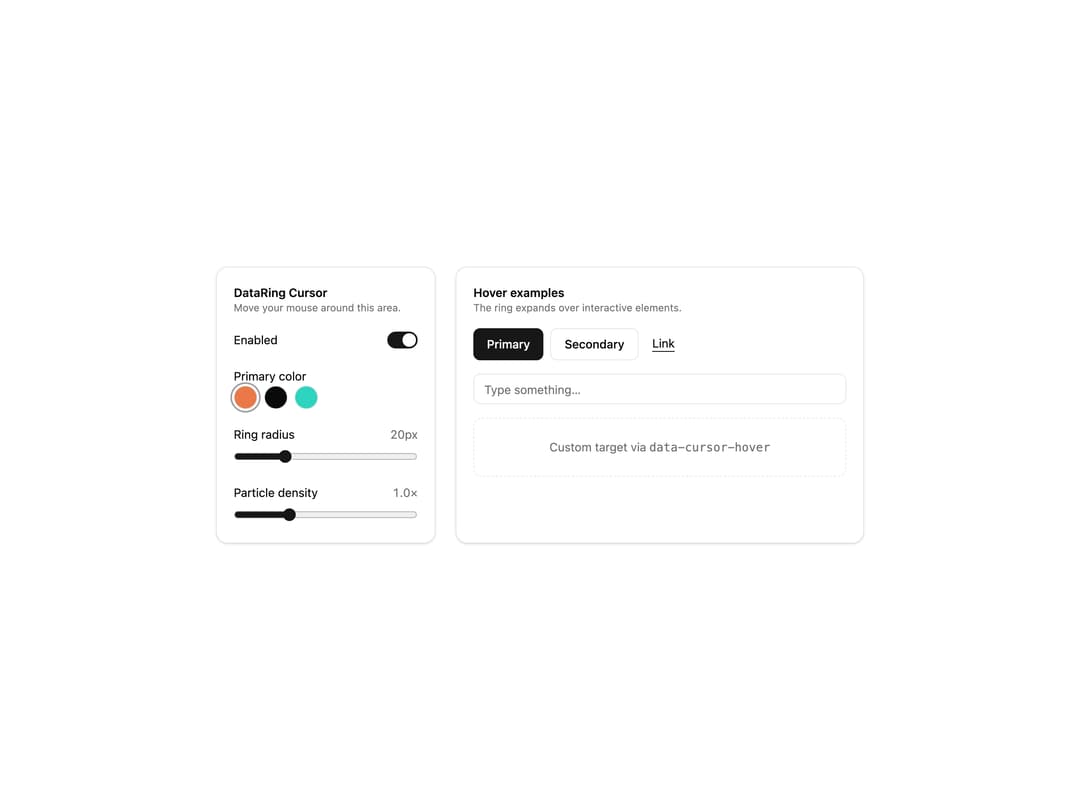
Canvas cursor with a data ring, star trail and rain particles that grows on hover; adjustable radius, density and color.
Built with React and Tailwind. Copy the prompt and paste it into Claude Code, Cursor or Lovable: your agent adds Data Ring Cursor to your project and fits it to your theme.
Code
How Data Ring Cursor is used: the demo's code. The component's own source comes with a free account.
Usage.tsx
'use client'

import { useState } from 'react'
import { DataRingCursor } from '@/components/ui/data-ring-cursor'

const SWATCHES = [
  { name: 'Orange', value: '#ea7848' },
  { name: 'Mono', value: '' },
  { name: 'Teal', value: '#2dd4bf' },
]

export default function DataRingCursorDemo() {
  const [enabled, setEnabled] = useState(true)
  const [color, setColor] = useState(SWATCHES[0]!.value)
  const [radius, setRadius] = useState(20)
  const [density, setDensity] = useState(1)

  return (
    <div className="flex min-h-[560px] w-full items-center justify-center bg-background p-6 text-foreground">
      <DataRingCursor enabled={enabled} radius={radius} density={density} color={color || undefined} />
      <div className="grid w-full max-w-3xl gap-6 md:grid-cols-[260px_1fr]">
        <div className="space-y-5 rounded-xl border border-border bg-card p-5 text-card-foreground shadow-sm">
          <div>
            <h3 className="text-sm font-semibold">DataRing Cursor</h3>
            <p className="text-xs text-muted-foreground">Move your mouse around this area.</p>
          </div>

          <label className="flex items-center justify-between text-sm">
            Enabled
            <button
              type="button"
              role="switch"
              aria-checked={enabled}
              onClick={() => setEnabled(v => !v)}
              className={`relative h-5 w-9 rounded-full transition-colors ${enabled ? 'bg-primary' : 'bg-muted'}`}
            >
              <span className={`absolute top-0.5 size-4 rounded-full bg-background shadow transition-all ${enabled ? 'left-[18px]' : 'left-0.5'}`} />
            </button>
          </label>

          <div className="space-y-2">
            <span className="text-sm">Primary color</span>
            <div className="flex gap-2">
              {SWATCHES.map(s => (
                <button
                  key={s.name}
                  type="button"
                  title={s.name}
                  aria-label={s.name}
                  onClick={() => setColor(s.value)}
                  className={`size-7 rounded-full border border-border ring-offset-2 ring-offset-card transition ${color === s.value ? 'ring-2 ring-ring' : ''} ${s.value ? '' : 'bg-foreground'}`}
                  style={s.value ? { backgroundColor: s.value } : undefined}
                />
              ))}
            </div>
          </div>

          <label className="block space-y-2 text-sm">
            <span className="flex justify-between">Ring radius <span className="tabular-nums text-muted-foreground">{radius}px</span></span>
            <input type="range" min={10} max={48} value={radius} onChange={e => setRadius(Number(e.target.value))} className="w-full accent-primary" />
          </label>

          <label className="block space-y-2 text-sm">
            <span className="flex justify-between">Particle density <span className="tabular-nums text-muted-foreground">{density.toFixed(1)}×</span></span>
            <input type="range" min={0.2} max={3} step={0.1} value={density} onChange={e => setDensity(Number(e.target.value))} className="w-full accent-primary" />
          </label>
        </div>

        <div className="space-y-4 rounded-xl border border-border bg-card p-5 text-card-foreground shadow-sm">
          <div>
            <h3 className="text-sm font-semibold">Hover examples</h3>
            <p className="text-xs text-muted-foreground">The ring expands over interactive elements.</p>
          </div>
          <div className="flex flex-wrap gap-2">
            <button type="button" className="rounded-md bg-primary px-4 py-2 text-sm font-medium text-primary-foreground">Primary</button>
            <button type="button" className="rounded-md border border-border bg-background px-4 py-2 text-sm font-medium hover:bg-accent hover:text-accent-foreground">Secondary</button>
            <a href="#" onClick={e => e.preventDefault()} className="px-2 py-2 text-sm underline underline-offset-4">Link</a>
          </div>
          <input placeholder="Type something…" className="h-9 w-full rounded-md border border-input bg-background px-3 text-sm placeholder:text-muted-foreground focus:outline-none focus:ring-2 focus:ring-ring" />
          <div data-cursor-hover className="rounded-lg border border-dashed border-border p-6 text-center text-sm text-muted-foreground">
            Custom target via <code className="font-mono">data-cursor-hover</code>
          </div>
        </div>
      </div>
    </div>
  )
}