
About
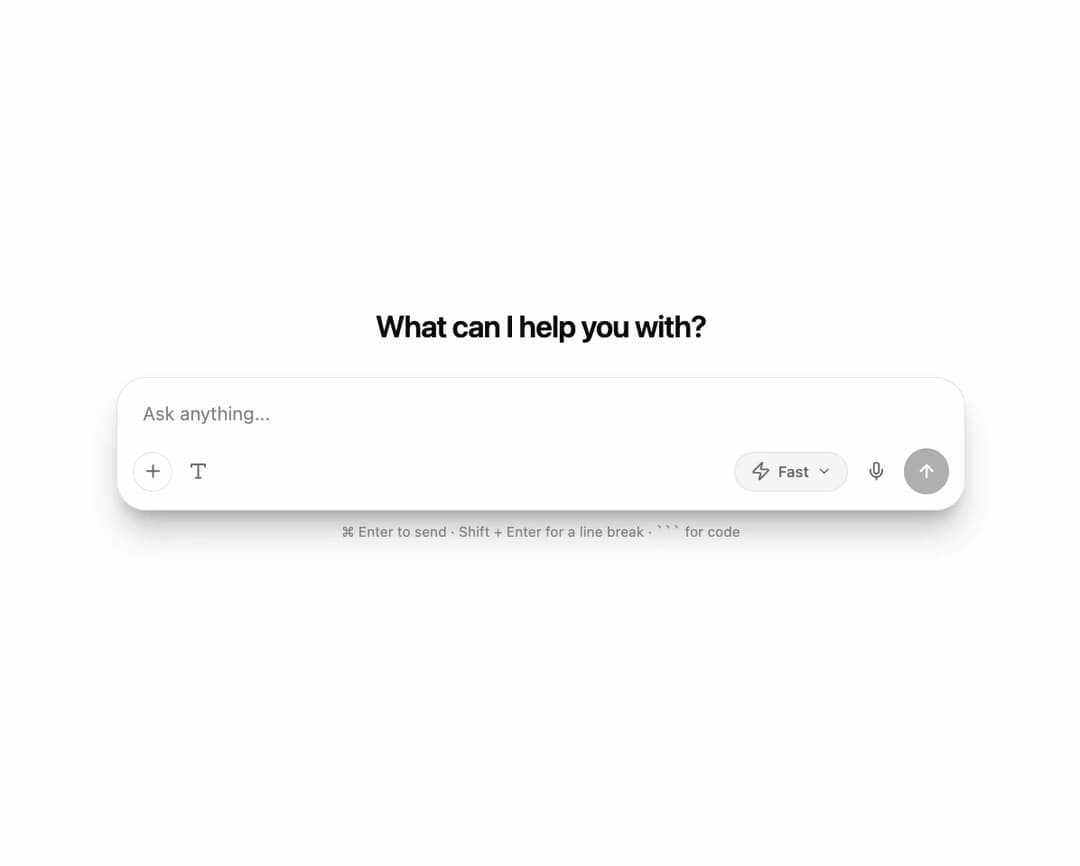
Rich Markdown input field with code blocks, code highlighting, RTL/LTR support
Built with React and Tailwind. Copy the prompt and paste it into Claude Code, Cursor or Lovable: your agent adds AI Chat Input Field to your project and fits it to your theme.
Code
How AI Chat Input Field is used: the demo's code. The component's own source comes with a free account.
Usage.tsx
"use client";

import * as React from "react";
import {
  RichMarkdownChatInput,
  type ChatSubmitPayload,
} from "@/components/ui/ai-chat-input-field";

export default function DemoOne() {
  const [last, setLast] = React.useState<ChatSubmitPayload | null>(null);
  const [loading, setLoading] = React.useState(false);

  const handleSubmit = async (p: ChatSubmitPayload) => {
    setLast(p);
    setLoading(true);
    await new Promise((r) => setTimeout(r, 1200)); // fake request
    setLoading(false);
  };

  return (
    <div className="flex min-h-screen w-full items-center justify-center bg-background p-4 text-foreground">
      <div className="flex w-full max-w-2xl flex-col gap-6">
        <h1 className="text-center text-2xl font-semibold tracking-tight">
          What can I help you with?
        </h1>

        <RichMarkdownChatInput
          onSubmit={handleSubmit}
          loading={loading}
          onStop={() => setLoading(false)}
          autoFocus
        />

        {last && (
          <div className="rounded-2xl border border-border bg-card p-4 text-sm">
            <p className="mb-2 text-xs uppercase tracking-wide text-muted-foreground">
              Markdown output · model: {last.model}
            </p>
            <pre
              dir="auto"
              className="whitespace-pre-wrap break-words font-mono text-[13px]"
            >
              {last.markdown}
            </pre>
          </div>
        )}
      </div>
    </div>
  );
}