
About
chat frequently asked questions
Built with React and Tailwind. Copy the prompt and paste it into Claude Code, Cursor or Lovable: your agent adds chatfaq to your project and fits it to your theme.
Code
How chatfaq is used: the demo's code. The component's own source comes with a free account.
Usage.tsx
"use client";

import { cn } from "@/lib/utils";
import React, { useState, ReactElement } from "react";
import { motion, AnimatePresence } from "framer-motion";

// Define FAQ item type
interface FaqItem {
    question: string;
    answer: string;
}

// Sample FAQ data
const faqList: FaqItem[] = [
    {
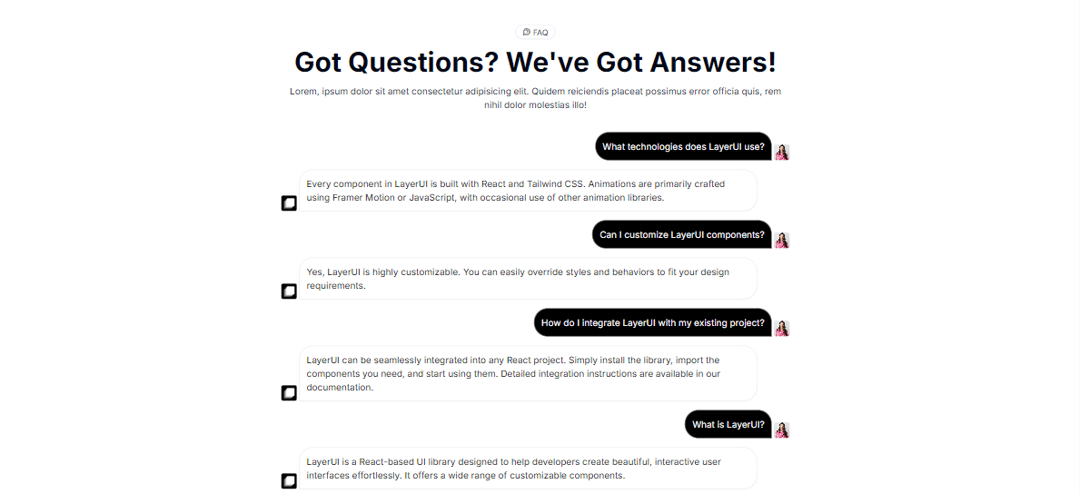
        question: "What technologies does LayerUI use?",
        answer:
            "Every component in LayerUI is built with React and Tailwind CSS. Animations are primarily crafted using Framer Motion or JavaScript, with occasional use of other animation libraries.",
    },
    {
        question: "Can I customize LayerUI components?",
        answer:
            "Yes, LayerUI is highly customizable. You can easily override styles and behaviors to fit your design requirements.",
    },
    {
        question: "How do I integrate LayerUI with my existing project?",
        answer:
            "LayerUI can be seamlessly integrated into any React project. Simply install the library, import the components you need, and start using them. Detailed integration instructions are available in our documentation.",
    },
    {
        question: "What is LayerUI?",
        answer:
            "LayerUI is a React-based UI library designed to help developers create beautiful, interactive user interfaces effortlessly. It offers a wide range of customizable components.",
    },
    {
        question: "What technologies does LayerUI use?",
        answer:
            "Every component in LayerUI is built with React and Tailwind CSS. Animations are primarily crafted using Framer Motion or JavaScript, with occasional use of other animation libraries.",
    },
    {
        question: "Can I customize LayerUI components?",
        answer:
            "Yes, LayerUI is highly customizable. You can easily override styles and behaviors to fit your design requirements.",
    },
    {
        question: "How do I integrate LayerUI with my existing project?",
        answer:
            "LayerUI can be seamlessly integrated into any React project. Simply install the library, import the components you need, and start using them. Detailed integration instructions are available in our documentation.",
    },
    {
        question: "What is LayerUI?",
        answer:
            "LayerUI is a React-based UI library designed to help developers create beautiful, interactive user interfaces effortlessly. It offers a wide range of customizable components.",
    },
];

const Faq: React.FC = () => {
    return (
        <section className="flex w-full flex-col gap-5 items-center py-10 px-5">
            <motion.div
                initial={{ y: 20, opacity: 0 }}
                whileInView={{ y: 0, opacity: 1 }}
                viewport={{ once: true }}
                transition={{ duration: 0.5, ease: "easeIn", type: "just" }}
                className="flex flex-col items-center mb-4 gap-4 max-w-4xl">
                <p className="border  flex items-center gap-1 py-0.5 px-3 rounded-full text-sm shadow-sm dark:bg-black/5 dark:shadow-white/20">
                    <svg xmlns="http://www.w3.org/2000/svg" viewBox="0 0 24 24" fill="none" stroke="currentColor" strokeWidth="1.5" strokeLinecap="round" strokeLinejoin="round" className=" h-3.5 w-3.5 lucide lucide-message-circle-question"><path d="M7.9 20A9 9 0 1 0 4 16.1L2 22Z" /><path d="M9.09 9a3 3 0 0 1 5.83 1c0 2-3 3-3 3" /><path d="M12 17h.01" /></svg>
                    FAQ
                </p>
                <p className="text-3xl text-center sm:text-5xl  font-bold">
                    Got Questions? We've Got Answers!
                </p>
                <p className="text-wrap text-center text-sm sm:text-base">
                    Lorem, ipsum dolor sit amet consectetur adipisicing elit. Quidem reiciendis placeat possimus error officia quis, rem nihil dolor molestias illo!
                </p>
            </motion.div>
            <Accordion className="max-w-4xl">
                {faqList.map((item, index) => (
                    <AccordionItem
                        className="border-b border-black/50 dark:border-white/50"
                        question={item.question}
                        answer={item.answer}
                        key={index}
                    />
                ))}
            </Accordion>
        </section>
    );
};

const Accordion: React.FC<{ children: React.ReactNode; className?: string }> = ({ children, className }) => {
    return <div className={cn("flex w-full flex-col gap-4", className)}>{children}</div>;
};

interface AccordionItemProps extends React.HTMLAttributes<HTMLDivElement> {
    question: string;
    answer: string;
    className?: string;
    rotation?: string;
    icon?: ReactElement;
}

const AccordionItem: React.FC<AccordionItemProps> = ({
    question,
    answer,
    className,
    ...props
}) => {

    return (
        <>
            <motion.div
                initial={{ x: 20, opacity: 0 }}
                whileInView={{ x: 0, opacity: 1 }}
                viewport={{ once: true }}
                transition={{ duration: 0.5, ease: "easeIn", type: "just" }}
                className=" flex justify-end items-end gap-1">
                <p className=" p-3 bg-black border-zinc-700 text-white max-w-[90%] rounded-s-3xl  rounded-tr-3xl border">{question}</p>
                <img src="/person/women.jpg" alt=" avatar" className=" rounded size-7 object-cover "></img>
            </motion.div>
            <motion.div
                initial={{ x: -20, opacity: 0 }}
                whileInView={{ x: 0, opacity: 1 }}
                viewport={{ once: true }}
                transition={{ duration: 0.5, ease: "easeIn", type: "just" }}
                className=" flex justify-start items-end gap-1">
                <img src="/logo.png" alt=" avatar" className="size-7 object-cover "></img>
                <p className=" p-3 shadow-sm dark:bg-white text-black rounded-r-3xl rounded-tl-3xl border max-w-[90%]">{answer}</p>
            </motion.div>
        </>
    );
};

export default Faq;
More by Maheshwarreddy
View all
threedpricing
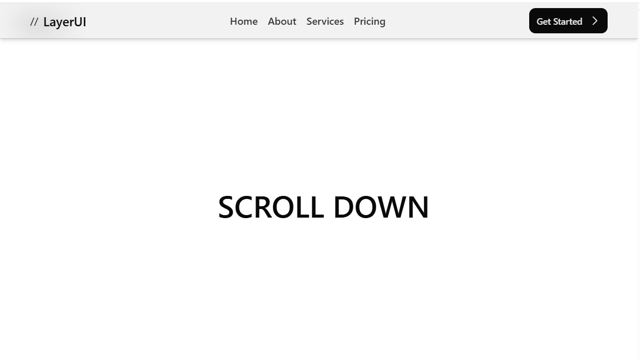
scrollhidenavbar

Pricing Section