About
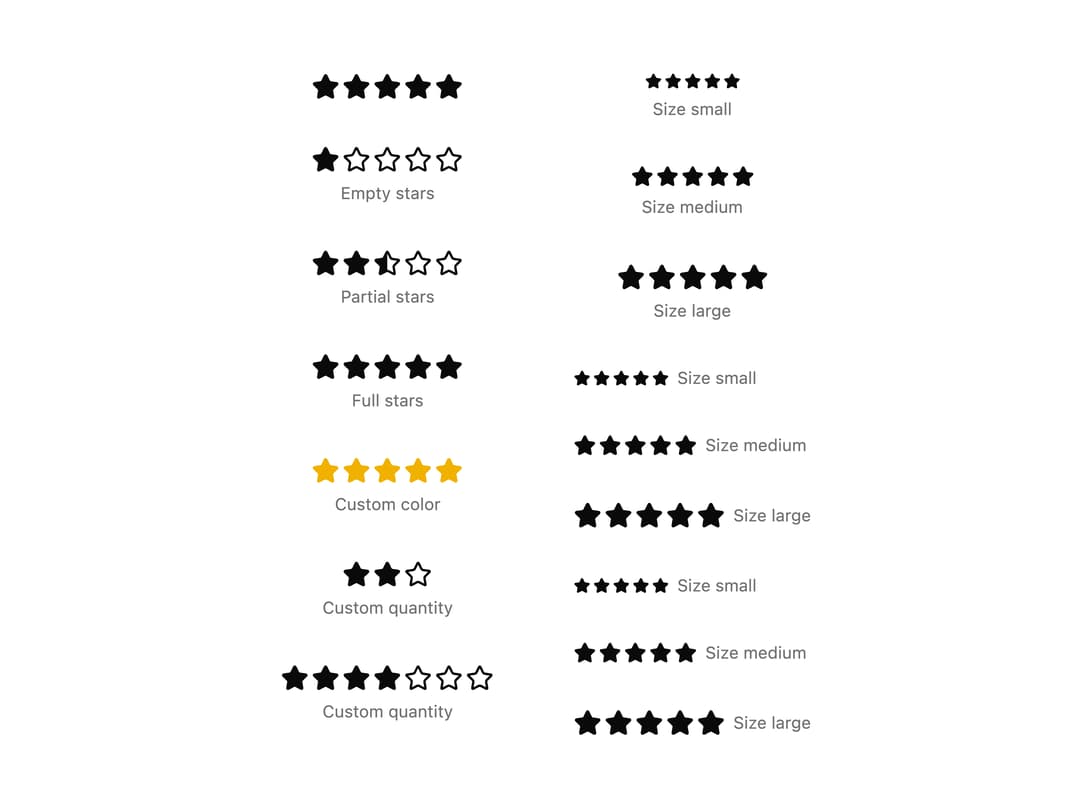
A star icon rating display with an optional label, used to show review or product scores with support for partial (fractional) star fills.
Built with React and Tailwind. Copy the prompt and paste it into Claude Code, Cursor or Lovable: your agent adds Star Rating to your project and fits it to your theme.
Code
How Star Rating is used: the demo's code. The component's own source comes with a free account.
Usage.tsx
import { StarRating } from "@/components/ui/star-rating";

export default function StarRatingDemo() {
  return (
    <div className="grid gap-12 p-5 lg:grid-cols-2 lg:p-8">
      <div className="flex flex-col gap-8">
        <StarRating value={5} />
        <StarRating value={1} label="Empty stars" />
        <StarRating value={2.5} label="Partial stars" />
        <StarRating value={5} label="Full stars" />
        <StarRating
          value={5}
          className="text-yellow-500"
          label="Custom color"
        />
        <StarRating value={2} max={3} label="Custom quantity" />
        <StarRating value={4} max={7} label="Custom quantity" />
      </div>

      <div className="flex flex-col gap-8">
        <StarRating value={5} size="sm" label="Size small" />
        <StarRating value={5} size="md" label="Size medium" />
        <StarRating value={5} size="lg" label="Size large" />
        <StarRating
          value={5}
          size="sm"
          label="Size small"
          orientation="horizontal"
        />
        <StarRating
          value={5}
          size="md"
          label="Size medium"
          orientation="horizontal"
        />
        <StarRating
          value={5}
          size="lg"
          label="Size large"
          orientation="horizontal"
        />
        <StarRating
          value={5}
          size="sm"
          label="Size small"
          orientation="horizontal"
          containerClassName="flex-row-reverse"
        />
        <StarRating
          value={5}
          size="md"
          label="Size medium"
          orientation="horizontal"
          containerClassName="flex-row-reverse"
        />
        <StarRating
          value={5}
          size="lg"
          label="Size large"
          orientation="horizontal"
          containerClassName="flex-row-reverse"
        />
      </div>
    </div>
  );
}
Dependencies
More by shadcncraft
View all
Tagline
7
Profile Card