
About
Announcement in Sidebar
Built with React and Tailwind. Copy the prompt and paste it into Claude Code, Cursor or Lovable: your agent adds Announcement to your project and fits it to your theme.
Code
How Announcement is used: the demo's code. The component's own source comes with a free account.
Usage.tsx
import { Announcement } from "@/components/ui/announcement";
import { BookOpen, Users, FolderKanban, HelpCircle } from 'lucide-react';

const NAV_ITEMS = [
  {
    title: "New Chat",
    variant: "primary"
  },
  {
    icon: Users,
    title: "Community"
  },
  {
    icon: BookOpen,
    title: "Library"
  },
  {
    icon: FolderKanban,
    title: "Projects"
  },
  {
    icon: HelpCircle,
    title: "Feedback"
  }
];

const RECENT_CHATS = [
  "Landing Page Design",
  "API Integration Help",
  "Next.js Auth Setup",
  "Database Schema Review",
  "Tailwind Components",
  "React Performance Issue",
  "Docker Setup Guide",
  "GraphQL Query Help",
  "UI Animation Bug",
  "TypeScript Types"
];

export function SidebarDemo() {
  return (
    <div className="flex h-full min-h-[600px] w-full items-center justify-center bg-background p-4">
      <div className="relative h-full w-60 rounded-lg bg-background/95 flex px-2 flex-col">
        <nav className="space-y-2">
          {NAV_ITEMS.map((item, index) => (
            <button
              key={index}
              className={`w-full flex items-center gap-2 py-2 px-2 rounded-lg text-sm ${
                item.variant === "primary"
                  ? "bg-muted border text-foreground hover:bg-primary/90"
                  : "text-foreground hover:bg-muted"
              }`}
            >
              {item.icon && <item.icon className="h-4 w-4" />}
              {item.title}
            </button>
          ))}
        </nav>

        <div className="mt-6 pt-6 border-t border-border/30">
          <div className="flex items-center justify-between mb-4">
            <span className="text-sm px-2 text-muted-foreground">Recent Chats</span>
          </div>
          <div className="space-y-2">
            {RECENT_CHATS.map((chat, index) => (
              <button
                key={index}
                className="w-full text-left px-2 py-1 text-sm text-foreground/80 hover:text-foreground hover:bg-muted rounded-lg"
              >
                {chat}
              </button>
            ))}
          </div>
        </div>

        <div className="mt-auto">
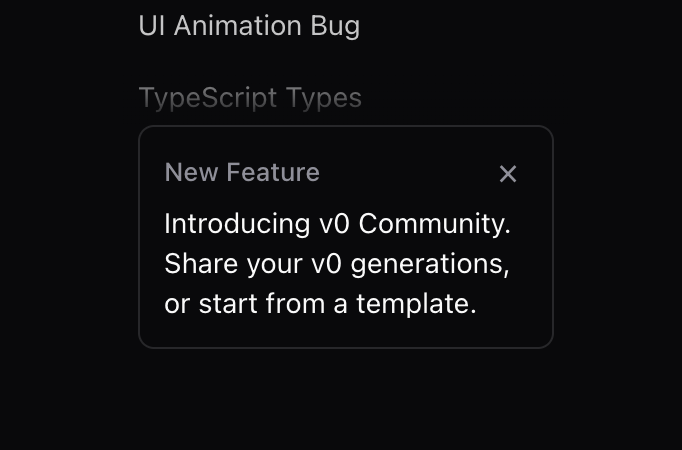
          <Announcement
            title="New Feature"
            description="Introducing v0 Community. Share your v0 generations, or start from a template."
            href="https://v0.dev/chat/community"
            onClose={() => console.log('Closing announcement')}
          />
        </div>
      </div>
    </div>
  );
}

export { SidebarDemo }
Dependencies
More by Vercel
View all

Message
48
Conversation
42
Task
40
Inline Citation
36
Loader
22
Sources
20
Code Block
12
Suggestion
8
More in Cards
View all

Statistics Card 2
257

Course Design Cards
1.1K
Stats cards with links
83
The Item one
3

Card Studio
36
Card
70
Statistics Card 10
259
File Card Collections
997

