Components
Light Board
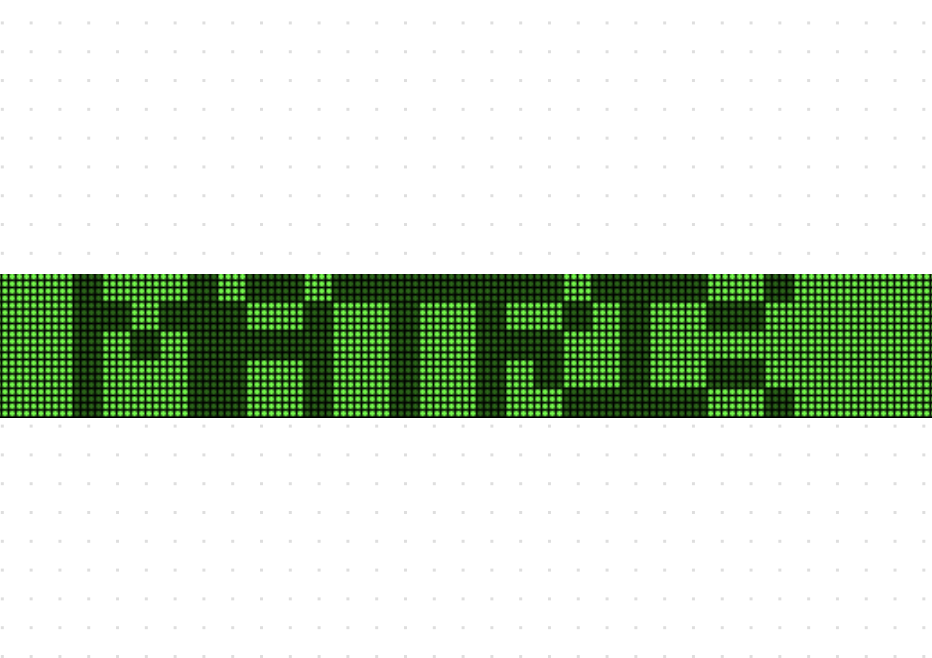
A fun lightboard component used to display moving text and draw in a visually appealing way.
"use client"

import { useState } from "react"
import { LightBoard, PatternCell } from "@/components/ui/lightboard"

function MatrixBoard() {
  return (
    <div className="w-full bg-black">
      <LightBoard
        rows={20}
        lightSize={3}
        gap={1}
        text="THE MATRIX HAS YOU"
        font="default"
        updateInterval={50}
        colors={{
          background: "#001a00",
          textDim: "#006600",
          drawLine: "#00b300",
          textBright: "#00ff00",
        }}
      />
    </div>
  )
}

function ControlledBoard() {
  const [controlledDrawState, setControlledDrawState] = useState<PatternCell>("2")
  const [controlledHoverState, setControlledHoverState] = useState(false)

  const cycleDrawState = () => {
    setControlledDrawState((prev) => {
      switch (prev) {
        case "0": return "1"
        case "1": return "2"
        case "2": return "3"
        case "3": return "0"
        default: return "0"
      }
    })
  }

  return (
    <div className="max-w-2xl w-full">
      <h2 className="text-xl font-semibold mb-3">
        Controlled LightBoard with draw support
      </h2>
      <div className="flex space-x-4 mb-3">
        <button
          className="bg-blue-500 hover:bg-blue-700 text-white font-bold py-2 px-4 rounded text-sm"
          onClick={cycleDrawState}
        >
          Draw Color: {controlledDrawState}
        </button>
        <button
          className="bg-green-500 hover:bg-green-700 text-white font-bold py-2 px-4 rounded text-sm"
          onClick={() => setControlledHoverState((prev) => !prev)}
        >
          Toggle Scroll: {controlledHoverState ? "On" : "Off"}
        </button>
      </div>
      <div className="bg-neutral-900 dark:bg-background">
        <LightBoard
          rows={12}
          lightSize={6}
          gap={2}
          text="CONTROLLED BOARD"
          font="default"
          disableDrawing={false}
          updateInterval={150}
          colors={{
            background: "#0a0a0a",
            textDim: "#555555",
            drawLine: "#E78AEA",
            textBright: "#FFFFFF",
          }}
          controlledDrawState={controlledDrawState}
          onDrawStateChange={setControlledDrawState}
          controlledHoverState={controlledHoverState}
          onHoverStateChange={setControlledHoverState}
        />
      </div>
    </div>
  )
}

function BasicBoard() {
  return (
    <div className="max-w-md w-full bg-black">
      <LightBoard
        text="Hello World"
        rows={7}
        gap={1}
        lightSize={4}
        font="default"
        updateInterval={150}
        colors={{
          background: "#1a1a1a",
          textDim: "#3a3a3a",
          drawLine: "#7a7a7a",
          textBright: "#ffffff",
        }}
      />
    </div>
  )
}

function SketchPadBoard() {
  const [controlledDrawState, setControlledDrawState] = useState<PatternCell>("2")
  const [controlledHoverState, setControlledHoverState] = useState(true)

  return (
    <div className="bg-neutral-900 dark:bg-background mb-2">
      <LightBoard
        rows={22}
        lightSize={6}
        gap={2}
        text=""
        font="default"
        disableDrawing={false}
        updateInterval={150}
        colors={{
          drawLine: "#6CF2E8",
        }}
        controlledDrawState={controlledDrawState}
        onDrawStateChange={setControlledDrawState}
        controlledHoverState={controlledHoverState}
        onHoverStateChange={setControlledHoverState}
      />
    </div>
  )
}

function LightBoardDemo() {
  return (
    <div className="space-y-2 lg:space-y-4 p-2 lg:p-8">
      <h1 className="text-3xl font-bold text-white">LightBoard Demo</h1>
      <MatrixBoard />
      <ControlledBoard />
      <BasicBoard />
      <h2 className="text-xl font-semibold mb-3">sketchpad</h2>
      <p className="mb-3">Try drawing on this board by clicking and dragging.</p>
      <SketchPadBoard />
    </div>
  )
}

export { MatrixBoard, ControlledBoard, BasicBoard, SketchPadBoard, LightBoardDemo }
Tags
Source
Published
Similar components
Explore more
Part of cult ui — browse the full library on 21st.dev.