
About
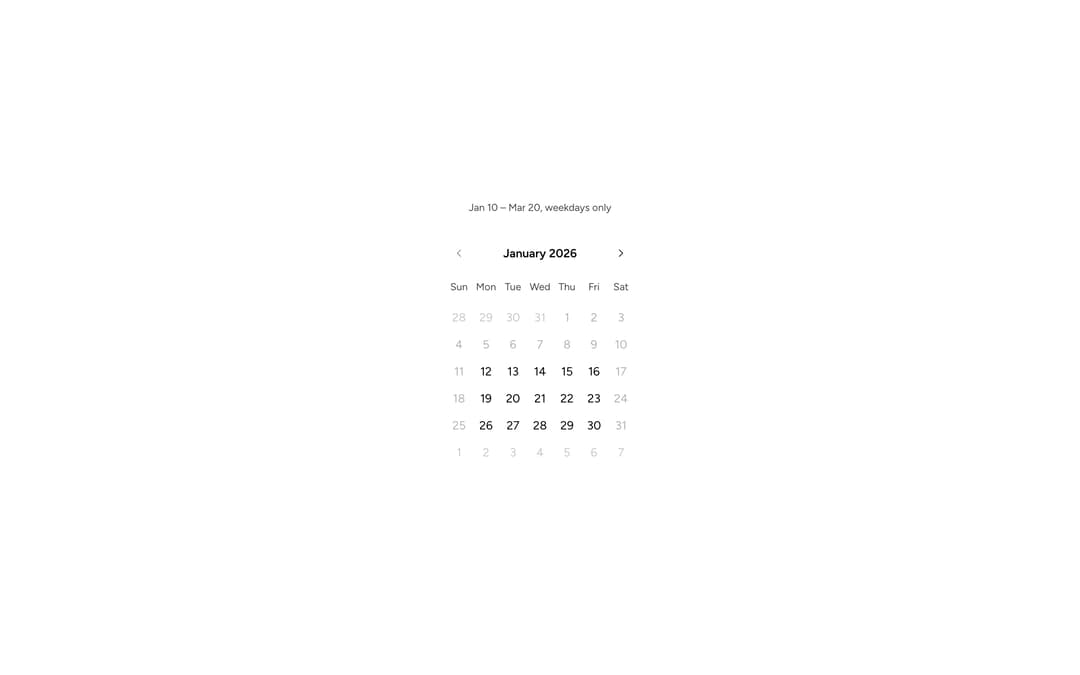
An Astryx month-grid calendar for selecting a single date with surrounding dates visible for context.
Built with React and Tailwind. Copy the prompt and paste it into Claude Code, Cursor or Lovable: your agent adds Astryx Calendar to your project and fits it to your theme.
Code
How Astryx Calendar is used: the demo's code. The component's own source comes with a free account.
Usage.tsx
'use client';

import {useState} from 'react';
import {Calendar, type ISODateString} from '@/components/ui/astryx-calendar';
import {Stack} from '@astryxdesign/core/Layout';
import {Text} from '@astryxdesign/core/Text';

const isWeekday = (date: Date) => {
  const day = date.getDay();
  return day !== 0 && day !== 6;
};

function CalendarConstraints() {
  const [value, setValue] = useState<ISODateString | undefined>(undefined);

  return (
    <Stack direction="vertical" gap={4} hAlign="center">
      <Text type="supporting" color="secondary">
        Jan 10 – Mar 20, weekdays only
      </Text>
      <Calendar
        mode="single"
        min={'2026-01-10' as ISODateString}
        max={'2026-03-20' as ISODateString}
        dateConstraints={[isWeekday]}
        value={value}
        onChange={val => setValue(val)}
        focusDate={'2026-01-01' as ISODateString}
      />
    </Stack>
  );
}

export default function CalendarConstraintsDemo() {
  return (
    <div
      data-astryx-theme="neutral"
      data-theme="light"
      style={{colorScheme: 'light', display: 'contents'}}>
      <CalendarConstraints />
    </div>
  );
}
Dependencies
More by Astryx
View all

Astryx Banner
56
Astryx Avatar
28
Astryx Aspect Ratio
28
Astryx Badge
25
Astryx Button Group
23
Astryx Toggle Button
16
Astryx Avatar Group
8
Astryx Chat Composer Drawer
7
More in Forms
View all

Contact Card
1.1K

Form
17

Premium Auth
555
Authentication Card
51

Book A Demo 1
87

Login 1
61
SignInPage
736

Form
12

