About
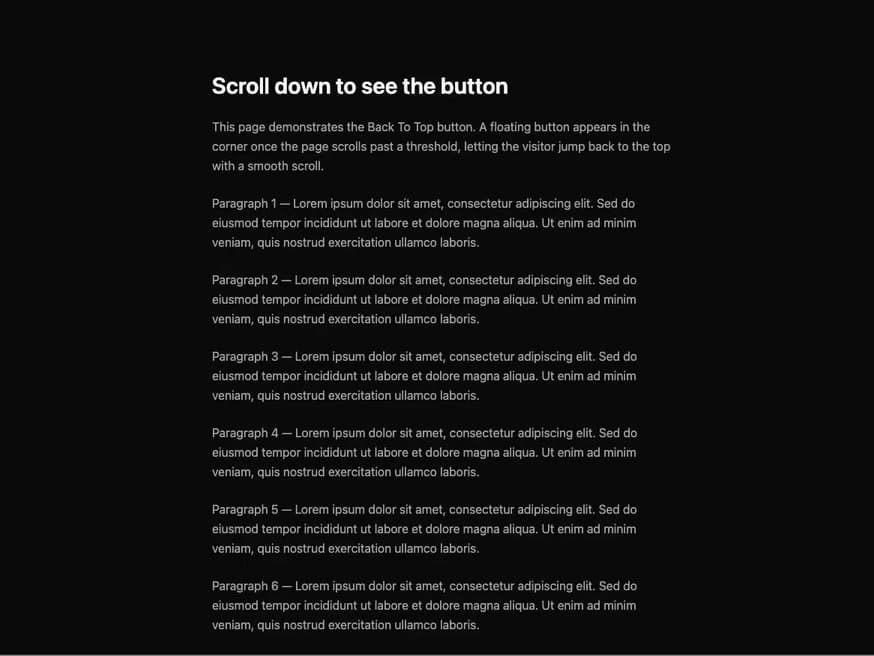
A floating circular button that appears after the page scrolls past a threshold and smoothly scrolls back to the top when clicked.
Built with React and Tailwind. Copy the prompt and paste it into Claude Code, Cursor or Lovable: your agent adds Back To Top to your project and fits it to your theme.
Code
How Back To Top is used: the demo's code. The component's own source comes with a free account.
Usage.tsx
"use client";

import { BackToTop } from "@/components/ui/back-to-top";

export default function BackToTopDemo() {
  return (
    <div className="relative w-full h-screen overflow-y-auto bg-neutral-950 text-neutral-100">
      <div className="max-w-2xl mx-auto px-6 py-24 space-y-6">
        <h1 className="text-3xl font-semibold">
          Scroll down to see the button
        </h1>
        <p className="text-neutral-400 leading-relaxed">
          This page demonstrates the Back To Top button. A floating button
          appears in the corner once the page scrolls past a threshold, letting
          the visitor jump back to the top with a smooth scroll.
        </p>
        {Array.from({ length: 12 }).map((_, i) => (
          <p key={i} className="text-neutral-400 leading-relaxed">
            Paragraph {i + 1} — Lorem ipsum dolor sit amet, consectetur
            adipiscing elit. Sed do eiusmod tempor incididunt ut labore et
            dolore magna aliqua. Ut enim ad minim veniam, quis nostrud
            exercitation ullamco laboris.
          </p>
        ))}
      </div>
      <BackToTop threshold={0} />
    </div>
  );
}
More by alwkala
View all

Callout
7
Progress Bar
1
Kbd
Pagination

Checkbox
Seal
Egyptian Sidebar Menu
Ribbon