
About
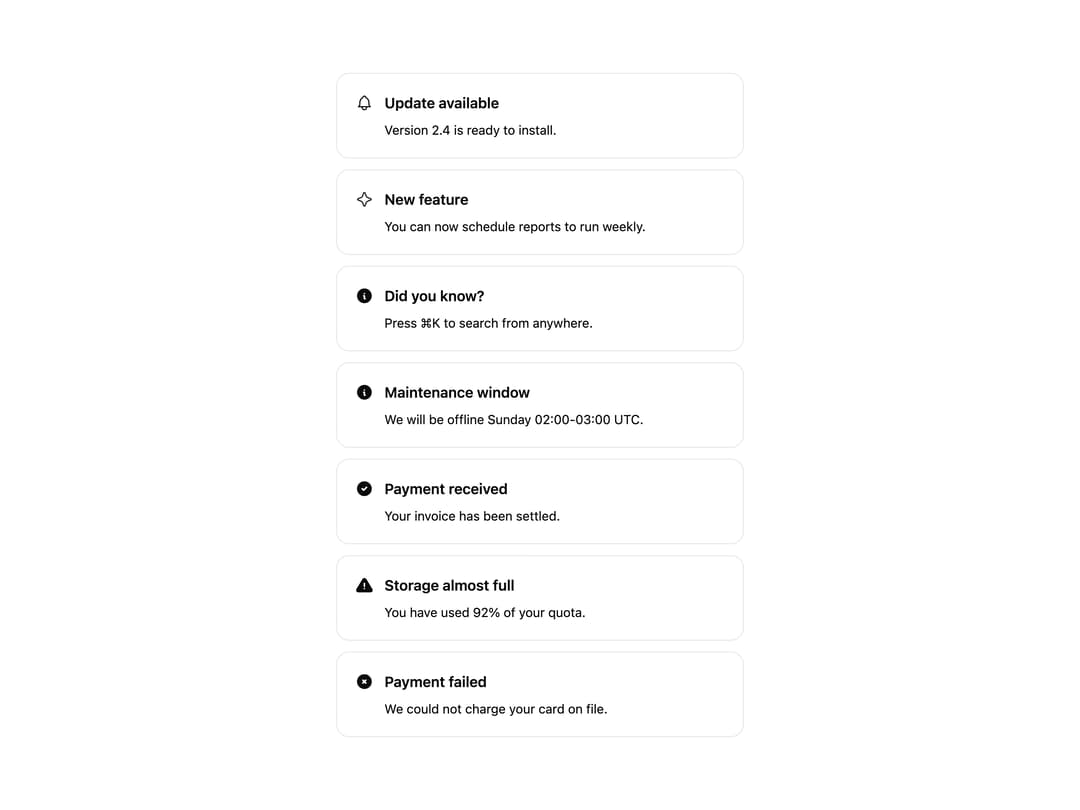
A dismissible alert banner for surfacing status messages, warnings, or announcements with an icon, title, description, and optional actions.
Built with React and Tailwind. Copy the prompt and paste it into Claude Code, Cursor or Lovable: your agent adds Alert to your project and fits it to your theme.
Code
How Alert is used: the demo's code. The component's own source comes with a free account.
Usage.tsx
import {
  Alert,
  AlertIcon,
  AlertTitle,
  AlertDescription,
} from "@/components/ui/alert";
import {
  Bell,
  Sparkle,
  InfoCircleFilled,
  CircleCheckFilled,
  AlertTriangleFilled,
  CircleXFilled,
} from "@appica/icons-react";

const VARIANTS = [
  {
    variant: "default",
    icon: Bell,
    title: "Update available",
    desc: "Version 2.4 is ready to install.",
  },
  {
    variant: "primary",
    icon: Sparkle,
    title: "New feature",
    desc: "You can now schedule reports to run weekly.",
  },
  {
    variant: "secondary",
    icon: InfoCircleFilled,
    title: "Did you know?",
    desc: "Press ⌘K to search from anywhere.",
  },
  {
    variant: "info",
    icon: InfoCircleFilled,
    title: "Maintenance window",
    desc: "We will be offline Sunday 02:00-03:00 UTC.",
  },
  {
    variant: "success",
    icon: CircleCheckFilled,
    title: "Payment received",
    desc: "Your invoice has been settled.",
  },
  {
    variant: "warning",
    icon: AlertTriangleFilled,
    title: "Storage almost full",
    desc: "You have used 92% of your quota.",
  },
  {
    variant: "error",
    icon: CircleXFilled,
    title: "Payment failed",
    desc: "We could not charge your card on file.",
  },
] as const;

export default function AlertVariants() {
  return (
    <div className="flex w-full max-w-md flex-col gap-3">
      {VARIANTS.map(({ variant, icon: Icon, title, desc }) => (
        <Alert key={variant} variant={variant}>
          <AlertIcon>
            <Icon />
          </AlertIcon>
          <AlertTitle>{title}</AlertTitle>
          <AlertDescription>{desc}</AlertDescription>
        </Alert>
      ))}
    </div>
  );
}
Dependencies
More by appica-dev
View all
Border Beam
42
Text Animate
18
Carousel
13
Table of Contents
6
Sparkline
6
Color Area
6
Avatar
6
Background Pattern
3