About
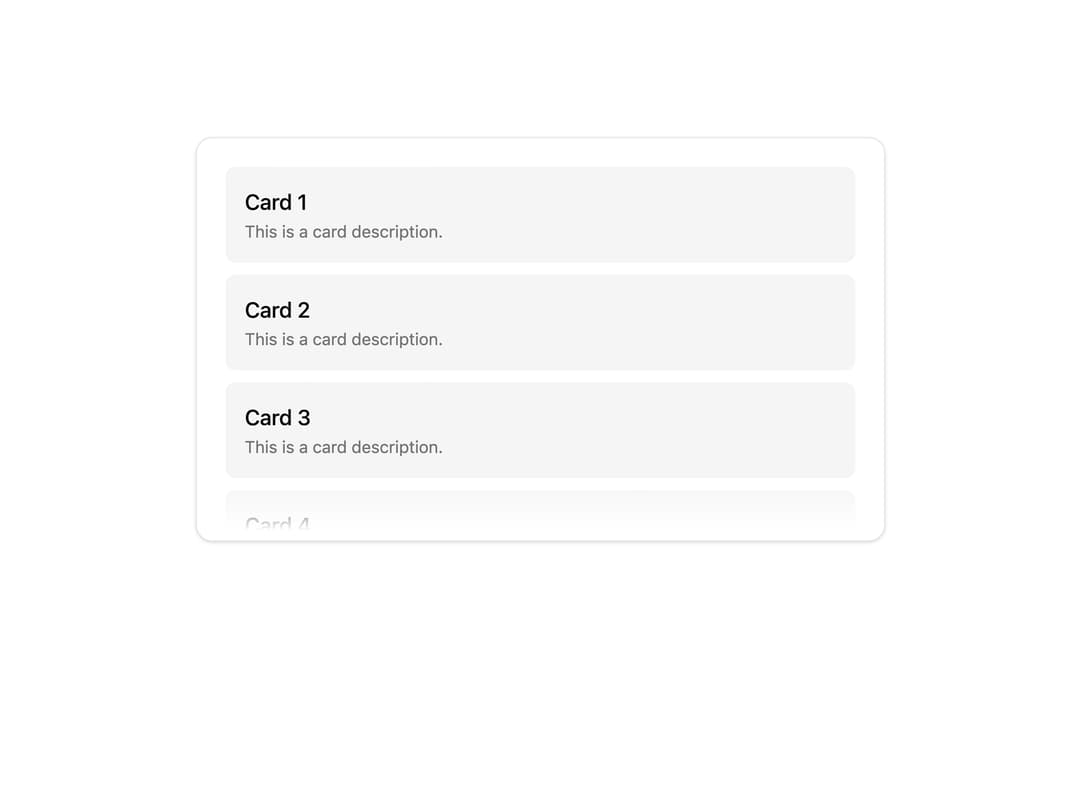
A scrollable container with fading edge shadows, optional hidden scrollbar, and navigation arrows for vertical or horizontal overflow.
Built with React and Tailwind. Copy the prompt and paste it into Claude Code, Cursor or Lovable: your agent adds Scroller to your project and fits it to your theme.
Code
How Scroller is used: the demo's code. The component's own source comes with a free account.
Usage.tsx
import { Scroller } from "@/components/ui/scroller";

export default function ScrollerDemo() {
  return (
    <Scroller className="flex h-80 w-full flex-col gap-2.5 p-4">
      {Array.from({ length: 100 }).map((_, index) => (
        <div
          key={index}
          className="flex h-40 flex-col rounded-md bg-accent p-4"
        >
          <div className="font-medium text-lg">Card {index + 1}</div>
          <span className="text-muted-foreground text-sm">
            This is a card description.
          </span>
        </div>
      ))}
    </Scroller>
  );
}
Dependencies
More by Dice UI
View all

Compare Slider
75
Sortable
49
Circular Progress
41
Status
28
Pending
27
Banner
19
Stack
8
Mention
4
More in Cards
View all

Statistics Card 2
263
Card
70

Course Design Cards
1.1K
Stats cards with links
39

Card Studio
7
The Item one
3
Statistics Card 7
290
Dashboard with Collapsible Sidebar
2.4K

