About
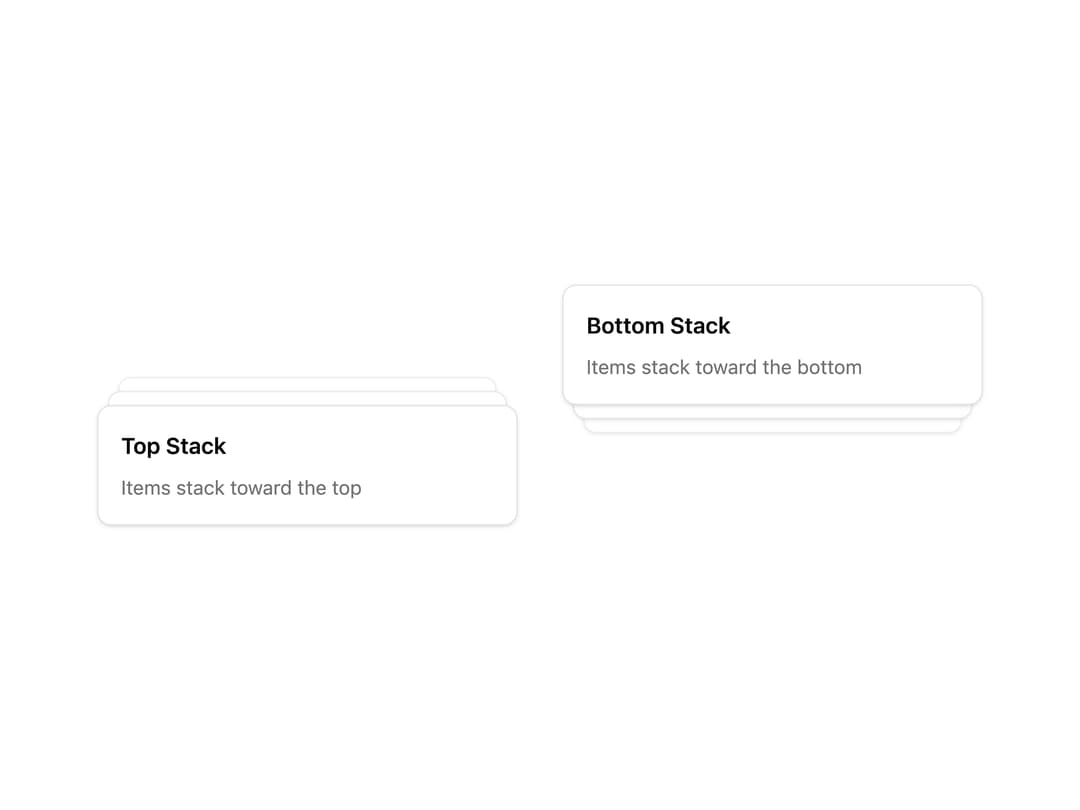
A stacked card/notification layout (like Sonner's toast stacking) whose items expand into a fanned-out list on hover.
Built with React and Tailwind. Copy the prompt and paste it into Claude Code, Cursor or Lovable: your agent adds Stack to your project and fits it to your theme.
Code
How Stack is used: the demo's code. The component's own source comes with a free account.
Usage.tsx
import { Stack, StackItem } from "@/components/ui/stack";

export default function StackSideDemo() {
  return (
    <div className="grid grid-cols-2 gap-8">
      <Stack className="w-[300px]" expandOnHover side="top">
        <StackItem className="flex flex-col gap-2">
          <h3 className="font-semibold">Top Stack</h3>
          <p className="text-sm text-muted-foreground">
            Items stack toward the top
          </p>
        </StackItem>
        <StackItem className="flex flex-col gap-2">
          <h3 className="font-semibold">Item 2</h3>
          <p className="text-sm text-muted-foreground">Behind the first</p>
        </StackItem>
        <StackItem className="flex flex-col gap-2">
          <h3 className="font-semibold">Item 3</h3>
          <p className="text-sm text-muted-foreground">Behind the second</p>
        </StackItem>
      </Stack>
      <Stack className="w-[300px]" expandOnHover side="bottom">
        <StackItem className="flex flex-col gap-2">
          <h3 className="font-semibold">Bottom Stack</h3>
          <p className="text-sm text-muted-foreground">
            Items stack toward the bottom
          </p>
        </StackItem>
        <StackItem className="flex flex-col gap-2">
          <h3 className="font-semibold">Item 2</h3>
          <p className="text-sm text-muted-foreground">Behind the first</p>
        </StackItem>
        <StackItem className="flex flex-col gap-2">
          <h3 className="font-semibold">Item 3</h3>
          <p className="text-sm text-muted-foreground">Behind the second</p>
        </StackItem>
      </Stack>
    </div>
  );
}
Dependencies
More by Dice UI
View all

Compare Slider
84
Sortable
53
Circular Progress
43
Status
37
Pending
30
Banner
22
Kanban Board
11
Marquee
11
More in Cards
View all
Stats cards with links
94

Card
71
Statistics Card 7
318

Course Design Cards
1.2K
Statistics Card 2
297

Interactive Tech Stack Bento Grid with Hover Effects
513

Card Studio
14

Card
18
