
About
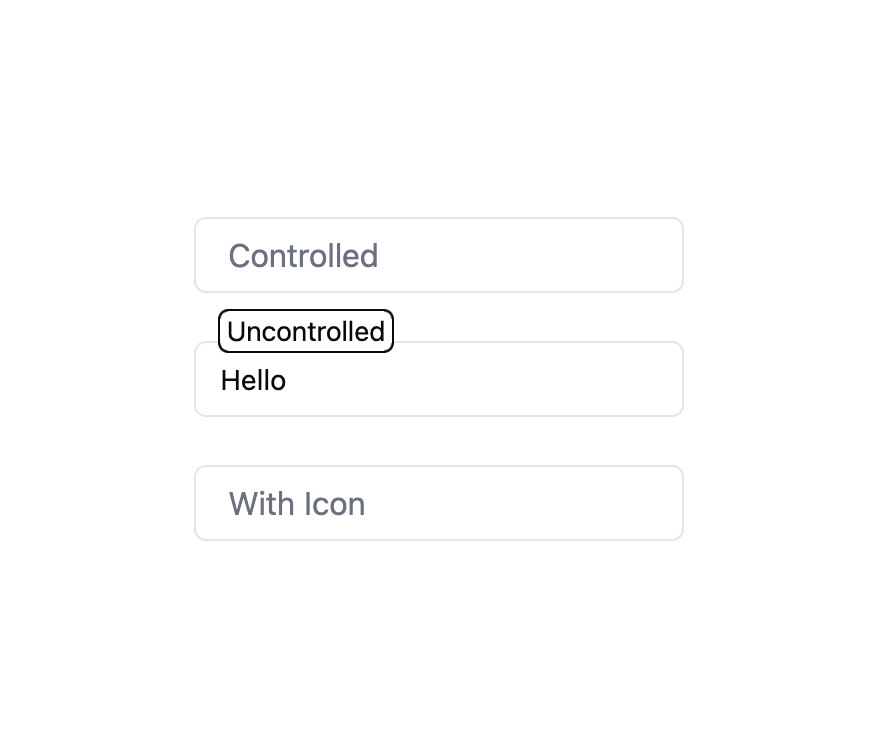
Here is Animated Input component
Built with React and Tailwind. Copy the prompt and paste it into Claude Code, Cursor or Lovable: your agent adds Animated Input to your project and fits it to your theme.
Code
How Animated Input is used: the demo's code. The component's own source comes with a free account.
Usage.tsx
"use client"

import { useState } from "react"
import { User } from "lucide-react"

import AnimatedInput from "@/components/ui/animated-input"

export default function AnimatedInputDemo() {
  const [value, setValue] = useState("")
  return (
    <div className="max-w-xs space-y-6">
      <AnimatedInput
        label="Controlled"
        value={value}
        onChange={setValue}
        placeholder="Type here..."
      />
      <AnimatedInput label="Uncontrolled" defaultValue="Hello" />
      <AnimatedInput
        label="With Icon"
        icon={<User size={20} strokeWidth={1.5} />}
        placeholder="Username"
      />
    </div>
  )
}
Dependencies
More in Forms
View all

Contact Card
1.1K

Premium Auth
550

Login 1
59

Form
17

Form
16

Login 2
10

Card Studio
46

Book A Demo 1
84