About
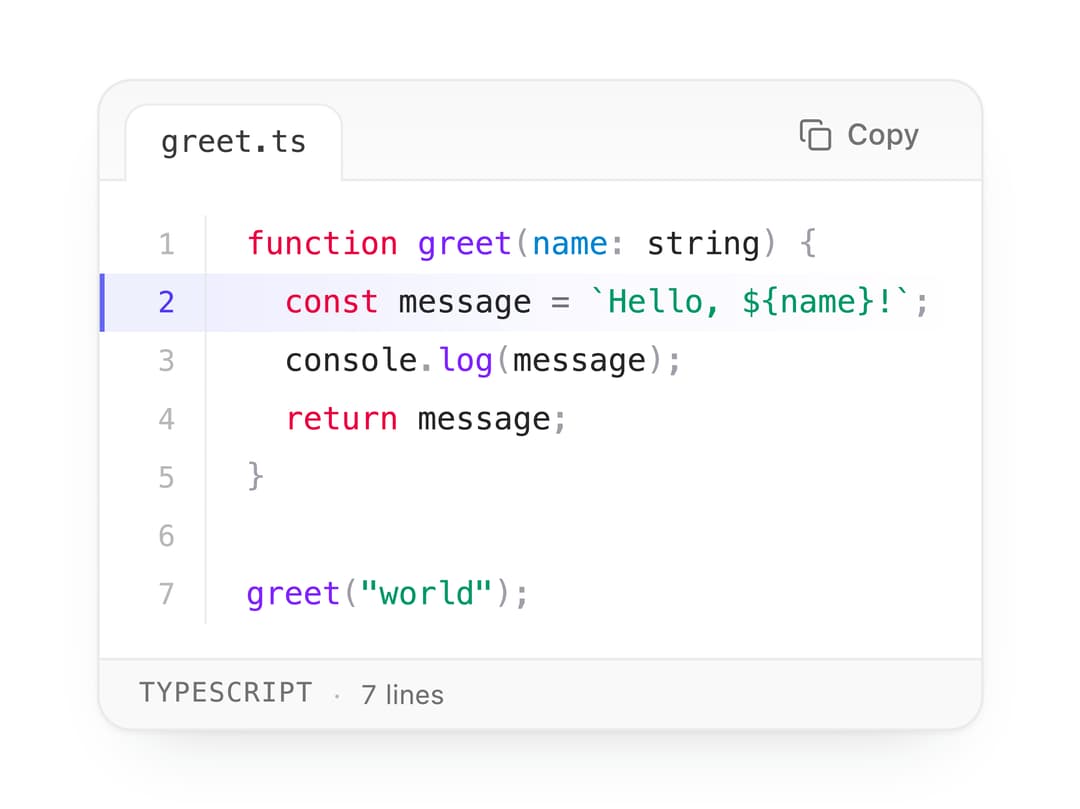
A syntax-highlighted code display panel with an editor-style filename tab, a spring-animated copy-to-clipboard button, a bottom status bar showing language and line count, line numbers, and optional line highlighting.
Built with React and Tailwind. Copy the prompt and paste it into Claude Code, Cursor or Lovable: your agent adds Code Block to your project and fits it to your theme.
Code
How Code Block is used: the demo's code. The component's own source comes with a free account.
Usage.tsx
import CodeBlock from "@/components/ui/code-block";

const code = `function greet(name: string) {
  const message = \`Hello, \${name}!\`;
  console.log(message);
  return message;
}

greet("world");
`;

export default function CodeBlockDemo() {
  return (
    <div className="flex w-full max-w-xl items-center justify-center p-6">
      <CodeBlock
        code={code}
        filename="greet.ts"
        language="typescript"
        highlightLines={[2]}
      />
    </div>
  );
}
Dependencies
More by Edwin Vakayil
View all
Origin Button
861
Infinite Ribbon
578
Shimmer Text
431
Dia Text
370
Icon Bar
259
FAQ Pro
243
Verified Badge
230
New Card
198