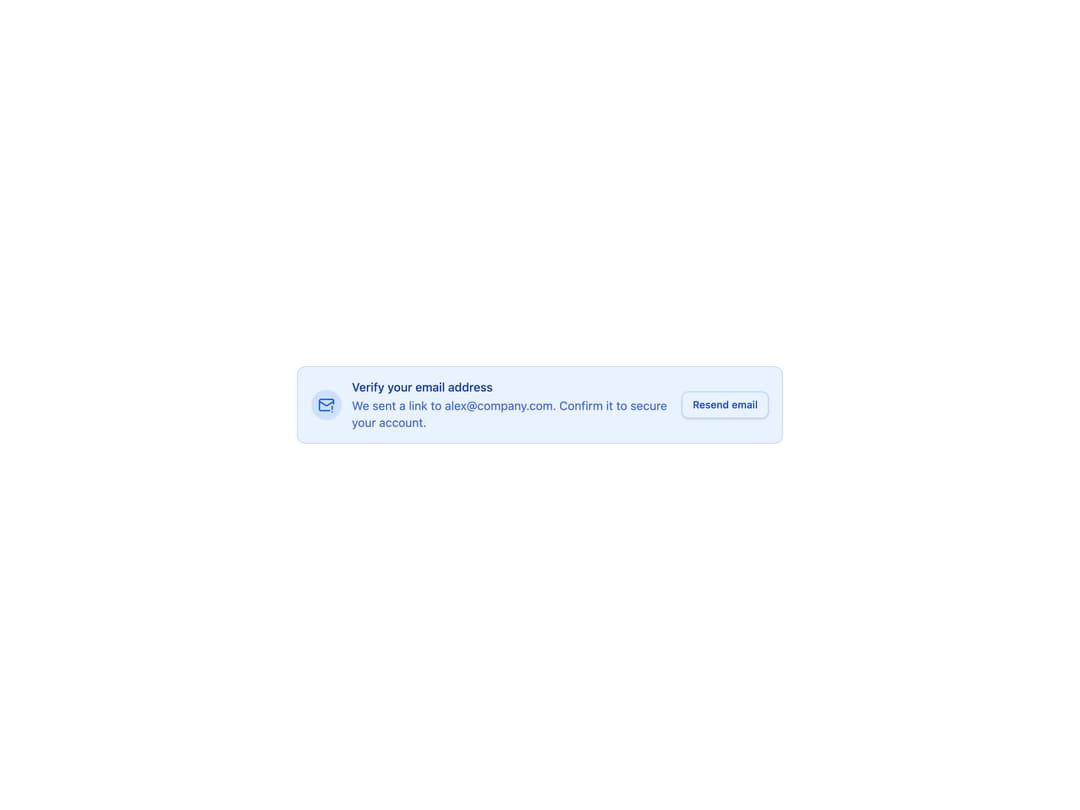
About
An inline info banner that prompts the user to verify their email, with a resend button that switches to a sent-confirmation state.
Built with React and Tailwind. Copy the prompt and paste it into Claude Code, Cursor or Lovable: your agent adds Email Verification Banner to your project and fits it to your theme.
Code
How Email Verification Banner is used: the demo's code. The component's own source comes with a free account.
Usage.tsx
import { Banner11 } from "@/components/ui/banner-11";

export default function Default() {
  return (
    <div className="flex w-full items-center justify-center bg-background p-8">
      <div className="w-full max-w-xl">
        <Banner11 />
      </div>
    </div>
  );
}
Dependencies
More by felipemenezes098
View all
Centered Hero with Image Fan
1.1K
Editorial Collage Hero
504
Split Hero With Image Cards
453
Editorial Image Hero
415
Scroll 01
399
Real Estate Search Hero
220
Editorial Hero
199
Hero with Dashboard Mockup
146
More in Buttons
View all
Texture Button
107

Notification Button
116
Button
14

HeroUI Button Group
1

Button
2
Base Button
2

App Store Button
484

Button
36

