
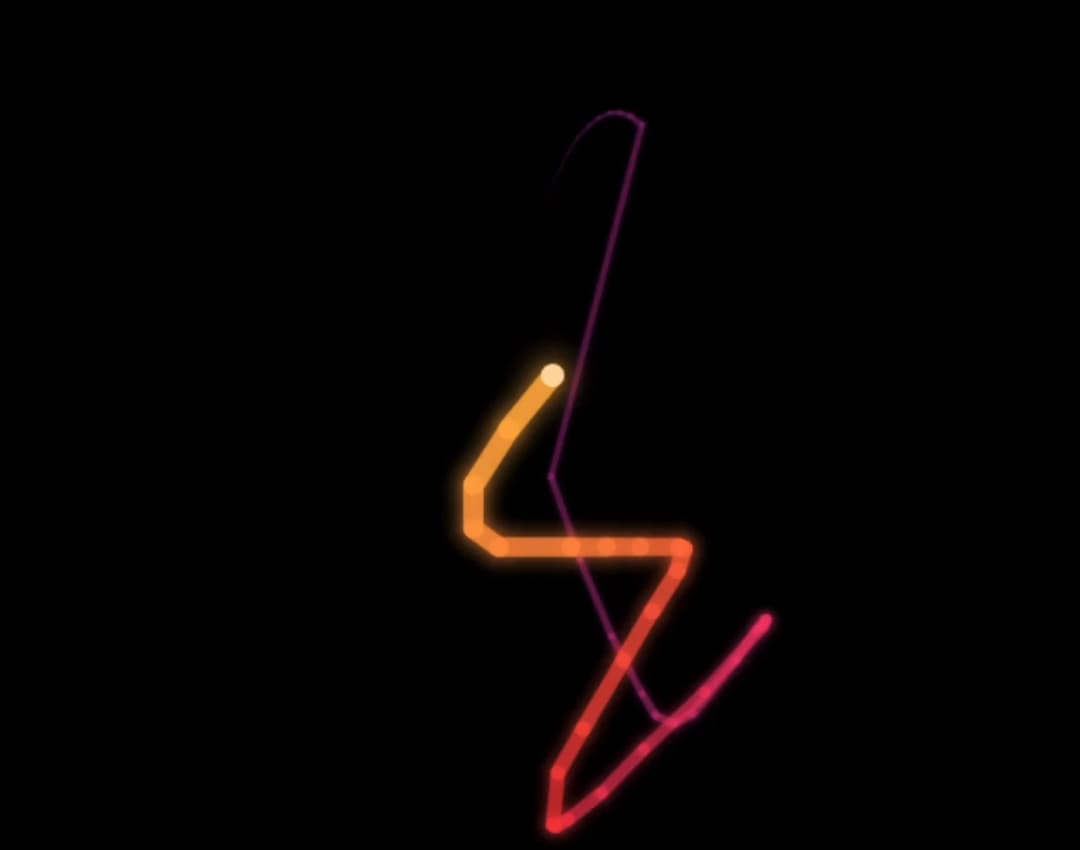
About
A canvas-based custom cursor that trails a glowing, hue-cycling rainbow comet tail behind the mouse, with a glow boost on hoverable elements and a radial rainbow spark burst on click.
Built with React and Tailwind. Copy the prompt and paste it into Claude Code, Cursor or Lovable: your agent adds Rainbow Comet Cursor to your project and fits it to your theme.
Code
How Rainbow Comet Cursor is used: the demo's code. The component's own source comes with a free account.
Usage.tsx
"use client";

import RainbowCometCursor from "@/components/ui/rainbow-comet-cursor";
import { useRef, useEffect } from "react";

export default function RainbowCometCursorDemo() {
  const containerRef = useRef(null);

  useEffect(() => {
    const container = containerRef.current;
    if (!container) return;
    let raf;
    let t = 0;
    let userActive = false;
    const markUser = () => {
      userActive = true;
    };
    container.addEventListener("pointerdown", markUser);

    const tick = () => {
      t += 0.05;
      if (!userActive) {
        const r = container.getBoundingClientRect();
        const cx = r.left + r.width / 2;
        const cy = r.top + r.height / 2;
        const rx = r.width * 0.32;
        const ry = r.height * 0.28;
        const x = cx + Math.cos(t * 1.6) * rx * (0.6 + 0.4 * Math.sin(t * 0.7));
        const y = cy + Math.sin(t * 2.3) * ry;
        const evt = new MouseEvent("mousemove", {
          clientX: x,
          clientY: y,
          bubbles: true,
        });
        container.dispatchEvent(evt);
      }
      raf = requestAnimationFrame(tick);
    };
    raf = requestAnimationFrame(tick);

    return () => {
      cancelAnimationFrame(raf);
      container.removeEventListener("pointerdown", markUser);
    };
  }, []);

  return (
    <div
      ref={containerRef}
      className="relative w-full h-screen overflow-hidden bg-black"
      style={{ cursor: "none" }}
    >
      <RainbowCometCursor
        containerRef={containerRef}
        config={{
          trailLength: 45,
          hueSpeed: 2.5,
          maxWidth: 13,
          pointerAnim: true,
          pointerGlowMult: 1.8,
          clickAnim: true,
          clickSparkCount: 22,
        }}
      />
    </div>
  );
}
More by felix-au
View all
Matrix Rain Cursor
9
Wind Stream Cursor
2
Constellation Cursor
1
Clock Cursor