
About
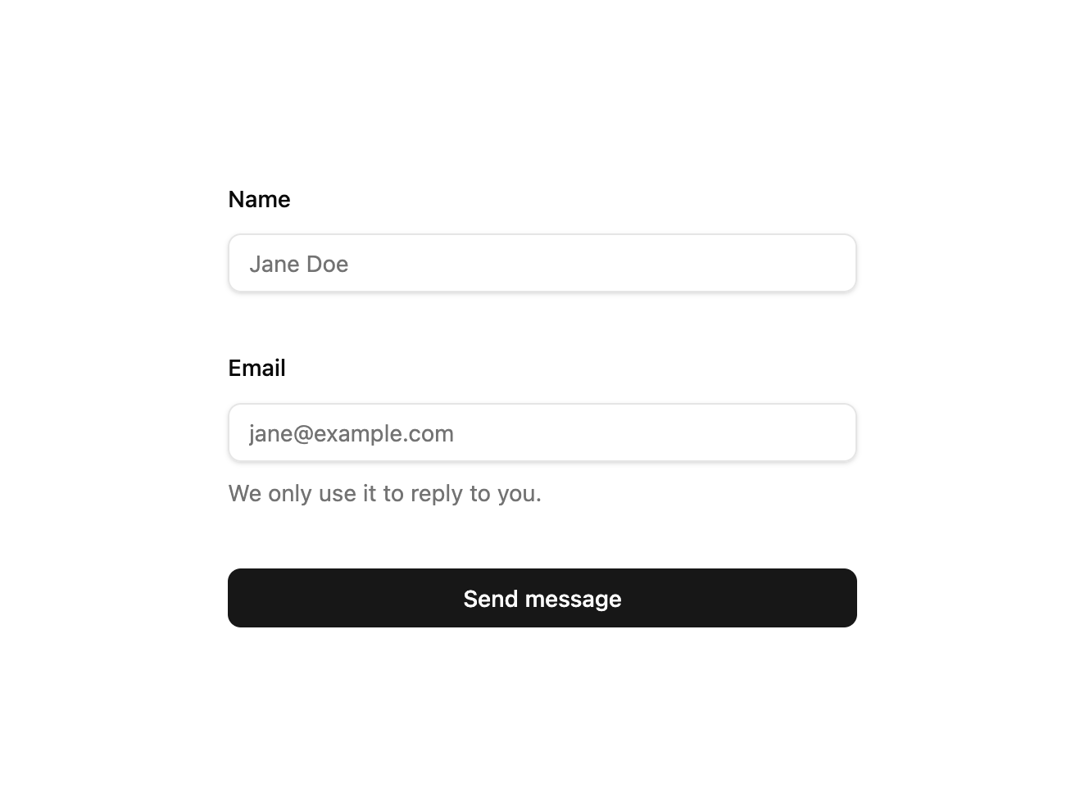
A react-hook-form field wrapper that lays out a label, control, description and error with the id, aria-invalid and aria-describedby wiring already done for you.
Built with React and Tailwind. Copy the prompt and paste it into Claude Code, Cursor or Lovable: your agent adds Form Field to your project and fits it to your theme.
Code
How Form Field is used: the demo's code. The component's own source comes with a free account.
Usage.tsx
"use client";

import { useForm } from "react-hook-form";

import { Input } from "@/components/ui/input";
import FormField from "@/components/ui/form";

interface ContactValues {
  name: string;
  email: string;
}

export default function FormFieldDemo() {
  const form = useForm<ContactValues>({
    defaultValues: { name: "", email: "" },
  });

  const onSubmit = form.handleSubmit(() => {
    // handle submit
  });

  return (
    <form
      onSubmit={onSubmit}
      className="mx-auto flex w-full max-w-sm flex-col gap-6"
    >
      <FormField
        control={form.control}
        name="name"
        rules={{ required: "Name is required" }}
        label="Name"
        render={({ field }) => <Input placeholder="Jane Doe" {...field} />}
      />
      <FormField
        control={form.control}
        name="email"
        rules={{ required: "Email is required" }}
        label="Email"
        description="We only use it to reply to you."
        render={({ field }) => (
          <Input type="email" placeholder="jane@example.com" {...field} />
        )}
      />
      <button
        type="submit"
        className="bg-primary text-primary-foreground inline-flex h-9 items-center justify-center rounded-md px-4 text-sm font-medium"
      >
        Send message
      </button>
    </form>
  );
}
Dependencies
More by kevingirelli
View all
Aurora
54
Warp Gradient
48
FAQ Section
46
QR Code
46
Wave Text
37
Corner Frame
36
Animated Border
32
Spotlight
23
More in Forms
View all

Premium Auth
498

Login 2
7

Login 1
52
Authentication Card
46

Contact Card
1K
Login Form
6

Form
16

Form
136
