
About
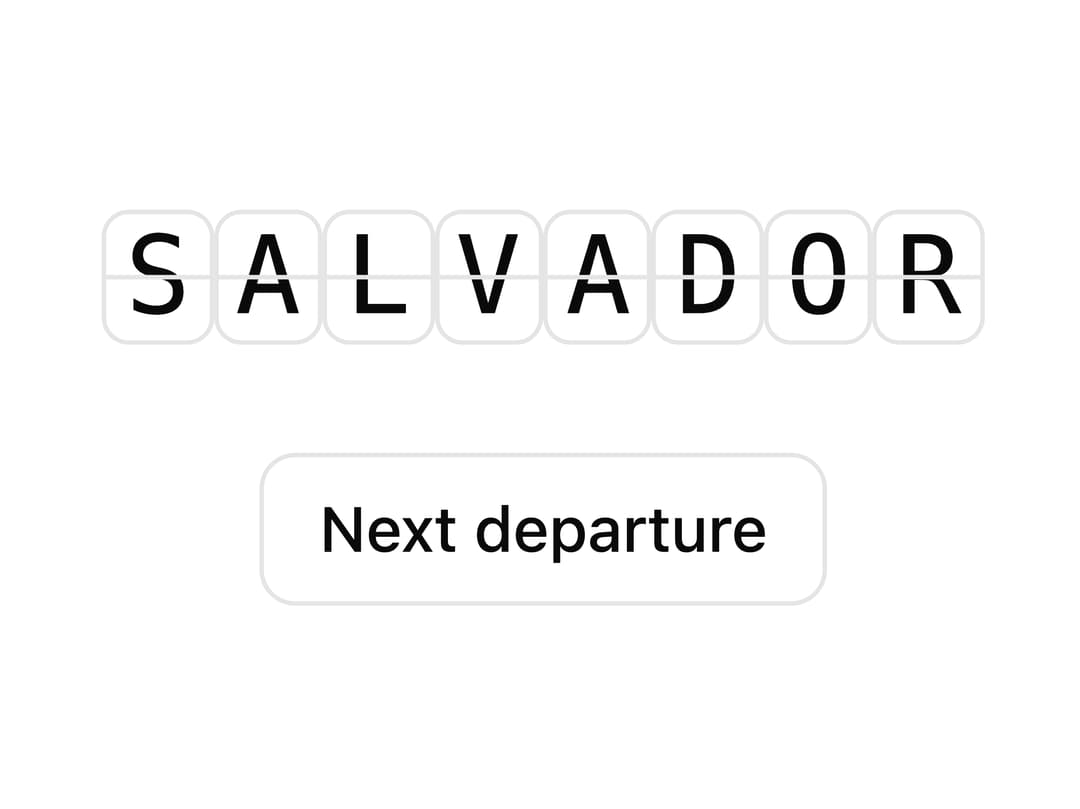
A split-flap text board, like airport/train departure displays, that flips only the characters that changed when its value updates.
Built with React and Tailwind. Copy the prompt and paste it into Claude Code, Cursor or Lovable: your agent adds Split Flap to your project and fits it to your theme.
Code
How Split Flap is used: the demo's code. The component's own source comes with a free account.
Usage.tsx
"use client";

import SplitFlap from "@/components/ui/split-flap";
import { useState } from "react";

const destinations = ["SALVADOR", "LONDON", "TOKYO", "NAIROBI"];

export default function SplitFlapDemo() {
  const [index, setIndex] = useState(0);

  return (
    <div className="flex flex-col items-center gap-6">
      <SplitFlap
        value={destinations[index]}
        length={8}
        divider
        live="polite"
        cellClassName="bg-card rounded-sm px-1 border border-border"
        className="text-2xl font-mono tracking-wider text-foreground"
      />
      <button
        type="button"
        onClick={() =>
          setIndex((current) => (current + 1) % destinations.length)
        }
        className="rounded-md border border-border bg-background px-3 py-1.5 text-sm font-medium text-foreground hover:bg-muted"
      >
        Next departure
      </button>
    </div>
  );
}
More by kevingirelli
View all
QR Code
124
Aurora
115
FAQ Section
73
Animated Border
66
Warp Gradient
58
Corner Frame
54
Wave Text
53
Spotlight
40
More in Text
View all

Vertical Cut Reveal Characters
127
Motion Blur Text
42
Text Reveal
38
Apple Hello Effect
649

Shine Border
988

Text Effect
1.7K

Blur Reveal
348
Typography
8

