
About
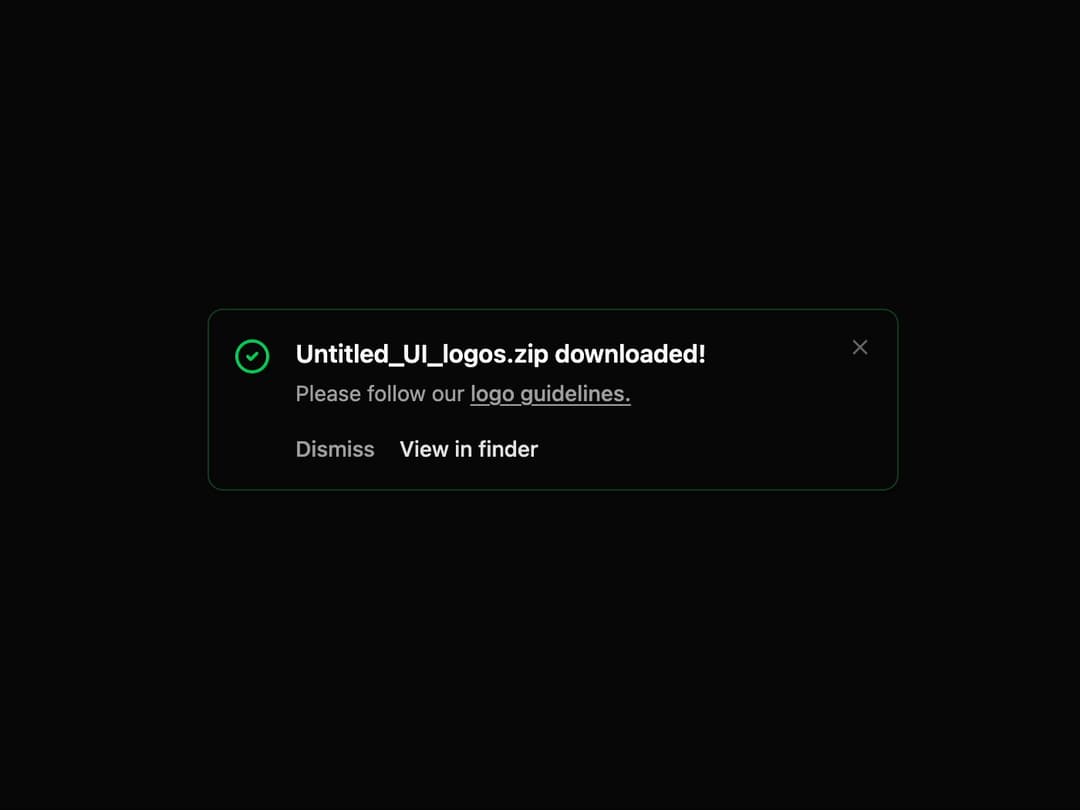
Alert Banner A dismissible alert component with variants, actions, and animations, designed to provide feedback to the user.
Built with React and Tailwind. Copy the prompt and paste it into Claude Code, Cursor or Lovable: your agent adds Alert Banner to your project and fits it to your theme.
Code
How Alert Banner is used: the demo's code. The component's own source comes with a free account.
Usage.tsx
"use client";

import * as React from "react";
import { AnimatePresence } from "framer-motion";
import { AlertBanner } from "@/components/ui/alert-banner";
import { CheckCircle2 } from "lucide-react";

export default function AlertBannerDemo() {
  const [isVisible, setIsVisible] = React.useState(true);

  // Handlers for actions
  const handleDismiss = () => setIsVisible(false);
  const handleView = () => {
    console.log("View in finder clicked");
    setIsVisible(false);
  };
  const handleSecondaryDismiss = () => {
    console.log("Dismiss action clicked");
    setIsVisible(false);
  };

  return (
    <div className="flex min-h-[250px] w-full items-start justify-center p-4">
      {/* Button to re-trigger the banner for demo purposes */}
      {!isVisible && (
        <button
          onClick={() => setIsVisible(true)}
          className="rounded-md bg-primary px-4 py-2 text-sm font-medium text-primary-foreground"
        >
          Show Banner
        </button>
      )}

      {/* AnimatePresence is required for exit animations */}
      <AnimatePresence>
        {isVisible && (
          <div className="w-full max-w-md">
            <AlertBanner
              variant="success"
              onDismiss={handleDismiss}
              title="Untitled_UI_logos.zip downloaded!"
              description={
                <>
                  Please follow our{" "}
                  <a
                    href="#"
                    className="font-medium underline underline-offset-2 transition-colors hover:text-foreground"
                  >
                    logo guidelines.
                  </a>
                </>
              }
              icon={<CheckCircle2 className="size-6" />}
              secondaryAction={{
                label: "Dismiss",
                onClick: handleSecondaryDismiss,
              }}
              primaryAction={{
                label: "View in finder",
                onClick: handleView,
              }}
            />
          </div>
        )}
      </AnimatePresence>
    </div>
  );
}
Dependencies
More by LaviKatiyar
View all
Hero Section
809
Cards
581
Service Card
557
Card
511
Alert Toast
484
Bento Grid
389
Freelancer Profile Card
362
Referral Card
291