
About
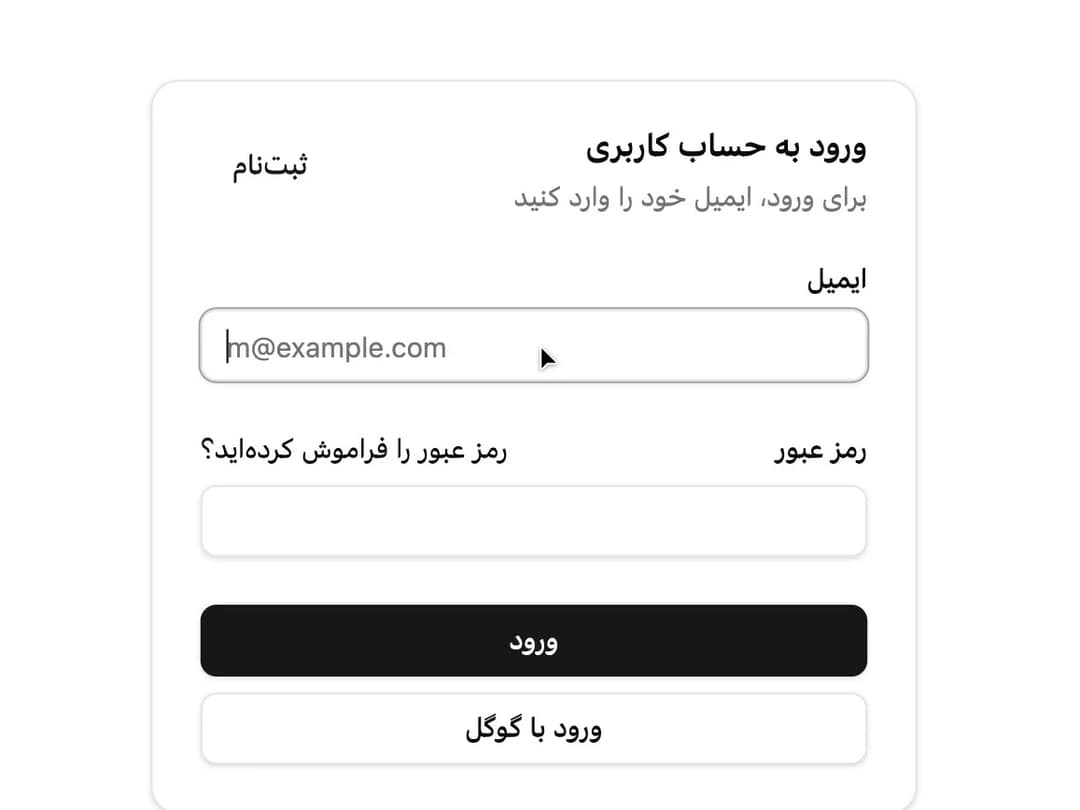
A content container with header, title, description, action, body and footer sections, built RTL-first for Farsi interfaces (e.g. a login form or an event card).
Built with React and Tailwind. Copy the prompt and paste it into Claude Code, Cursor or Lovable: your agent adds Card to your project and fits it to your theme.
Code
How Card is used: the demo's code. The component's own source comes with a free account.
Usage.tsx
import { Button } from "@/components/ui/button";
import {
Card,
CardAction,
CardContent,
CardDescription,
CardFooter,
CardHeader,
CardTitle,
} from "@/components/ui/card";
import { Input } from "@/components/ui/input";
import { Label } from "@/components/ui/label";
export default function CardDemo() {
return (
<Card className="w-full max-w-sm" dir="rtl">
<CardHeader>
<CardTitle>ورود به حساب کاربری</CardTitle>
<CardDescription>برای ورود، ایمیل خود را وارد کنید</CardDescription>
<CardAction>
<Button variant="link">ثبتنام</Button>
</CardAction>
</CardHeader>
<CardContent>
<form>
<div className="flex flex-col gap-6">
<div className="grid gap-2">
<Label htmlFor="email">ایمیل</Label>
<Input
id="email"
type="email"
dir="ltr"
placeholder="m@example.com"
required
/>
</div>
<div className="grid gap-2">
<div className="flex items-center">
<Label htmlFor="password">رمز عبور</Label>
<a
href="#"
className="ms-auto inline-block text-sm underline-offset-4 hover:underline"
>
رمز عبور را فراموش کردهاید؟
</a>
</div>
<Input id="password" type="password" required />
</div>
</div>
</form>
</CardContent>
<CardFooter className="flex-col gap-2">
<Button type="submit" className="w-full">
ورود
</Button>
<Button variant="outline" className="w-full">
ورود با گوگل
</Button>
</CardFooter>
</Card>
);
}
More by miladjoodi
View all
Image Diff Slider
1
Drag Scroll
Context Menu
More in Cards
View all

Course Design Cards
1.1K

Interactive Tech Stack Bento Grid with Hover Effects
294

Card Studio
10

Statistics Card 2
281
Statistics Card 10
274
Stats cards with links
40
Card
57
The Item one
3
