"use client"

import * as React from "react"
import { HourglassLoader } from "@/components/ui/hourglass-loader"

const FILES = [
  { name: "brand-film-v3.mov", size: "38.2 MB" },
  { name: "cover-1600.png", size: "2.9 MB" },
  { name: "captions.srt", size: "18 KB" },
]

const settings = {
  duration: 6,
  size: 168,
  startAt: 62,
  grain: 1,
  sandUseTheme: false,
  sandColor: "#b9883c",
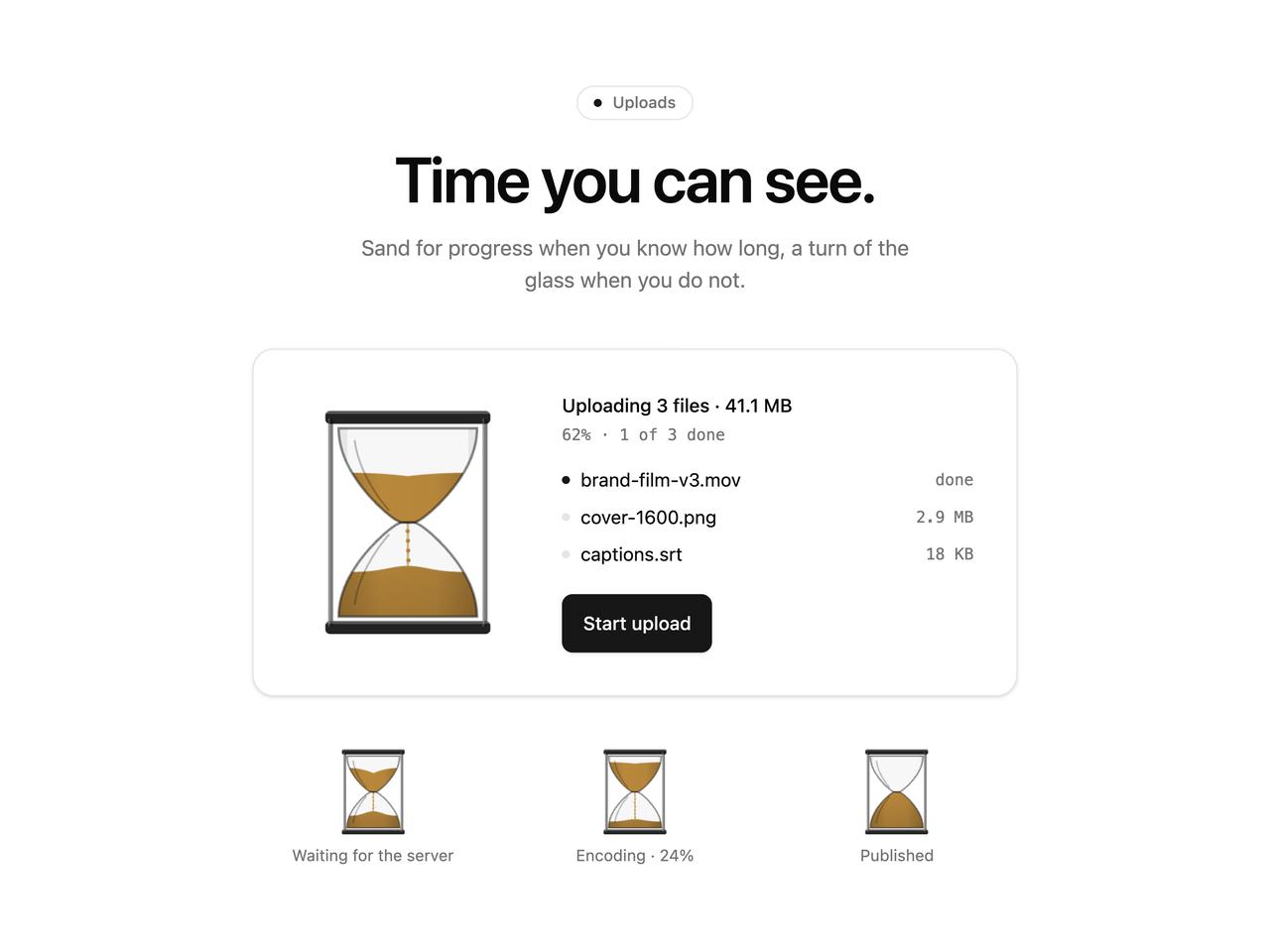
  headline: "Time you can see.",
  subline: "Sand for progress when you know how long, a turn of the glass when you do not.",
}

export default function Demo(props: Partial<typeof settings>) {
  const s = { ...settings, ...props }
  const [percent, setPercent] = React.useState(s.startAt)
  const [running, setRunning] = React.useState(false)
  const [turns, setTurns] = React.useState(0)
  const timer = React.useRef(0)

  React.useEffect(() => () => window.clearInterval(timer.current), [])

  // The resting level follows the knob while nothing is uploading.
  React.useEffect(() => {
    if (!running) setPercent(s.startAt)
  }, [s.startAt])

  const start = () => {
    window.clearInterval(timer.current)
    setPercent(0)
    setRunning(true)
    const startedAt = performance.now()
    // A few updates a second are plenty: the sand flows toward each value at its own pace, and the
    // progressbar's announced value does not chatter.
    timer.current = window.setInterval(() => {
      const p = Math.min(100, ((performance.now() - startedAt) / (s.duration * 1000)) * 100)
      setPercent(p)
      if (p >= 100) {
        window.clearInterval(timer.current)
        window.setTimeout(() => setRunning(false), 800)
      }
    }, 200)
  }

  const done = FILES.filter((_, i) => percent >= ((i + 1) / FILES.length) * 100 - 0.01).length
  const sand = s.sandUseTheme ? "var(--color-primary)" : s.sandColor

  return (
    <div className="bg-background flex min-h-[max(560px,100svh)] w-full flex-col items-center justify-center px-6 py-16">
      <div className="flex w-full max-w-3xl flex-col items-center text-center">
        <p className="text-muted-foreground border-border mb-5 inline-flex items-center gap-2 rounded-full border px-3 py-1 text-xs font-medium">
          <span aria-hidden="true" className="bg-primary size-1.5 rounded-full" />
          Uploads
        </p>
        <h1 className="text-foreground text-4xl font-semibold tracking-tight text-balance sm:text-5xl">
          {s.headline}
        </h1>
        <p className="text-muted-foreground mt-4 max-w-md text-base text-pretty">{s.subline}</p>

        <div className="bg-card text-card-foreground border-border mt-10 flex w-full max-w-xl flex-col items-center gap-6 rounded-2xl border p-8 shadow-sm sm:flex-row sm:items-center sm:gap-8 sm:text-left">
          <HourglassLoader
            value={percent}
            running={running}
            duration={s.duration}
            size={s.size}
            grain={s.grain}
            sandColor={sand}
            label="Upload progress"
          />
          <div className="min-w-0 flex-1">
            <p className="text-sm font-medium">Uploading 3 files · 41.1 MB</p>
            <p className="text-muted-foreground mt-1 font-mono text-xs tabular-nums">
              {Math.round(percent)}% · {done} of {FILES.length} done
            </p>
            <ul className="mt-4 space-y-2 text-sm">
              {FILES.map((file, i) => {
                const finished = i < done
                return (
                  <li key={file.name} className="flex items-center justify-between gap-3">
                    <span className="flex min-w-0 items-center gap-2">
                      <span
                        aria-hidden="true"
                        className={`size-1.5 shrink-0 rounded-full ${finished ? "bg-primary" : "bg-border"}`}
                      />
                      <span className="truncate">{file.name}</span>
                    </span>
                    <span className="text-muted-foreground font-mono text-xs tabular-nums">
                      {finished ? "done" : file.size}
                    </span>
                  </li>
                )
              })}
            </ul>
            <button
              type="button"
              id="cta-primary"
              data-slot="cta-primary"
              onClick={start}
              disabled={running}
              className="bg-primary text-primary-foreground mt-5 inline-flex h-11 cursor-pointer items-center justify-center rounded-md px-4 text-sm font-medium shadow-sm transition-[transform,box-shadow] duration-150 hover:shadow-md focus-visible:ring-[3px] focus-visible:ring-ring/50 active:scale-[0.98] disabled:cursor-progress disabled:opacity-80"
            >
              {running ? "Uploading…" : percent >= 100 ? "Upload again" : "Start upload"}
            </button>
          </div>
        </div>

        {/* The other states, side by side: waiting for the server, mid-encode, finished. */}
        <div className="mt-10 grid w-full max-w-xl grid-cols-3 gap-4">
          <figure className="flex flex-col items-center gap-2">
            <HourglassLoader
              size={64}
              duration={s.duration}
              grain={s.grain}
              sandColor={sand}
              label="Waiting for the server"
              onTurn={setTurns}
            />
            <figcaption className="text-muted-foreground text-xs">
              Waiting for the server{turns > 0 ? ` · turned ${turns}×` : ""}
            </figcaption>
          </figure>
          <figure className="flex flex-col items-center gap-2">
            <HourglassLoader
              size={64}
              value={24}
              running={false}
              grain={s.grain}
              sandColor={sand}
              label="Encoding"
            />
            <figcaption className="text-muted-foreground text-xs">Encoding · 24%</figcaption>
          </figure>
          <figure className="flex flex-col items-center gap-2">
            <HourglassLoader
              size={64}
              value={100}
              grain={s.grain}
              sandColor={sand}
              label="Published"
            />
            <figcaption className="text-muted-foreground text-xs">Published</figcaption>
          </figure>
        </div>
      </div>
    </div>
  )
}