'use client'

import { useState } from 'react'
// 21st's CLI points this import at its own copy of the component when it publishes.
import InkHeadline, { type By, type Trigger } from '@/components/ui/ink-headline'

// Plain values only: 21st builds the preview's controls from this object.
const settings = {
  text: 'Written in ink,\nword by word.',
  by: 'word',
  trigger: 'inView',
  progress: 0.5,
  duration: 1800,
  stagger: 240,
  ease: 'linear',
  bleed: 0.6,
  feather: 0.12,
  noiseScale: 2.2,
}

export default function Demo(props: Partial<typeof settings>) {
  const s = { ...settings, ...props }
  const [take, setTake] = useState(0)
  return (
    <div className="flex min-h-[80svh] w-full items-center bg-background px-6 py-20 text-foreground md:px-12">
      {/* Shippori Mincho: a Mincho face, the type style drawn from brush calligraphy. React 19 hoists this into <head>;
          where Google Fonts cannot load, the system Mincho (Hiragino on macOS, Yu on Windows) stands in. */}
      <link rel="stylesheet" href="https://fonts.googleapis.com/css2?family=Shippori+Mincho:wght@500&display=swap" precedence="default" />
      <div className="mx-auto w-full max-w-5xl">
        <p className="font-mono text-[11px] uppercase tracking-[0.18em] text-muted-foreground">Ink headline · {s.by === 'line' ? 'line by line' : s.by === 'all' ? 'all at once' : 'word by word'}</p>
        <InkHeadline
          key={take}
          as="h1"
          by={s.by as By}
          trigger={s.trigger as Trigger}
          progress={s.progress}
          duration={s.duration}
          stagger={s.stagger}
          ease={s.ease}
          bleed={s.bleed}
          feather={s.feather}
          noiseScale={s.noiseScale}
          className="mt-5 font-['Shippori_Mincho','Hiragino_Mincho_ProN','Yu_Mincho',YuMincho,ui-serif,Georgia,serif] text-6xl font-medium leading-[1.2] tracking-[0.03em] [word-spacing:0.12em] md:text-8xl"
        >
          {s.text}
        </InkHeadline>
        <div className="mt-8 flex flex-wrap items-center gap-x-8 gap-y-4">
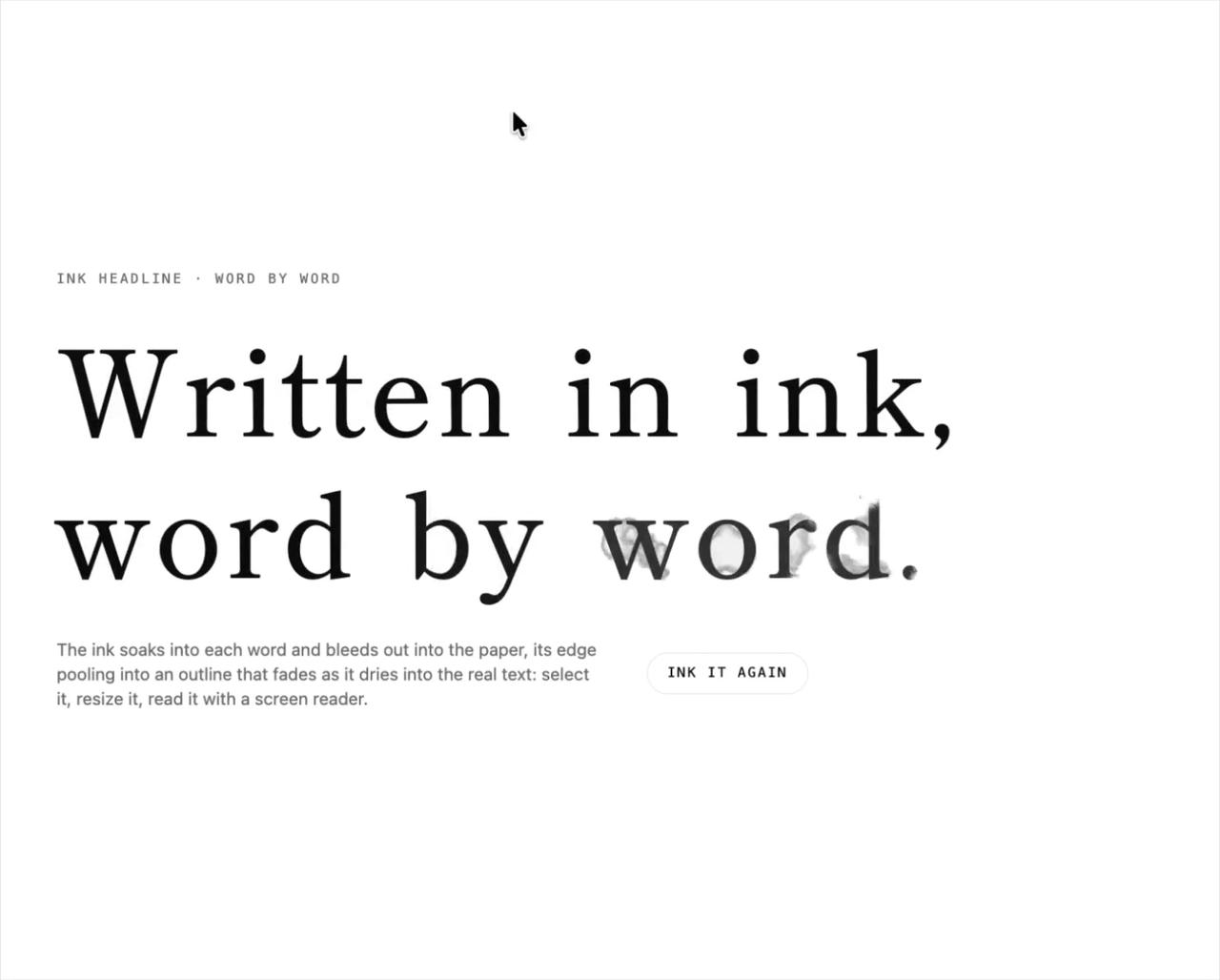
          <p className="max-w-md text-sm text-muted-foreground">
            The ink soaks into each word and bleeds out into the paper, its edge pooling into an outline that fades as it dries
            into the real text: select it, resize it, read it with a screen reader.
          </p>
          <button
            type="button"
            id="ink-again"
            onClick={() => setTake((t) => t + 1)}
            className="rounded-full border border-border px-4 py-2 font-mono text-[11px] uppercase tracking-[0.14em] transition-colors hover:bg-foreground hover:text-background focus-visible:outline-none focus-visible:ring-2 focus-visible:ring-ring"
          >
            Ink it again
          </button>
        </div>
      </div>
    </div>
  )
}