
About
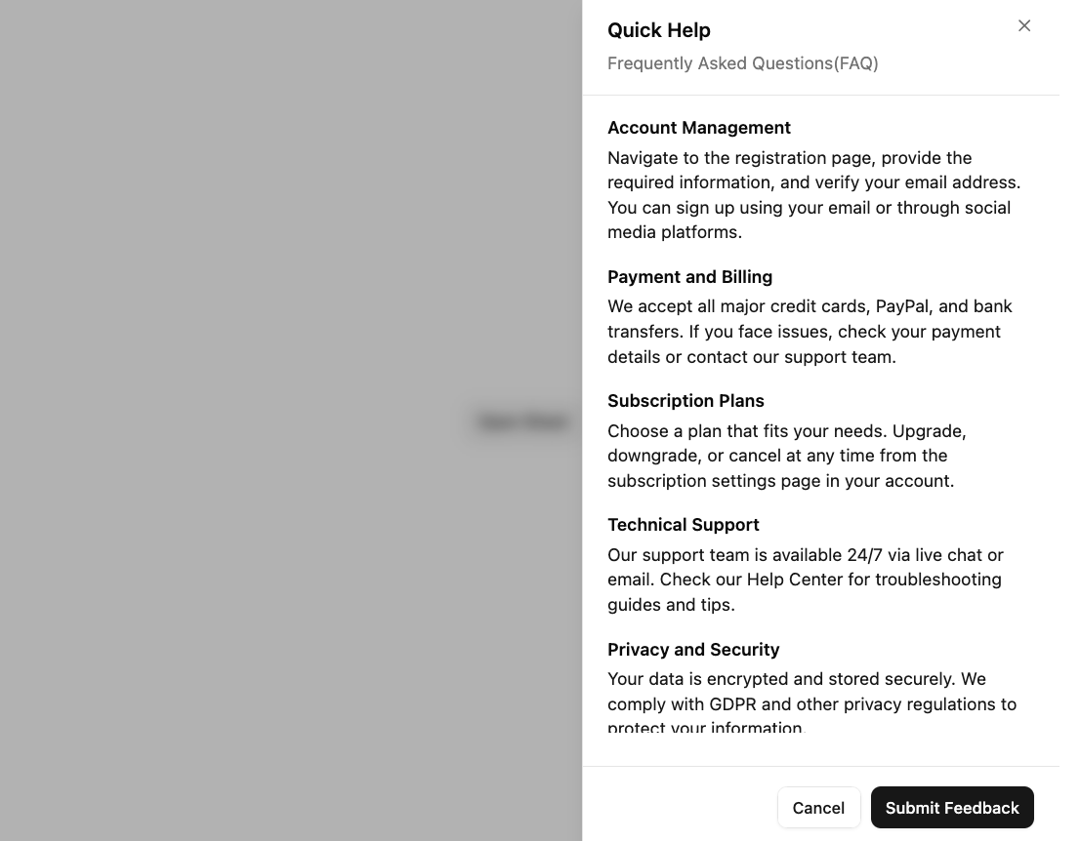
Extends the Dialog component to display content that complements the main content of the screen.
Built with React and Tailwind. Copy the prompt and paste it into Claude Code, Cursor or Lovable: your agent adds Sheet to your project and fits it to your theme.
Code
How Sheet is used: the demo's code. The component's own source comes with a free account.
Usage.tsx
import { Button } from '@/components/ui/button-1';
import { ScrollArea } from '@/components/ui/scroll-area';
import {
  Sheet,
  SheetBody,
  SheetClose,
  SheetContent,
  SheetDescription,
  SheetFooter,
  SheetHeader,
  SheetTitle,
  SheetTrigger,
} from '@/components/ui/sheet';
import { useDirection } from '@radix-ui/react-direction';

export default function DemoSheet() {
  const direction = useDirection();

  const faqSections = [
    {
      title: 'Account Management',
      content:
        'Navigate to the registration page, provide the required information, and verify your email address. You can sign up using your email or through social media platforms.',
    },
    {
      title: 'Payment and Billing',
      content:
        'We accept all major credit cards, PayPal, and bank transfers. If you face issues, check your payment details or contact our support team.',
    },
    {
      title: 'Subscription Plans',
      content:
        'Choose a plan that fits your needs. Upgrade, downgrade, or cancel at any time from the subscription settings page in your account.',
    },
    {
      title: 'Technical Support',
      content:
        'Our support team is available 24/7 via live chat or email. Check our Help Center for troubleshooting guides and tips.',
    },
    {
      title: 'Privacy and Security',
      content:
        'Your data is encrypted and stored securely. We comply with GDPR and other privacy regulations to protect your information.',
    },
    {
      title: 'Feature Requests',
      content:
        'Got ideas for new features? Submit your request via the feedback form in the app or reach out to us directly.',
    },
    {
      title: 'Refund Policy',
      content:
        "If you're not satisfied with your purchase, you can request a refund within 14 days. Please review our refund policy for more details.",
    },
    {
      title: 'Mobile App Support',
      content:
        'Our platform is fully compatible with iOS and Android devices. Download our app from the App Store or Google Play.',
    },
    {
      title: 'User Roles and Permissions',
      content:
        'Admins can assign roles and permissions to other users. These roles determine the level of access within the platform.',
    },
  ];

  return (
    <Sheet>
      <SheetTrigger asChild>
        <Button variant="outline">Open Sheet</Button>
      </SheetTrigger>
      <SheetContent className="p-0" dir={direction}>
        <SheetHeader className="py-4 px-5 border-b border-border">
          <SheetTitle>Quick Help</SheetTitle>
          <SheetDescription>Frequently Asked Questions(FAQ)</SheetDescription>
        </SheetHeader>
        <SheetBody className="py-0 px-5 grow">
          <ScrollArea className="text-sm h-[calc(100dvh-190px)] pe-3 -me-3">
            <div className="space-y-4 [&_h3]:font-semibold [&_h3]:text-foreground">
              {faqSections.map((faq, index) => (
                <div key={index} className="text-accent-foreground space-y-1">
                  <h3>{faq.title}</h3>
                  <p>{faq.content}</p>
                </div>
              ))}
            </div>
          </ScrollArea>
        </SheetBody>
        <SheetFooter className="py-4 px-5 border-t border-border">
          <SheetClose asChild>
            <Button variant="outline">Cancel</Button>
          </SheetClose>
          <SheetClose asChild>
            <Button type="submit">Submit Feedback</Button>
          </SheetClose>
        </SheetFooter>
      </SheetContent>
    </Sheet>
  );
}
Dependencies
More by Sean Hello
View all

3D Testimonails
3.3K
Line Charts 9
630
Alert
492
Area Charts 1
383
Line Charts 6
381
Scroll Area
375
Area Charts 2
315
Navigation Menu
305
More in Buttons
View all
Button
4

App Store Button
453

Button
47

Eclipse Button
39

Button
4
Texture Button
92
Split Button
14

Button
32

