About
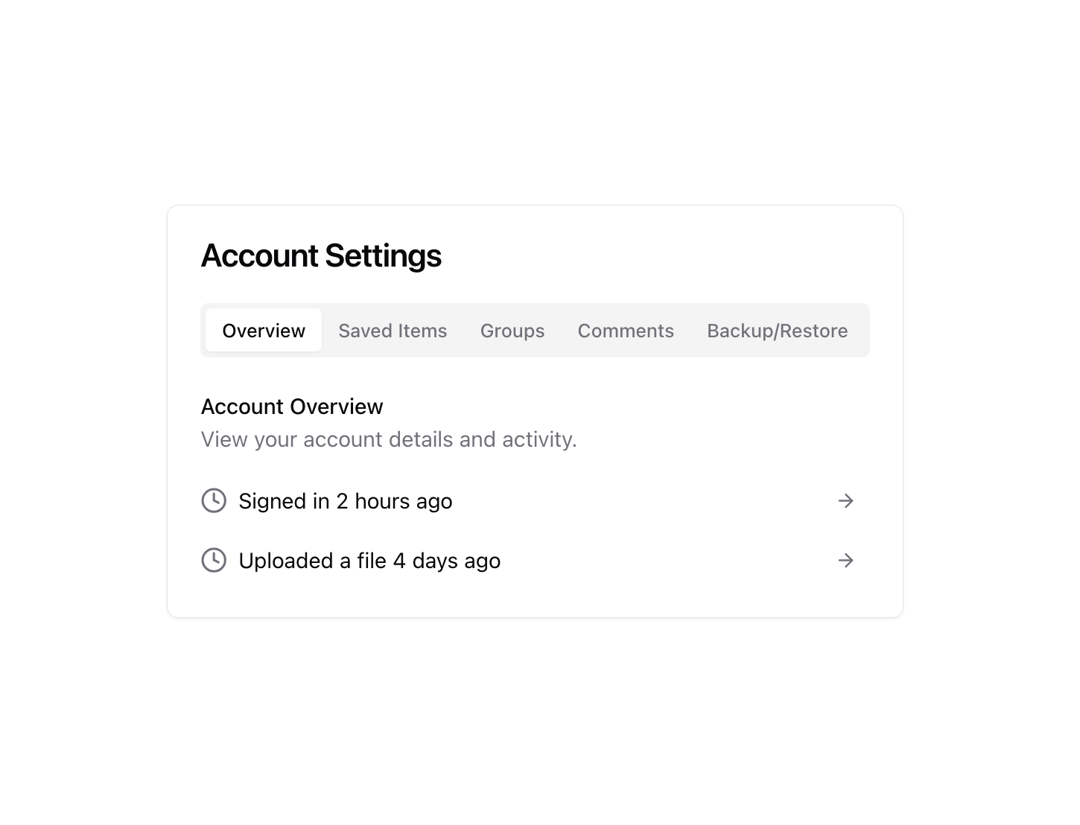
A set of layered sections of content—known as tab panels—that are displayed one at a time.
Built with React and Tailwind. Copy the prompt and paste it into Claude Code, Cursor or Lovable: your agent adds Tabs to your project and fits it to your theme.
Code
How Tabs is used: the demo's code. The component's own source comes with a free account.
Usage.tsx
import { Button } from "@/components/ui/button"
import { Card, CardContent, CardHeader, CardTitle } from "@/components/ui/card"
import { Tabs, TabsContent, TabsList, TabsTrigger } from "@/components/ui/tabs"
import {
ArrowRight,
Bookmark,
Clock,
Download,
Upload,
Users,
} from "lucide-react"
function WithCard() {
return (
<Card>
<CardHeader>
<CardTitle>Account Settings</CardTitle>
</CardHeader>
<CardContent>
<Tabs defaultValue="overview">
<TabsList className="mb-4">
<TabsTrigger value="overview">Overview</TabsTrigger>
<TabsTrigger value="saved">Saved Items</TabsTrigger>
<TabsTrigger value="groups">Groups</TabsTrigger>
<TabsTrigger value="comments">Comments</TabsTrigger>
<TabsTrigger value="backup">Backup/Restore</TabsTrigger>
</TabsList>
<TabsContent value="overview">
<div className="grid gap-4">
<div>
<h3 className="font-medium">Account Overview</h3>
<p className="text-muted-foreground">
View your account details and activity.
</p>
</div>
<div className="grid gap-2">
<div className="flex items-center justify-between">
<div className="flex items-center gap-2">
<Clock className="size-5 text-muted-foreground" />
<span>Signed in 2 hours ago</span>
</div>
<Button variant="ghost" size="icon">
<ArrowRight className="size-4 text-muted-foreground" />
</Button>
</div>
<div className="flex items-center justify-between">
<div className="flex items-center gap-2">
<Clock className="size-5 text-muted-foreground" />
<span>Uploaded a file 4 days ago</span>
</div>
<Button variant="ghost" size="icon">
<ArrowRight className="size-4 text-muted-foreground" />
</Button>
</div>
</div>
</div>
</TabsContent>
<TabsContent value="saved">
<div className="grid gap-4">
<div>
<h3 className="font-medium">Saved Items</h3>
<p className="text-muted-foreground">
View and manage your saved items.
</p>
</div>
<div className="grid gap-2">
<div className="flex items-center justify-between">
<div className="flex items-center gap-2">
<Bookmark className="size-5 text-muted-foreground" />
<span>Design Inspiration</span>
</div>
<Button variant="ghost" size="icon">
<ArrowRight className="size-4 text-muted-foreground" />
</Button>
</div>
<div className="flex items-center justify-between">
<div className="flex items-center gap-2">
<Bookmark className="size-5 text-muted-foreground" />
<span>Development Resources</span>
</div>
<Button variant="ghost" size="icon">
<ArrowRight className="size-4 text-muted-foreground" />
</Button>
</div>
<div className="flex items-center justify-between">
<div className="flex items-center gap-2">
<Bookmark className="size-5 text-muted-foreground" />
<span>Marketing Strategies</span>
</div>
<Button variant="ghost" size="icon">
<ArrowRight className="size-4 text-muted-foreground" />
</Button>
</div>
</div>
</div>
</TabsContent>
<TabsContent value="groups">
<div className="grid gap-4">
<div>
<h3 className="font-medium">Groups</h3>
<p className="text-muted-foreground">
Manage your group memberships and settings.
</p>
</div>
<div className="grid gap-2">
<div className="flex items-center justify-between">
<div className="flex items-center gap-2">
<Users className="size-5 text-muted-foreground" />
<span>Design Team</span>
</div>
<Button variant="ghost" size="icon">
<ArrowRight className="size-4 text-muted-foreground" />
</Button>
</div>
<div className="flex items-center justify-between">
<div className="flex items-center gap-2">
<Users className="size-5 text-muted-foreground" />
<span>Marketing Squad</span>
</div>
<Button variant="ghost" size="icon">
<ArrowRight className="size-4 text-muted-foreground" />
</Button>
</div>
<div className="flex items-center justify-between">
<div className="flex items-center gap-2">
<Users className="size-5 text-muted-foreground" />
<span>Engineering Crew</span>
</div>
<Button variant="ghost" size="icon">
<ArrowRight className="size-4 text-muted-foreground" />
</Button>
</div>
</div>
</div>
</TabsContent>
<TabsContent value="comments">
<div className="grid gap-4">
<div className="border-b pb-4">
<h3 className="font-medium">Comments</h3>
<p className="text-muted-foreground">
Manage and respond to comments on your account.
</p>
</div>
<div className="grid gap-4">
<div className="flex items-start gap-4">
<div className="flex-1">
<div className="flex items-center justify-between">
<div className="font-medium">Jill Watson</div>
<div className="text-xs text-muted-foreground">
2 days ago
</div>
</div>
<p className="text-muted-foreground">
Great work on the new design! Really love the clean look
and feel.
</p>
</div>
</div>
<div className="flex items-start gap-4">
<div className="flex-1">
<div className="flex items-center justify-between">
<div className="font-medium">Tom Hanks</div>
<div className="text-xs text-muted-foreground">
1 week ago
</div>
</div>
<p className="text-muted-foreground">
Awesome job on the new features! Can't wait to try
them out.
</p>
</div>
</div>
</div>
</div>
</TabsContent>
<TabsContent value="backup">
<div className="grid gap-4">
<div>
<h3 className="font-medium">Backup & Restore</h3>
<p className="text-muted-foreground">
Manage your account backups and restore points.
</p>
</div>
<div className="grid gap-2">
<div className="flex items-center justify-between">
<div className="flex items-center gap-2">
<Download className="size-5 text-muted-foreground" />
<span>Backup Account</span>
</div>
<Button variant="ghost" size="icon">
<ArrowRight className="size-4 text-muted-foreground" />
</Button>
</div>
<div className="flex items-center justify-between">
<div className="flex items-center gap-2">
<Upload className="size-5 text-muted-foreground" />
<span>Restore Account</span>
</div>
<Button variant="ghost" size="icon">
<ArrowRight className="size-4 text-muted-foreground" />
</Button>
</div>
</div>
</div>
</TabsContent>
</Tabs>
</CardContent>
</Card>
)
}
export { WithCard }Dependencies
More by shadcn
View all

Navigation menu
782
Calendar with time pressets
512
Sidebar
345
Sonner
236
Chart
220
Icons
189
Dropdown Menu
153
Calendar with event slots
119
More in Cards
View all

Course Design Cards
1.1K

Statistics Card 7
297
Statistics Card 2
270
Stats cards with links
81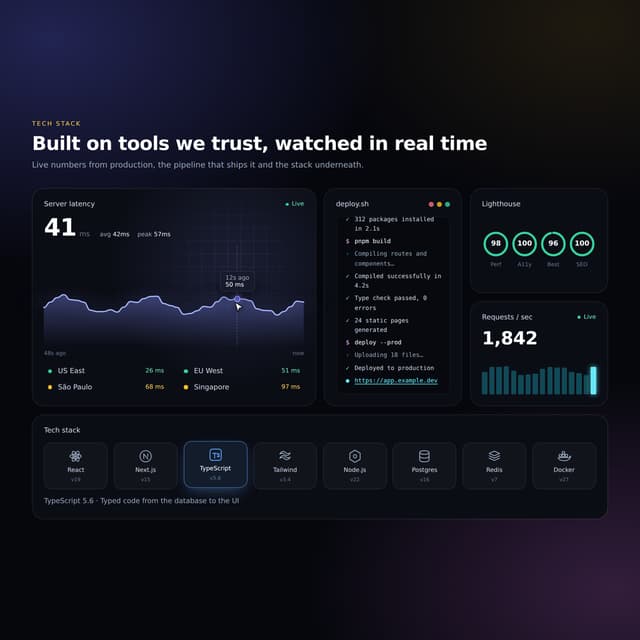

Interactive Tech Stack Bento Grid with Hover Effects
156
Card
70

Card Studio
35

Card
18
